Google Search Console Keyword Clustering for Actionable SEO Insights

Ever wondered why your keyword tracking feels less granular lately? Google Search Console keyword clustering just changed the game. Instead of surfacing single keyword click trends, GSC now groups related queries into clusters-making your old habits obsolete. This isn’t just a reporting facelift. It’s a seismic shift in how you uncover actionable SEO insights.
Why does this matter right now? Simple: identifying the right keyword groupings can boost your click-through rates by up to 30%. A LinkedIn analysis breaks down how smarter query grouping opens new doors for optimization. If you rely on precise, engineering-grade SEO, you need to adapt-fast.
In this tutorial, you’ll dig into exactly how Google’s new approach works. You’ll build a hands-on workflow to extract, analyze, and act on grouped keyword data. You’ll walk away knowing how to turn GSC “Insights”-those curated query clusters-into tactical steps that drive traffic and conversions.
Ready to move beyond basic keyword lists and surface the real intent behind your traffic? Let’s get started and make Google’s changes work for you.
Prerequisites and Setup
Required Knowledge
You should know the basics of keyword research and how to navigate Google Search Console. If you’ve ever pulled a queries report or tracked clicks, you’re set. For example, if you’re comfortable spotting a drop in branded terms or segmenting by device, this workflow will feel familiar.
Tools and Accounts
First, you need access to a verified property in Google Search Console. Without it, Insights won’t appear for your site. Think of GSC access like the keys to your data vault-no keys, no entry. You’ll also want a spreadsheet tool like Google Sheets or Excel for clustering keywords after export. Many pros use Sheets because it handles bulk exports easily.
To find Google Insights: log into Search Console → choose your property → click “Search results.” Look for the “Search Console Insights” prompt at the top right. Not every account sees this yet; rollout is gradual.
Version Compatibility
Google’s console insights work with both legacy and new interface designs as of mid-2024. Export formats are CSV or Sheets-ready-no extra conversion needed. For more on clustering methods, see this detailed workflow guide.
Part 1: Accessing and Understanding Query Groups
Navigating to Query Groups

By the end of this section, you’ll know how to find query groups in Google Search Console (GSC) and why they matter. Start by logging into your GSC account. From your property dashboard, click “Performance.” Instead of a long list of individual queries, you’ll now see a new tab labeled “Insights.” This is where Google’s automatic keyword clustering kicks in.
Click “Insights” and notice the “Groups in Search” panel. Here, GSC bundles related search terms-think of it as sorting your sock drawer but for keywords. For example, instead of seeing every variation like “buy running shoes,” “best running sneakers,” or “cheap jogging footwear,” you get one cluster called “Running Shoes Group.” This approach lets you spot patterns fast.
Wondering how these clusters are built? Google uses semantic similarity-essentially, grouping keywords that mean similar things or serve the same intent (see this breakdown). You don’t need to manually group hundreds of phrases anymore.
Query Group Types and Meanings
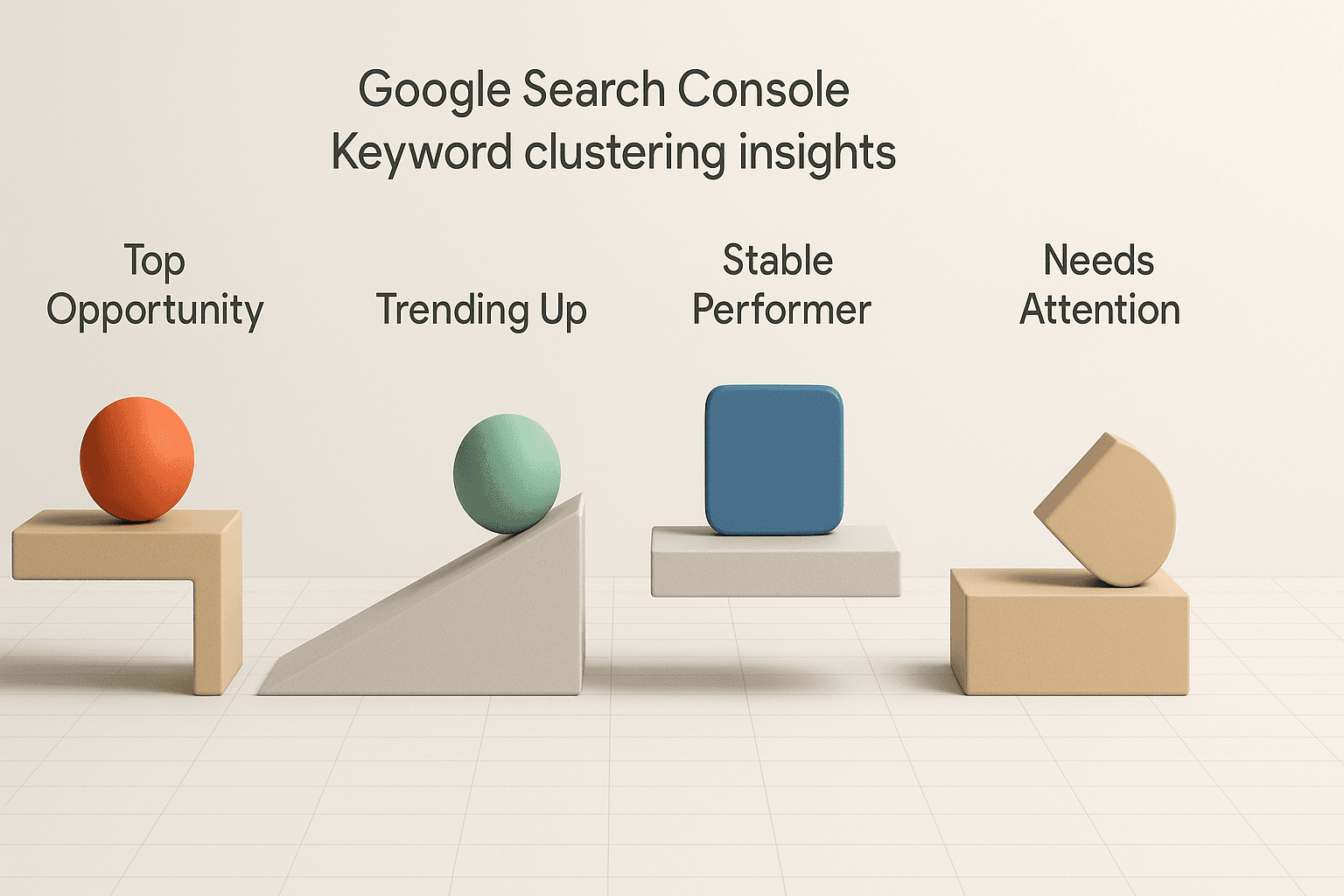
Here’s where insights come alive. Each query group gets sorted into one of four insight types:
- Top Opportunity - These are groups ranking just off page one, primed for a push.
- Trending Up - Groups with rising clicks or impressions over time.
- Stable Performer - Your steady traffic sources; reliable but not spiking.
- Needs Attention - Sudden drops in clicks or impressions signal trouble.
For example: If the “Men’s Waterproof Boots” group moves from Trending Up last month to Needs Attention today, it flags a change worth digging into.
So what do these search console insights give you? Focused direction without drowning in noise. Instead of chasing single keywords, you act on bigger trends across entire topics (read more about mastering GSC keywords).
This shift is like moving from tracking every grain of sand to reading the shape of the dune-it’s faster and far more actionable for real SEO strategy.
Part 2: Building a Basic Keyword Clustering Workflow
Exporting Grouped Data
By the end of this part, you’ll know how to pull out Google’s new query groups and prep them for real analysis. The process starts in Google Search Console’s Performance report. Make sure you’ve got the new Insights panel turned on-if not, look for the “Insights” toggle at the top of your dashboard and switch it on. This unlocks the automatic keyword groupings from Google’s backend.
Click into “Search Results,” then select the “Queries” tab. Instead of a flat list, you now see query groups in action-these are clusters built by Google’s automatic keyword grouping system. For example, instead of dozens of variations like “buy running shoes online,” you’ll see a single group called “buy running shoes.” To export these, hit “Export” in the top right and choose CSV or Sheets format.
Pro tip: Always check that your export includes both group names and aggregated metrics (clicks, impressions). If you only see keywords-not groups-you might need to refresh or revisit Google’s announcement to confirm rollout status for your account.
Initial Analysis with Spreadsheets
Now that you’ve got grouped data, open it up in Excel or Google Sheets. Think of this as sorting your laundry-except each pile is a high-potential topic cluster with its own trend line.
Start by adding columns for CTR (click-through rate), average position, and change over time if available. Use conditional formatting to highlight query groups that spiked or dropped recently. For example, if your “project management SaaS” cluster jumped 15% week-over-week while others stayed flat-that’s an actionable signal.
You can quickly spot low-hanging fruit by filtering for clusters with high impressions but low CTRs. That points to SERP visibility but poor engagement-a cue for meta rewrite tests.
For deeper clustering techniques beyond what GSC provides natively, see this guide on keyword clustering which covers semantic similarity approaches used by advanced teams.
At this point, your spreadsheet workflow should reveal clear trends: rising topics worth doubling down on and declining ones needing attention. You’re not just wrangling keywords-you’re steering strategy based on grouped intent signals straight from Google’s pipeline.
Part 3: Extracting Actionable Insights from Query Groups
Analyzing Group Performance

By the end of this section, you’ll know how to turn Google’s grouped keyword data into a high-impact SEO advantage. With groups in search, you now see intent clusters-not just scattered keywords. This makes it easier to spot where your site aligns with what people actually want.
Google Insights, for example, is used by SEO professionals and technical marketers to surface patterns across keyword groups. It lets you answer questions like, “Which topics drive traffic but get low click-through?” or “Where am I cannibalizing my own rankings?”
Imagine running a SaaS site. You notice two high-impression query groups-“project management software” and “team collaboration tools”-are both pulling impressions for the same landing page. That’s a red flag for cannibalization. Your content is trying to serve two intents at once and may rank lower as a result.
Instead of guessing, review group-level metrics: impressions, clicks, and average position side by side. If one group underperforms on clicks despite strong impressions, your meta or content might miss user intent for that cluster.
For more detail on clustering logic and best practices, check out this breakdown.
Spotting Optimization Opportunities
Next up-how do you act on these insights? Start by prioritizing groups with untapped potential or obvious gaps.
Let’s say your “automated reporting” group has decent impressions but low CTR and sits below position 10 on average. That signals an opportunity: update your page copy to match searcher language or split off a dedicated page focused tightly on automated reporting queries.
You can also use insights from announced automatic keyword clusters to guide internal links. Link contextually between pages covering related query groups-for example, link your main dashboard feature page to deeper guides within that feature’s semantic cluster.
The goal is always concrete action: launch new pages where gaps exist; consolidate where cannibalization hurts; strengthen internal linking strategy around real user intent clusters (see more practical tips).
With grouped analysis, keyword research becomes less about chasing volume-and more about building authority across connected topics that matter to your audience.
Conclusion
You’ve built a robust workflow that lets you harness Google’s new keyword grouping for real SEO gains. By validating your clusters, catching misclassifications early, and keeping a pulse on group trends, you’re not just reacting-you’re steering your strategy with data in hand. These habits move you beyond surface-level reporting to true site optimization, where every change is measured and meaningful.
Stick with this rigorous approach as Google evolves the Search Console experience. The teams who adapt fastest-and test everything-will be the ones driving results while competitors are still guessing.