MOST AI WRITERSSTOP AT THEDRAFT.
They generate text and wish you luck. Yours researches the topic, writes with real data, reviews every paragraph for quality, generates custom images, scores the result across five dimensions — then publishes it directly to your CMS. A finished article, not a starting point.
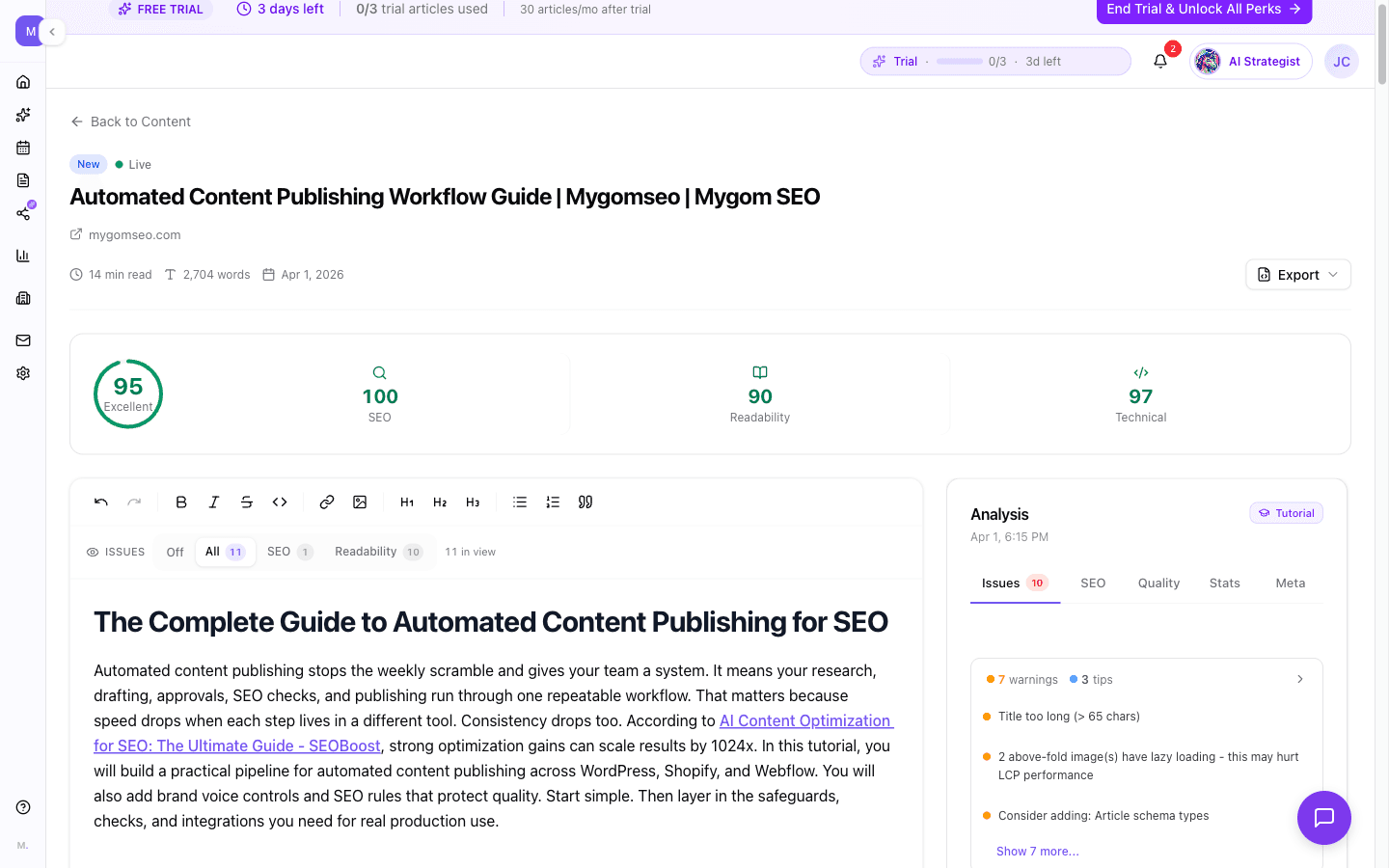
What happens between keyword and published article.
Topic Research
Competitor analysis, keyword metrics, People Also Ask questions, and LSI terms — gathered automatically before a single word is written. Your article starts with data, not guesses.
Structured Outline
Headings, key points, word count targets, and image placement — all generated from research data and tailored to your blog type. Full control to rearrange before writing begins.
Section-by-Section Writing
Each section written individually with web search access for current data, statistics with sources, and natural keyword integration. No filler paragraphs, no repeated points.
Quality Review & Fix
Every article is reviewed for storytelling quality, factual accuracy, and style issues — then fixed automatically. Critical problems trigger a second review pass.
Custom Image Generation
Hero image, section visuals, and a social share image — generated to match your content, not pulled from a stock library. Placed strategically throughout the article.
5-Dimension Quality Score
SEO, readability, AI detection risk, brand voice alignment, and HTML structure — each scored 0-100. You see exactly where the article stands before it goes live.
Research first, write second
Other AI writers take your keyword and start generating immediately. Yours spends the first step gathering real data: search volume, keyword difficulty, competitor content gaps, related questions people ask, and semantic terms that top-ranking pages use. The writing step gets all of this as context — so the article covers what matters, not what the model remembers from training data.
- ·Keyword metrics: search volume, difficulty, CPC, and intent
- ·Competitor gap analysis across top-ranking pages
- ·People Also Ask questions woven into the outline
- ·LSI keywords tracked and distributed across sections
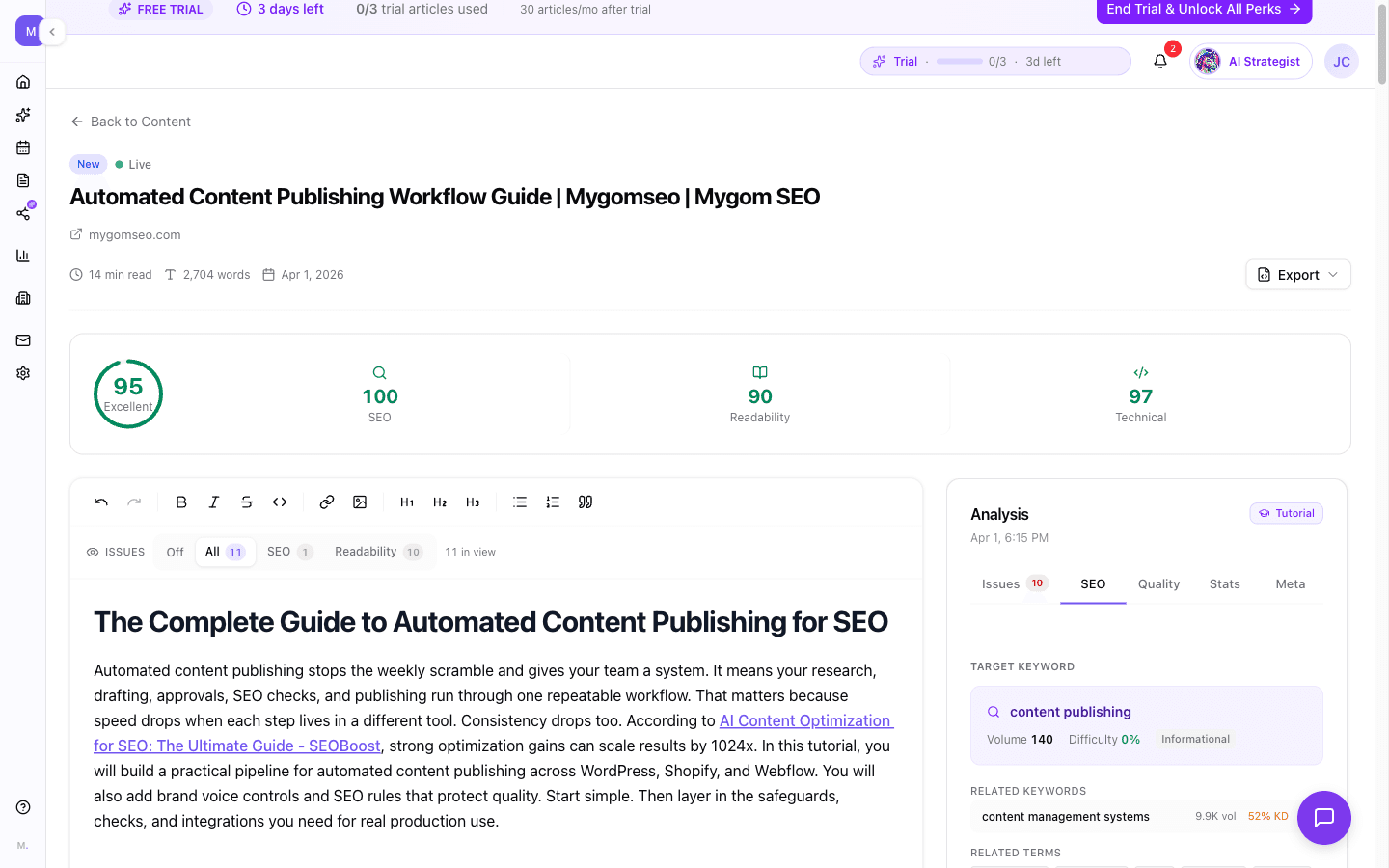
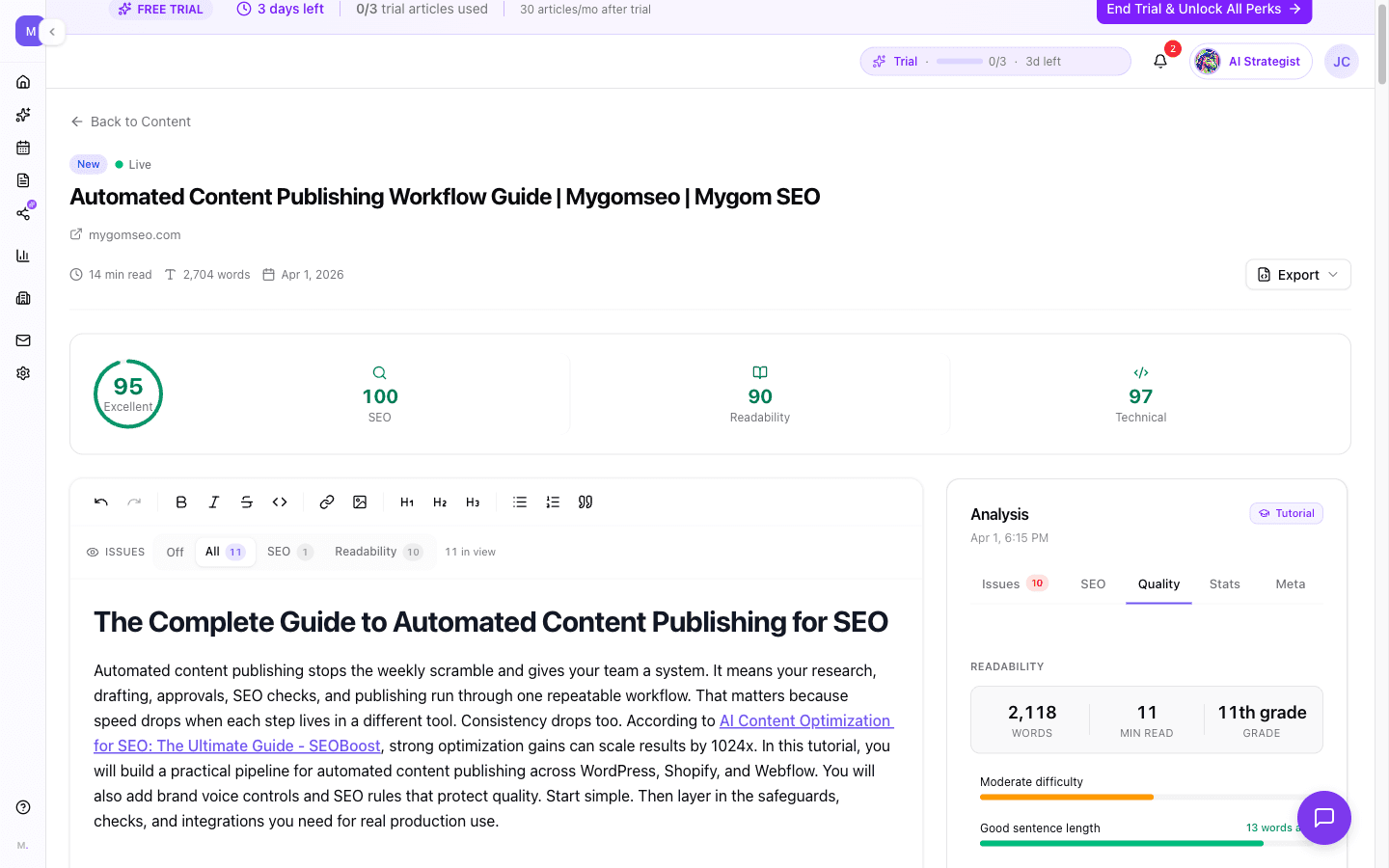
Scored before it ships
Every article gets scored across five dimensions before you see it. SEO checks keyword placement, heading structure, and link counts. Readability measures grade level and sentence complexity. AI detection flags patterns that look machine-generated. Brand voice compares tone against your profile. HTML structure validates heading hierarchy and alt text. The overall score tells you if it's ready to publish — or what to fix first.
- ·Overall score: weighted 0-100 across all five dimensions
- ·Blockers prevent publishing when critical issues exist
- ·Suggestions ranked by severity: fix the important things first
- ·Blog-type-specific thresholds — a tutorial has different standards than a case study
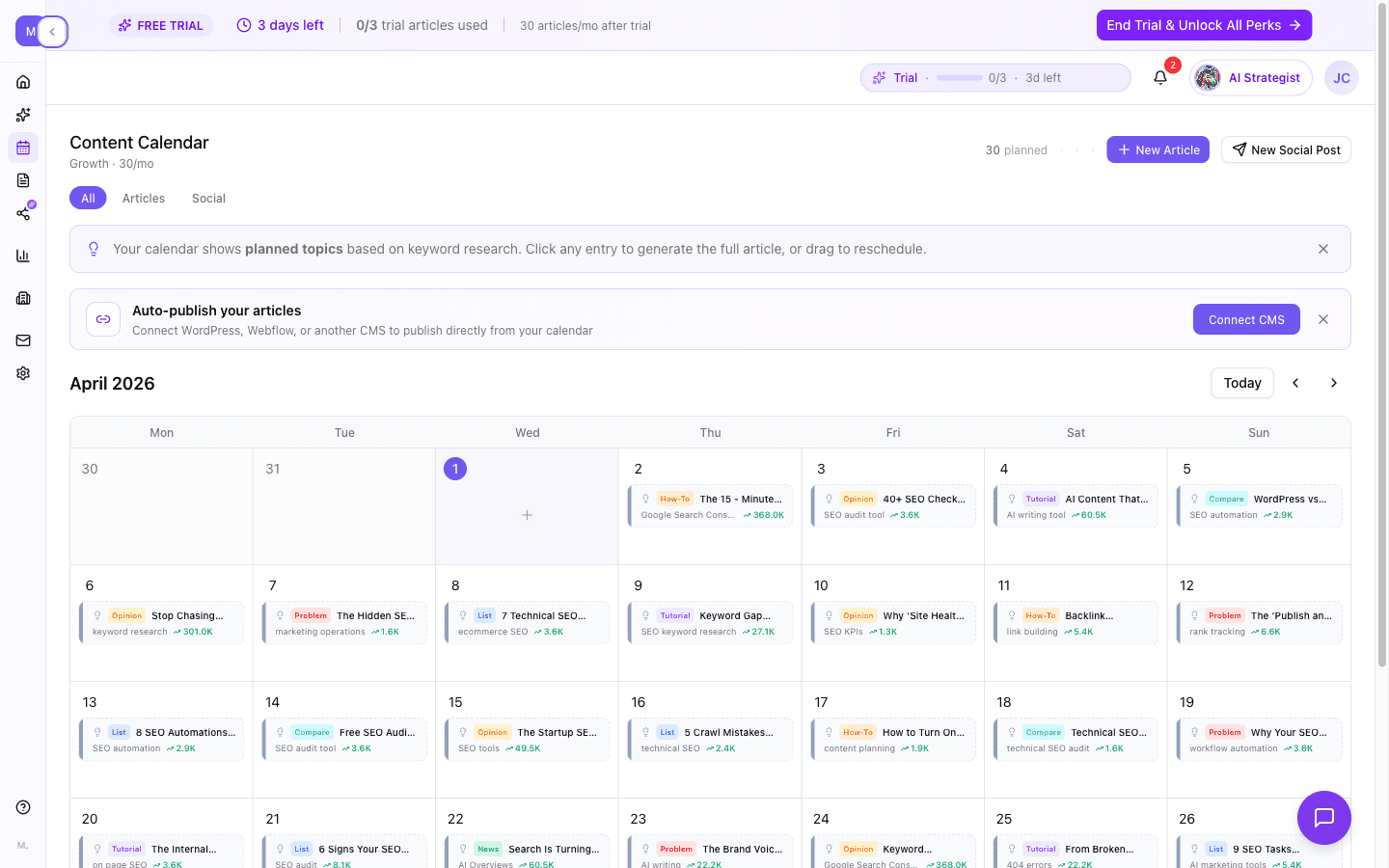
A calendar that fills itself
Tell your agent your industry and audience. It generates a month of content themes with researched keywords — accounting for holidays, trending topics, and what you've already published. Articles are scheduled across your billing cycle and generated automatically at the right time. You review and approve. Or don't — auto-publish handles the rest.
- ·AI-generated monthly themes validated against real search demand
- ·Keywords pre-researched with volume and difficulty scores
- ·Holiday-aware scheduling: themed content published ahead of events
- ·Tier-based output: 10, 30, or 60 articles per month
Publish to your CMS, not to a clipboard
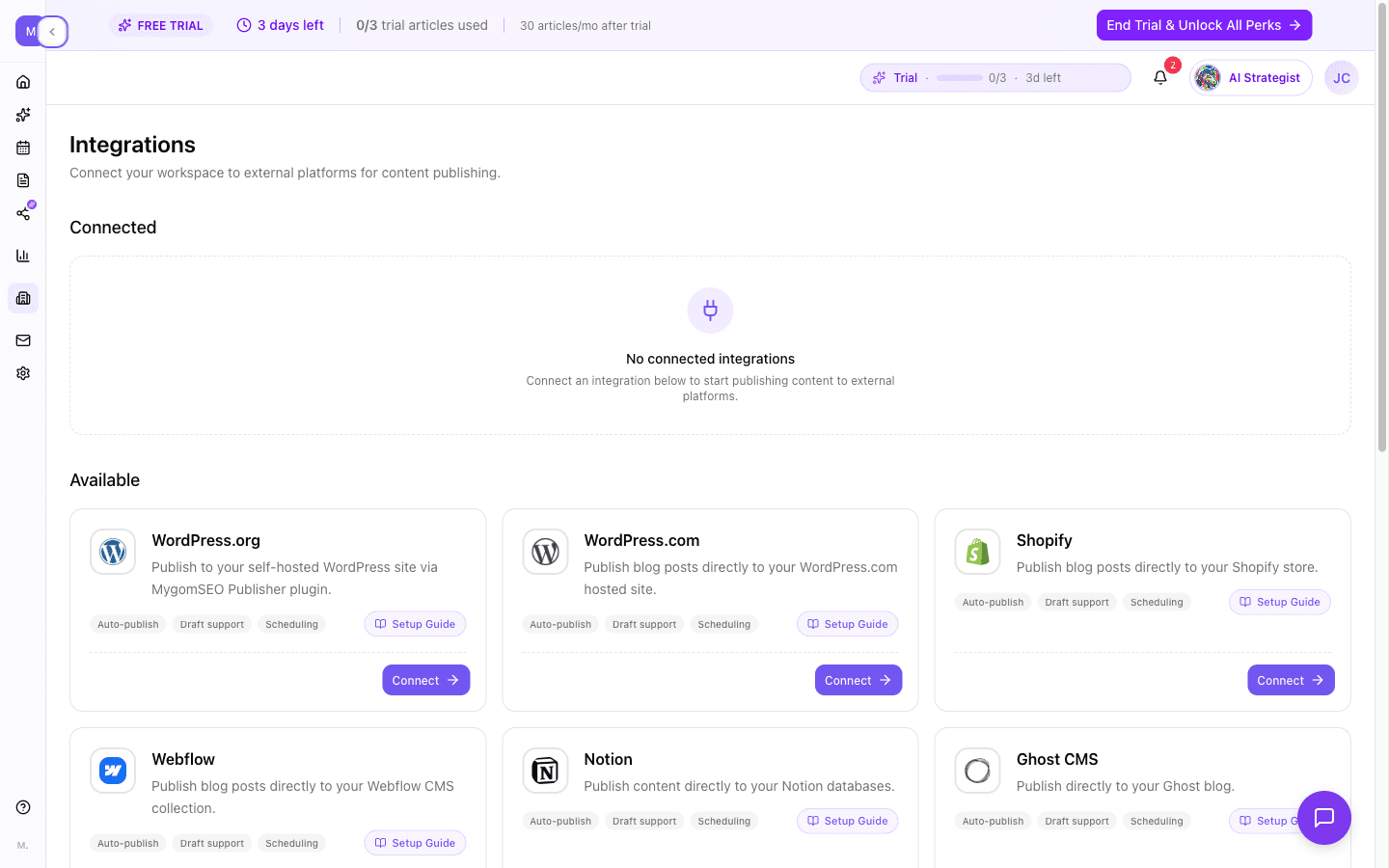
Most AI writers end at the export button. Yours publishes directly to WordPress, Webflow, Shopify, Contentful, Sanity, Strapi, Ghost, Notion, Wix, Payload CMS — and any platform with a webhook. Content is converted to each platform's native format automatically. Set up scheduled publishing slots and your articles go live without you touching them.
- ·12 CMS platforms supported with native format conversion
- ·Scheduled publishing: set morning and afternoon slots in your timezone
- ·Field mapping: your content maps to your CMS structure automatically
- ·Auto-publish from calendar: generated articles go live on schedule
How it works.
Pick a topic or let the calendar decide
Enter a keyword and blog type manually, or let your content calendar generate topics automatically. Either way, research starts immediately.
Watch the pipeline work
Research, outline, writing, review, images, and quality scoring — each step runs in sequence. You see real-time progress and can review the result when it's done.
Review, edit, publish
Open the finished article in the editor. Check the quality scores. Edit if you want. Then publish to your CMS with one click — or let auto-publish handle it.
Frequently asked.
ChatGPT generates text from a prompt. This is a multi-step pipeline: it researches your keyword with live data, analyzes competitor content, builds a structured outline, writes each section with web search access, reviews the article for quality and factual accuracy, generates custom images, scores the result across five dimensions, and publishes it to your CMS. The output is a finished, scored, SEO-optimized article — not a raw draft you need to edit, fact-check, and format yourself.
Eight types, each with tailored voice, structure, and quality thresholds: how-to guides, tutorials, listicles, comparisons, case studies, problem-solution articles, thought leadership pieces, and news updates. The type you choose affects the outline structure, writing style, quality scoring thresholds, and the kind of content the reviewer checks for — a tutorial needs code examples, a case study needs quantifiable results.
Every article is scored across five dimensions: SEO optimization (30% weight), readability (25%), AI detection risk (15%), brand voice alignment (15%), and HTML structure (15%). Each dimension is scored 0-100 and combined into an overall quality score. Blockers — like a missing keyword in the title or readability below acceptable levels — prevent publishing until fixed. The scoring is calibrated to your blog type, so a technical tutorial has different readability thresholds than a news update.
AI detection measures how much your content resembles machine-generated text. It checks sentence variety, specificity (concrete numbers vs. vague claims), and patterns like overuse of transition words. The score tells you your risk level — Low, Medium, or High — so you can address it before publishing. This isn't about bypassing detectors. It's about knowing where your content stands and making it sound more natural if needed.
WordPress, WordPress.com, Webflow, Shopify, Contentful, Sanity, Strapi, Ghost, Notion, Wix, Payload CMS, and any platform that accepts webhooks. Content is automatically converted to each platform's native format — HTML for WordPress, Rich Text for Contentful, Portable Text for Sanity, Blocks for Strapi. You connect once, map your fields, and publish with one click or on a schedule.
Your agent generates a month of content topics based on your industry, audience, and what you've already published. It researches keywords for each topic, checks search volume and difficulty, and schedules articles across your billing cycle. A daily cron job generates articles at the right time — morning and afternoon slots, respecting your timezone. You can review before publishing or enable auto-publish to go fully hands-off.
Yes. Every article opens in a rich text editor where you can modify any part of the content. If you spot an issue flagged by the quality analysis, you can click it and get an AI-generated fix suggestion with a confidence score. After editing, you can re-run the analysis to see your updated scores. Your edits are preserved separately from the original, so you can always compare or revert.
A standard article takes 10-15 minutes. The pipeline runs research, outline generation, section-by-section writing with web search, quality review with fact verification, image generation, and final scoring. You see real-time progress throughout. This is slower than one-click generators because each step uses the output of the previous one — the result is a researched, reviewed, and illustrated article, not a single-pass draft.
Works great with.
Content Analyzer
Already have content? Score it across five dimensions — SEO, readability, AI detection, brand voice, and HTML structure. Get prioritized fixes, not just flags.
Learn more →Website Audit
Content quality is one piece. Fix the technical issues underneath — speed, security, meta tags, and 100+ more checks per page.
Learn more →AI Marketing Agent
Your autonomous CMO. It reads your content scores, spots the weakest pages, rewrites them, and publishes — without you lifting a finger.
Learn more →Start
Free.
Full access for 7 days.
Zero commitment.
Starter
Full Feature Comparison
Everything included in each plan at a glance
| Feature | Starter $49/mo | Growth $99/mo | Scale $179/mo |
|---|---|---|---|
| AI | |||
| AI Agent messages | 15/mo | 50/mo | 150/mo |
| AI image generation | Unlimited | Unlimited | Unlimited |
| Brand voice learning | |||
| Extra message credits | Purchasable | Purchasable | Purchasable |
| Social Media | |||
| Platform connections | 3 | 5 | Unlimited |
| Compose & schedule | |||
| Per-platform customization | |||
| Carousels, reels, stories, threads | |||
| First comment (LinkedIn/IG) | |||
| Social analytics | |||
| Best-time-to-post heatmap | |||
| Follower growth tracking | |||
| Posting frequency analysis | |||
| SEO | |||
| Website audit (all checks) | |||
| Scheduled auto-scans | Weekly only | Any frequency | Any frequency |
| Keyword tracking | 100 keywords | 300 keywords | 500 keywords |
| Keyword sync | Weekly | Daily | Daily |
| Keyword boost (purchasable) | |||
| Backlink monitoring | Current status | Full history + daily | Full history + daily |
| Content analyzer | |||
| Google Search Console | |||
| Content | |||
| Article generation | 30/mo | Unlimited | |
| Article credits (purchasable) | |||
| CMS auto-publishing | 13+ platforms | 13+ platforms | |
| Content calendar (articles) | |||
| Content calendar (social) | |||
| Support & Extras | |||
| Support level | Priority | Dedicated | |
| API access | Coming soon | ||