YOUR SEO AND SOCIALSHOULDN'T LIVE INDIFFERENT TABS.
Semrush has social tools. So does Ahrefs. But neither connects them to your SEO data. Your keyword research doesn't inform your social posts. Your content scores don't shape your captions. Ours does. Create, preview, schedule, and publish to five platforms — right next to your keyword tracking, content pipeline, and site audits. One dashboard, not two.
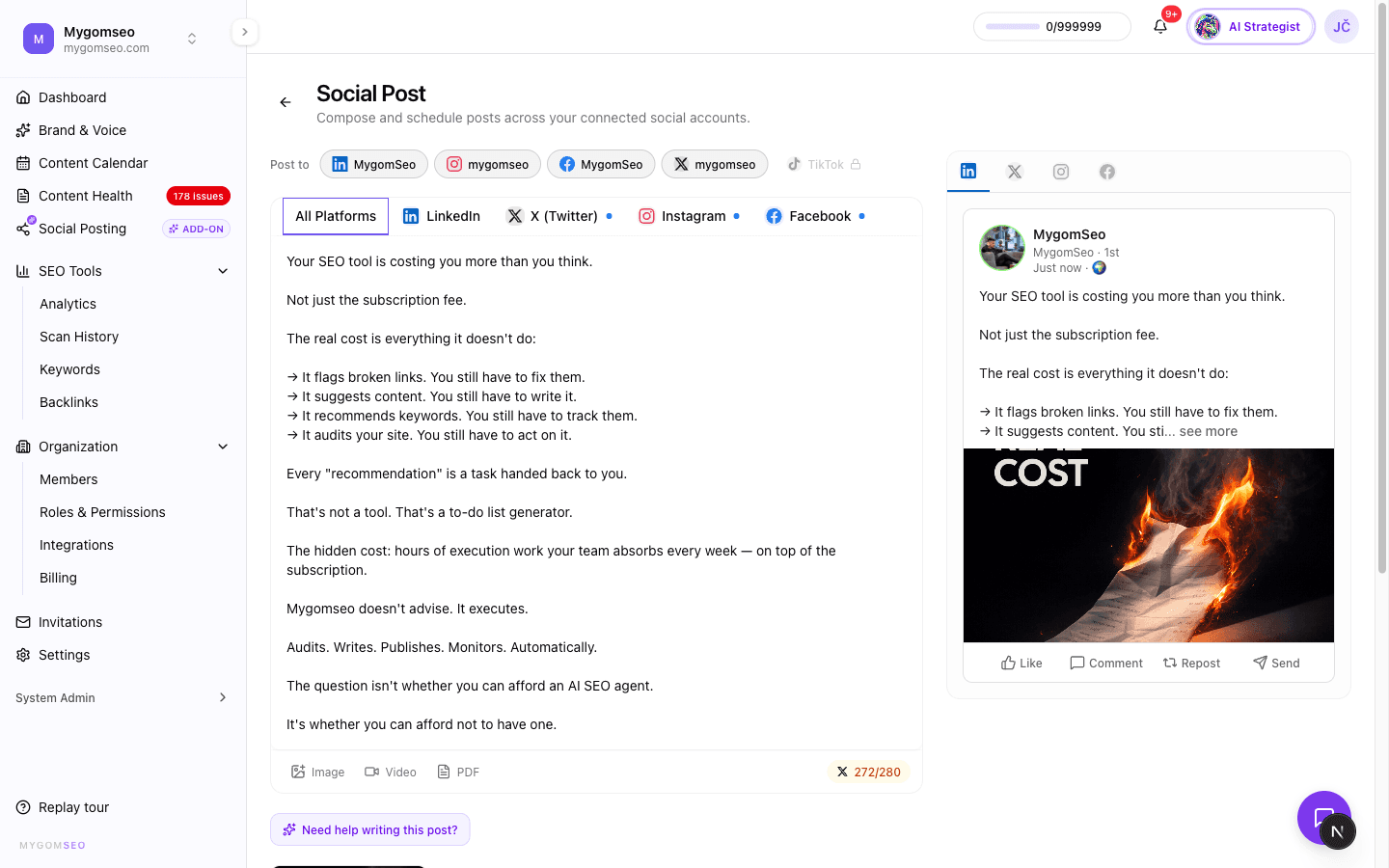
What you get when social lives inside your SEO platform.
5 Platform Publishing
LinkedIn, Instagram, Facebook, Twitter/X, and TikTok — all from one composer. Per-platform text overrides so your LinkedIn post doesn't read like a tweet. First comment support for LinkedIn links and Instagram hashtags.
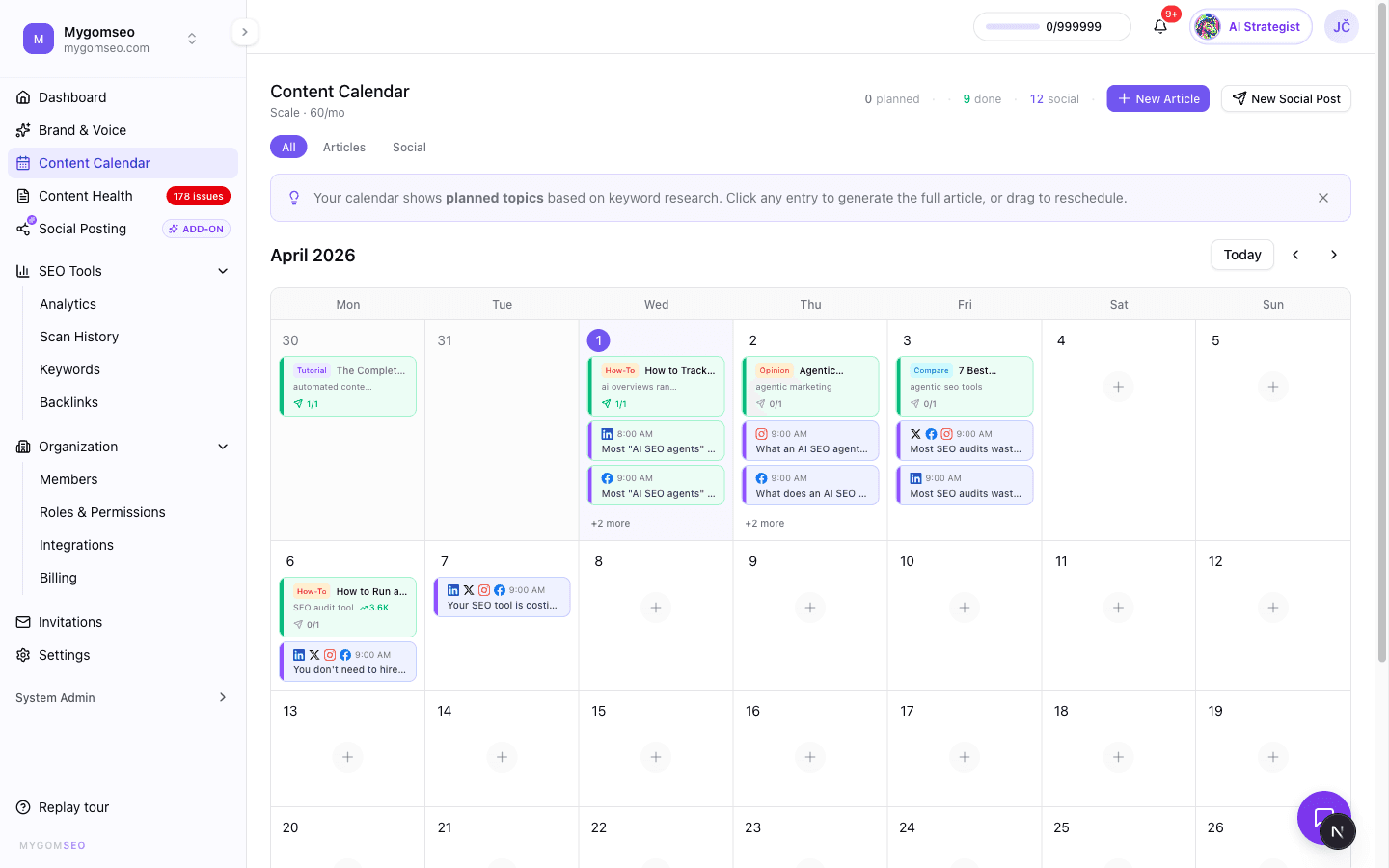
Platform-Accurate Previews
See exactly what your post looks like on each platform before you publish. LinkedIn carousels, Instagram feeds, Twitter threads, TikTok vertical video — each preview matches the real thing, not a generic mockup.
Visual Content Calendar
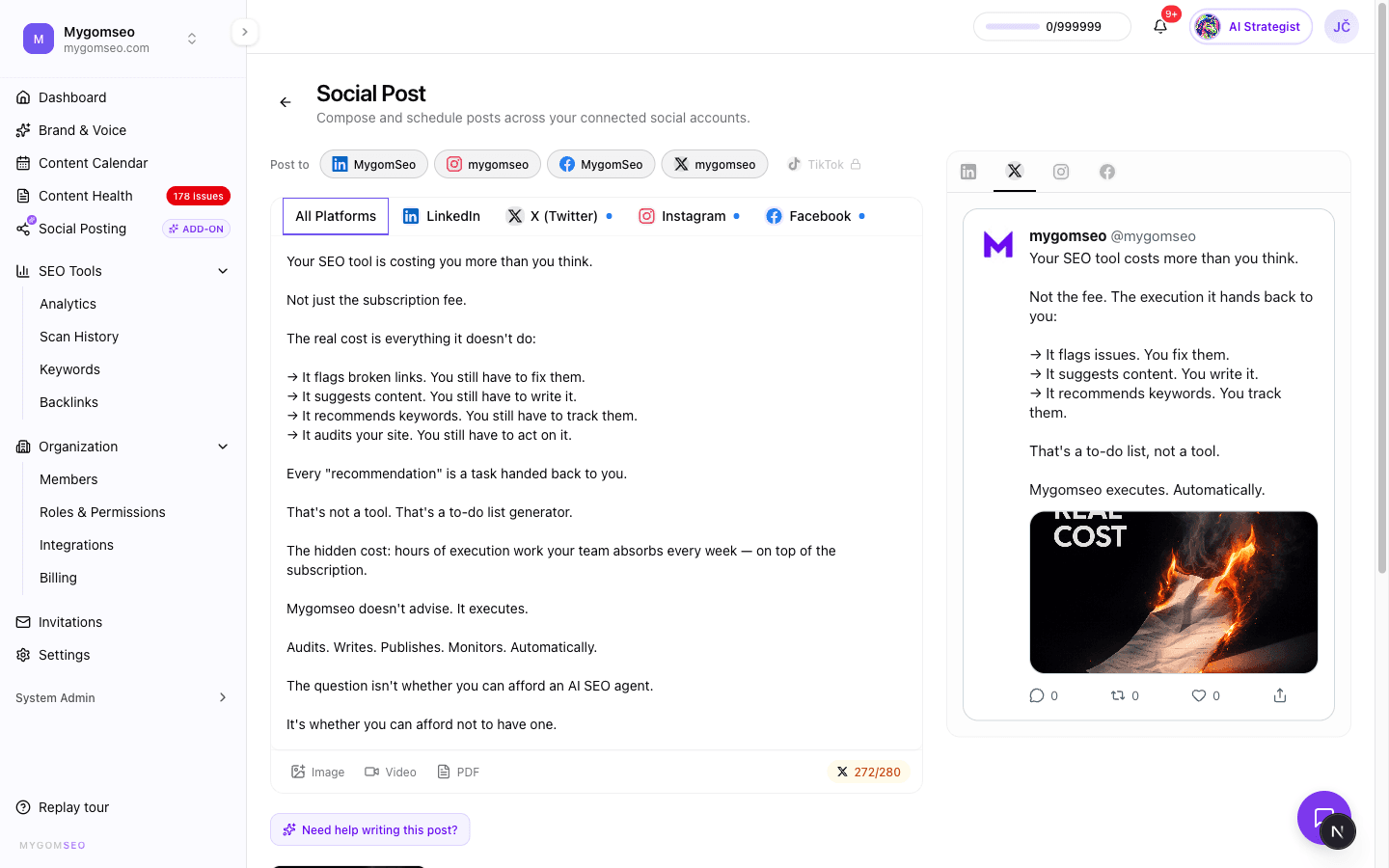
Blog articles and social posts on one timeline. Filter by content type, see platform icons at a glance, and know what's scheduled, what's publishing, and what failed — without switching tools.
Drag-and-Drop Media
Upload images, videos, PDFs, and GIFs. Reorder with drag-and-drop. Pick a video cover frame from any timestamp or upload a custom thumbnail. LinkedIn PDF carousels built in — no external tool needed.
Timezone-Aware Scheduling
Pick a date, time, and timezone. Your post publishes exactly when your audience is active — whether that's Tokyo, London, or New York. Schedule weeks ahead or publish immediately.
AI Agent Integration
Your AI marketing agent already knows your keywords, content scores, and brand voice. Ask it to create a social post from a topic, repurpose a published article, or generate a brand-aligned image — and it does it with context no standalone social tool has.
Not just cross-posting
Most social tools paste the same text to every platform and call it done. Your audience on LinkedIn isn't your audience on TikTok. The composer lets you write a base post, then override the text for each platform individually. Character counts update in real time — 3,000 for LinkedIn, 280 for Twitter, 2,200 for Instagram. First comment support means your LinkedIn links and Instagram hashtags go where they perform best, not crammed into the caption.
- ·Per-platform text overrides from one editor
- ·Real-time character counts with per-platform limits
- ·First comment for LinkedIn (links) and Instagram (hashtags)
- ·Post format detection: carousel, reel, story, thread, or standard
Your content pipeline feeds your social
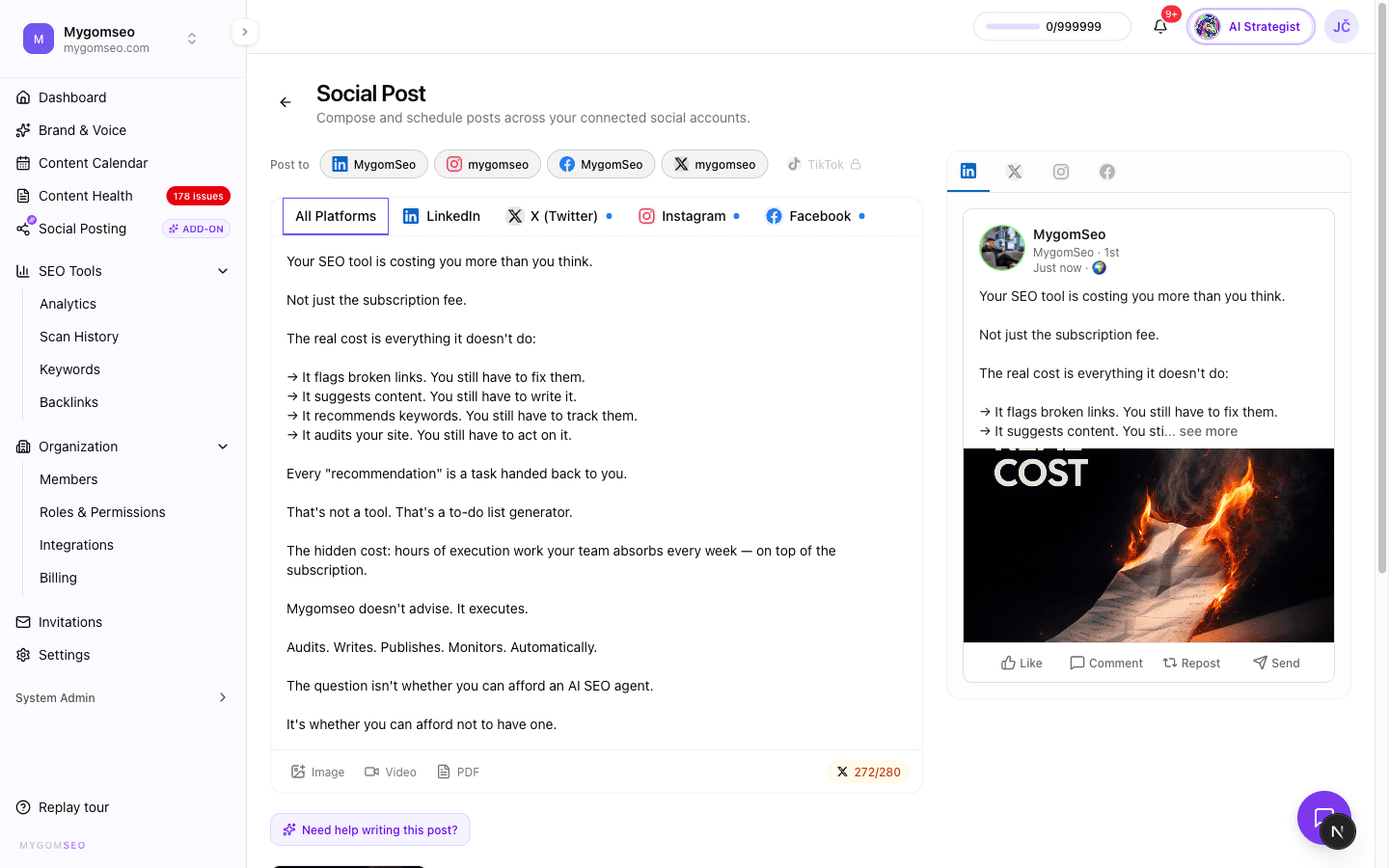
You spent hours researching keywords, writing a 2,000-word article, scoring it across five quality dimensions, and publishing it to your CMS. Now turn it into five social posts — one for each platform — without rewriting from scratch. Your AI agent reads the article, extracts the key points, adapts the tone for each platform, and generates a brand-aligned image. The article's keyword data and quality scores give the agent context that no standalone social tool can match.
- ·Repurpose published articles into platform-specific social posts
- ·AI uses your keyword research to pick the right angles
- ·Brand voice from your content profile shapes every caption
- ·Generated images match your brand colors and visual style
Preview it before the world does
Every platform renders posts differently. A carousel on LinkedIn looks nothing like one on Instagram. A thread on Twitter doesn't exist on Facebook. The preview panel shows you platform-accurate mockups for each selected platform — with your media, your text, your profile picture, and your engagement buttons. Switch between platforms with tabs. Navigate carousel slides. See how your PDF renders as a LinkedIn document carousel. No surprises after you hit publish.
- ·5 platform-specific preview renderers (not generic mockups)
- ·Carousel navigation for multi-image and PDF posts
- ·Video cover frame preview with custom thumbnail support
- ·TikTok vertical (9:16) preview with hashtag highlighting
One dashboard for search and social
Other SEO platforms bolt social on as an afterthought. Social tools don't touch SEO at all. Yours has keyword tracking, backlink analysis, content writing with quality scoring, site audits, Google Search Console integration — and social media management. All in one dashboard, all sharing the same data. Your AI agent can check your keyword rankings, find a content gap, write an article about it, publish it to your CMS, and create social posts to promote it. No tab switching. No CSV exports. No copy-paste between tools.
- ·Keywords, backlinks, content, audits, and social in one place
- ·AI agent accesses all data across features
- ·Unified calendar: articles and social posts side by side
- ·Publish articles to 12 CMS platforms and social posts to 5 networks
How it works.
Connect your accounts
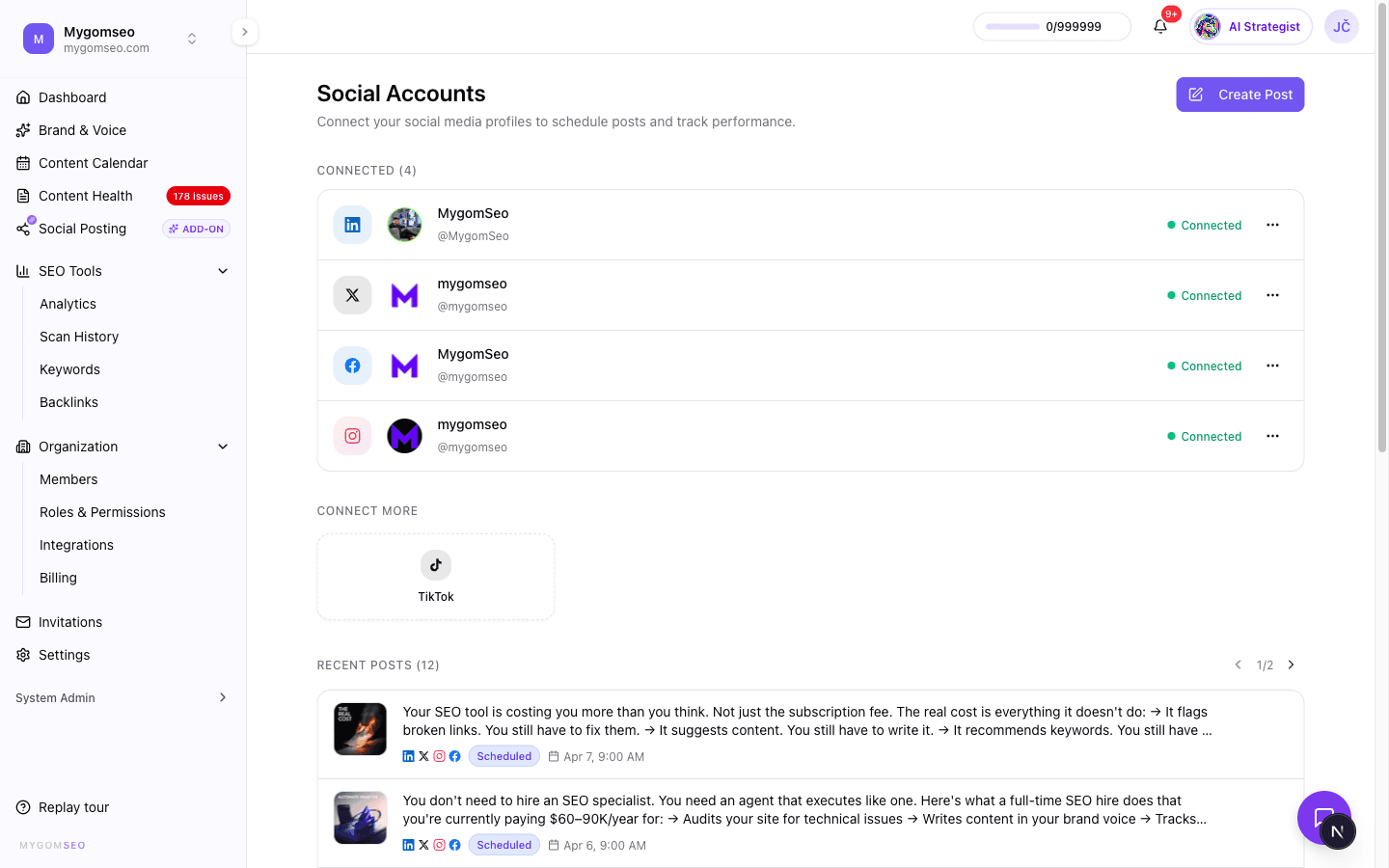
Link your LinkedIn, Instagram, Facebook, Twitter/X, and TikTok accounts in one click. OAuth handles the permissions — no API keys, no developer setup.
Create or repurpose
Write a post from scratch, ask your AI agent to draft one from a topic, or repurpose a published article. Customize the text for each platform, add media, and set a first comment.
Preview, schedule, publish
Check platform-accurate previews. Pick a date and timezone, or publish immediately. Track the status from your calendar — and retry with one click if anything fails.
Frequently asked.
LinkedIn (personal profiles and company pages), Instagram (business and creator accounts), Facebook (pages), Twitter/X, and TikTok. Each platform supports its native post formats — carousels on LinkedIn and Instagram, threads on Twitter, reels and stories on Instagram and TikTok, and standard posts on all platforms.
Buffer and Hootsuite are standalone social media tools. They don't know your keywords, your content quality scores, or your backlink profile. This is a social media manager built into a full SEO platform — your keyword research, content pipeline, site audits, and social posts all live in one dashboard and share the same data. Your AI agent can access all of it when creating social content.
Semrush has social tools and SEO tools, but they're siloed. Their social toolkit doesn't read your keyword data or content scores. Ours integrates them — your AI agent uses keyword research to pick social post angles, your content calendar shows articles and social posts together, and your published articles can be repurposed into social posts with one click.
Yes. The composer has per-platform override tabs. Write your base post once, then customize the text for LinkedIn, Instagram, Twitter, Facebook, or TikTok individually. Character counts update in real time per platform — 3,000 for LinkedIn, 280 for Twitter, 2,200 for Instagram and TikTok, 63,000+ for Facebook.
Images (PNG, JPG, GIF, WebP), videos (MP4, MOV, WebM), and PDFs. Maximum file size is 25 MB. PDFs are automatically rendered as LinkedIn document carousels. You can upload multiple images for carousel posts, pick a video cover frame from any timestamp, or upload a custom thumbnail.
Some platforms perform better when links or hashtags are in the first comment instead of the caption. The composer has a dedicated first comment field for LinkedIn and Facebook. On LinkedIn, put your article link in the first comment so the algorithm doesn't suppress your post's reach. On Instagram, put your hashtags there to keep captions clean.
Pick a date, time, and timezone in the schedule picker. Your post is queued and published automatically at the scheduled time. You can reschedule, cancel, or edit scheduled posts from the calendar. If a post fails, you see the failure reason and can retry with one click.
Yes. Your AI marketing agent can create social posts from a topic, repurpose a published article into platform-specific posts, generate brand-aligned images, and schedule everything — all through a conversational chat interface. The agent has access to your keyword research, content quality scores, and brand profile, so the posts it creates are informed by your actual SEO data.
Failed posts show a clear failure reason in your calendar. You can retry with one click. The system also handles async publishing — some platforms confirm posts after a delay, and a background process tracks the final status so you always see the real result, not a guess.
Social media management is available as an add-on to any plan. Once activated, you get unlimited social accounts, unlimited scheduled posts, the full composer with previews and scheduling, calendar integration, and AI agent access for social content creation.
Works great with.
AI Content Writer
Write SEO articles that become social posts. The 11-step pipeline researches, writes, reviews, and publishes — then your AI agent repurposes the best ones for social.
Learn more →AI Marketing Agent
Your autonomous CMO. It reads your keywords, scores your content, spots gaps — and now creates social posts to promote what you publish.
Learn more →Content Analyzer
Score your content across five dimensions before sharing it. Know if an article is ready for social promotion — or if it needs work first.
Learn more →Start
Free.
Full access for 7 days.
Zero commitment.
Starter
Full Feature Comparison
Everything included in each plan at a glance
| Feature | Starter $49/mo | Growth $99/mo | Scale $179/mo |
|---|---|---|---|
| AI | |||
| AI Agent messages | 15/mo | 50/mo | 150/mo |
| AI image generation | Unlimited | Unlimited | Unlimited |
| Brand voice learning | |||
| Extra message credits | Purchasable | Purchasable | Purchasable |
| Social Media | |||
| Platform connections | 3 | 5 | Unlimited |
| Compose & schedule | |||
| Per-platform customization | |||
| Carousels, reels, stories, threads | |||
| First comment (LinkedIn/IG) | |||
| Social analytics | |||
| Best-time-to-post heatmap | |||
| Follower growth tracking | |||
| Posting frequency analysis | |||
| SEO | |||
| Website audit (all checks) | |||
| Scheduled auto-scans | Weekly only | Any frequency | Any frequency |
| Keyword tracking | 100 keywords | 300 keywords | 500 keywords |
| Keyword sync | Weekly | Daily | Daily |
| Keyword boost (purchasable) | |||
| Backlink monitoring | Current status | Full history + daily | Full history + daily |
| Content analyzer | |||
| Google Search Console | |||
| Content | |||
| Article generation | 30/mo | Unlimited | |
| Article credits (purchasable) | |||
| CMS auto-publishing | 13+ platforms | 13+ platforms | |
| Content calendar (articles) | |||
| Content calendar (social) | |||
| Support & Extras | |||
| Support level | Priority | Dedicated | |
| API access | Coming soon | ||