Daily Keyword Tracking: How to Set Up Workflows That Actually Drive Action
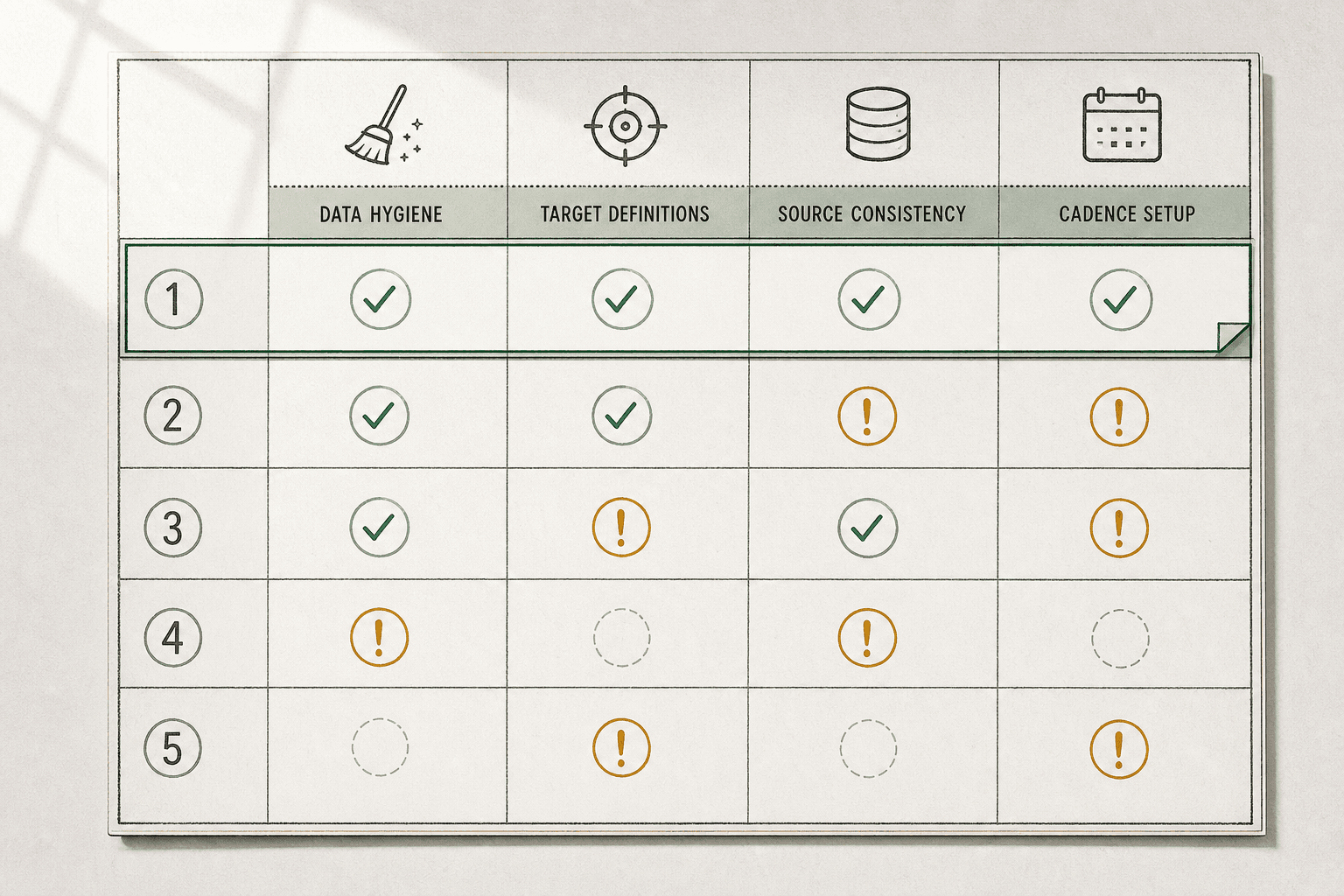
Daily keyword tracking answers a simple question: how do you track keywords daily without drowning in noise? If you miss a small drop today, you may feel the traffic loss next week.
That is the problem for most teams. They track too many terms or react too late. According to AI-powered Keyword Research with Claude & ..., 20% can shift fast enough to change what deserves your attention.
This guide shows you how to build a lean system, automate the routine, and act on signals that matter. You will learn what to track, when to check it, and how to verify each step. By the end, you will have a workflow you can run in minutes each day.
Prerequisites for Daily Keyword Tracking
Tools and accounts you need
Choose one rank tracker, one analytics source, and one shared reporting space. For example, you might use Semrush for rankings, Google Search Console for performance, and Google Sheets for team visibility. Many teams also compare keyword research tools before they commit, especially when budgets are tight. 17 Best Keyword Research Tools for SMEs in 2026
The best tool for daily keyword tracking is the one that updates daily, supports your target markets, and lets you segment by device. For most small teams, a rank tracker with location filters and page-level reporting is the better pick. Your analytics source should confirm clicks and impressions, while your shared space should keep weekly decisions visible.
What data to collect before you start
Collect your target pages, core keywords, locations, devices, and baseline rankings before you track anything. Add search volume if your research tools provide it, but do not let volume decide everything. A low-volume term with buying intent can matter more than a broad term.
For example, map “best crm for plumbers” to a service page, not your homepage. At this point, your sheet should show one keyword, one URL, one device, and one market per row. If you use several keyword research tools, keep one final source of truth.
How to define a useful tracking scope
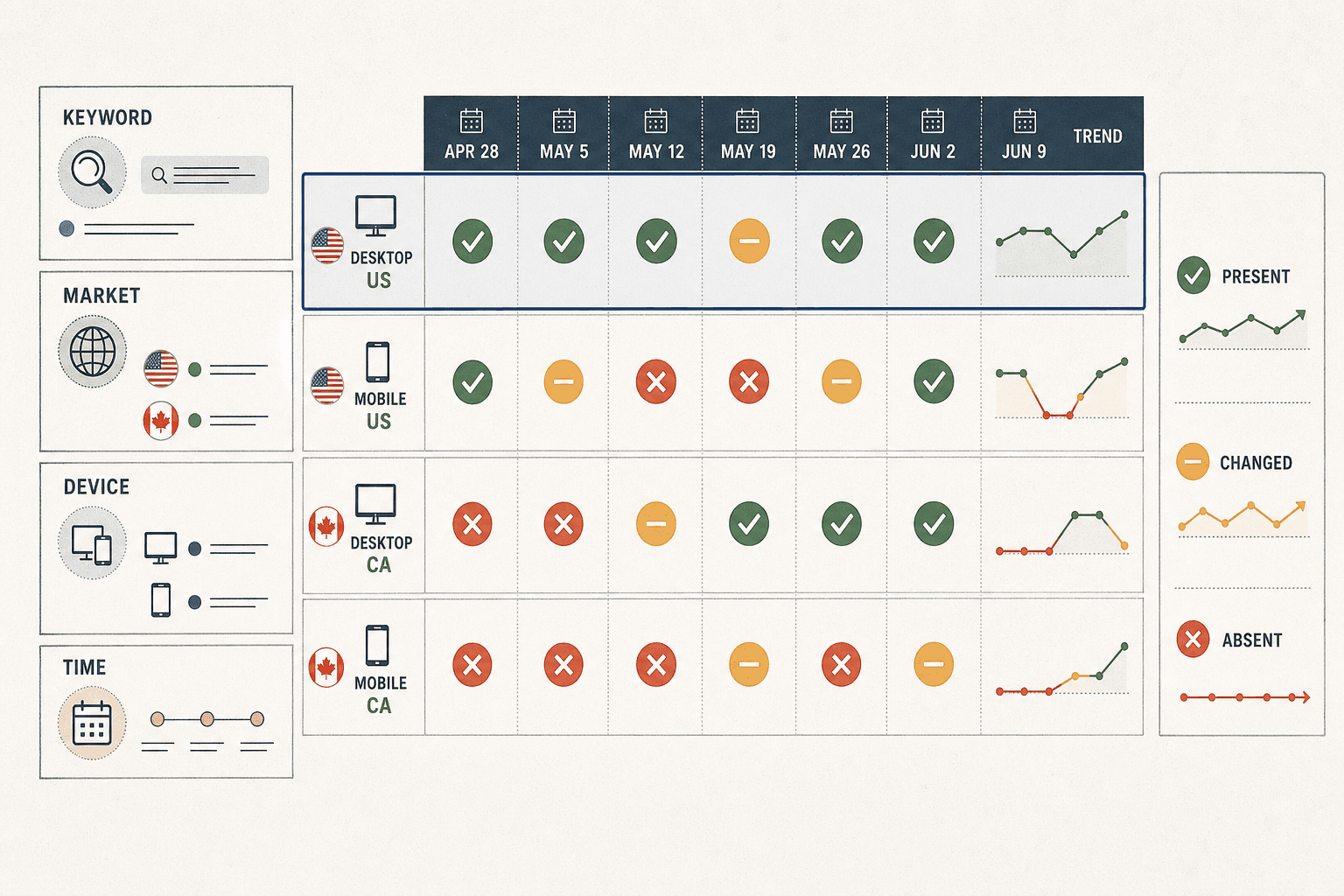
Start with 20 to 50 keywords. That range gives you signal without creating reporting clutter. Tie each keyword to a page and a business goal, such as demo requests, bookings, or product signups.
Group terms by intent first, then by market. For example, separate “buy” terms from “compare” terms before you review movement. According to AI-powered Keyword Research with Claude & ..., 282% growth can come from stronger keyword workflows, which is why scope matters.
Verification checkpoint: every keyword should map to one URL, one market, and one intent type before you move on. You should now have a clean starter list that your team can trust.
Step 1 Build a Daily Keyword Tracking List

Start with pages that drive pipeline
Pull your top revenue pages into a sheet. Group each page by funnel stage, market, and business goal. For example, a demo page targets bottom funnel terms, while a pricing guide may support middle funnel research.
Then assign a small keyword set to each page. Track the core phrase, one close variant, and one location modifier if local demand matters. This keeps the list tight and makes it easier to spot movement that needs follow up.
You should now see page based groups instead of one long keyword dump. Verify that each page has a clear business reason for being tracked before you proceed.
Use keyword research to trim the list
Runkeyword researchbefore you lock the list. Look at intent first, then review estimatedsearch volume. A term with lower volume but clear buying intent often matters more than a broad phrase with weak fit.
For example, “crm migration service” is more useful than “what is crm” for a sales led company. Keep terms that match the page promise and remove keywords that attract the wrong visitor. This step helps you search for realistic wins, not vanity rankings.
According to AI-powered Keyword Research with Claude & ..., teams can use a 45 minute planning session to shape a smarter research workflow. Use that idea here. Set one focused review block, trim the list, and document why each keyword stays.
For a visual walkthrough of this process, check out this tutorial from WsCube Tech:
At this point, your list should feel smaller and sharper. Verify that every keyword has clear intent and a realistic path to value.
Segment branded, non branded, and local terms
Separate branded and non branded terms from the start. Yes, you should track them separately. Branded terms measure demand you already created. Non branded terms show how well you capture new buyers.
Add a local segment if geography affects results. For example, “steel connection design software” and “steel connection design software chicago” should not sit in the same bucket. If your market spans multiple regions, split those terms by location and page owner.
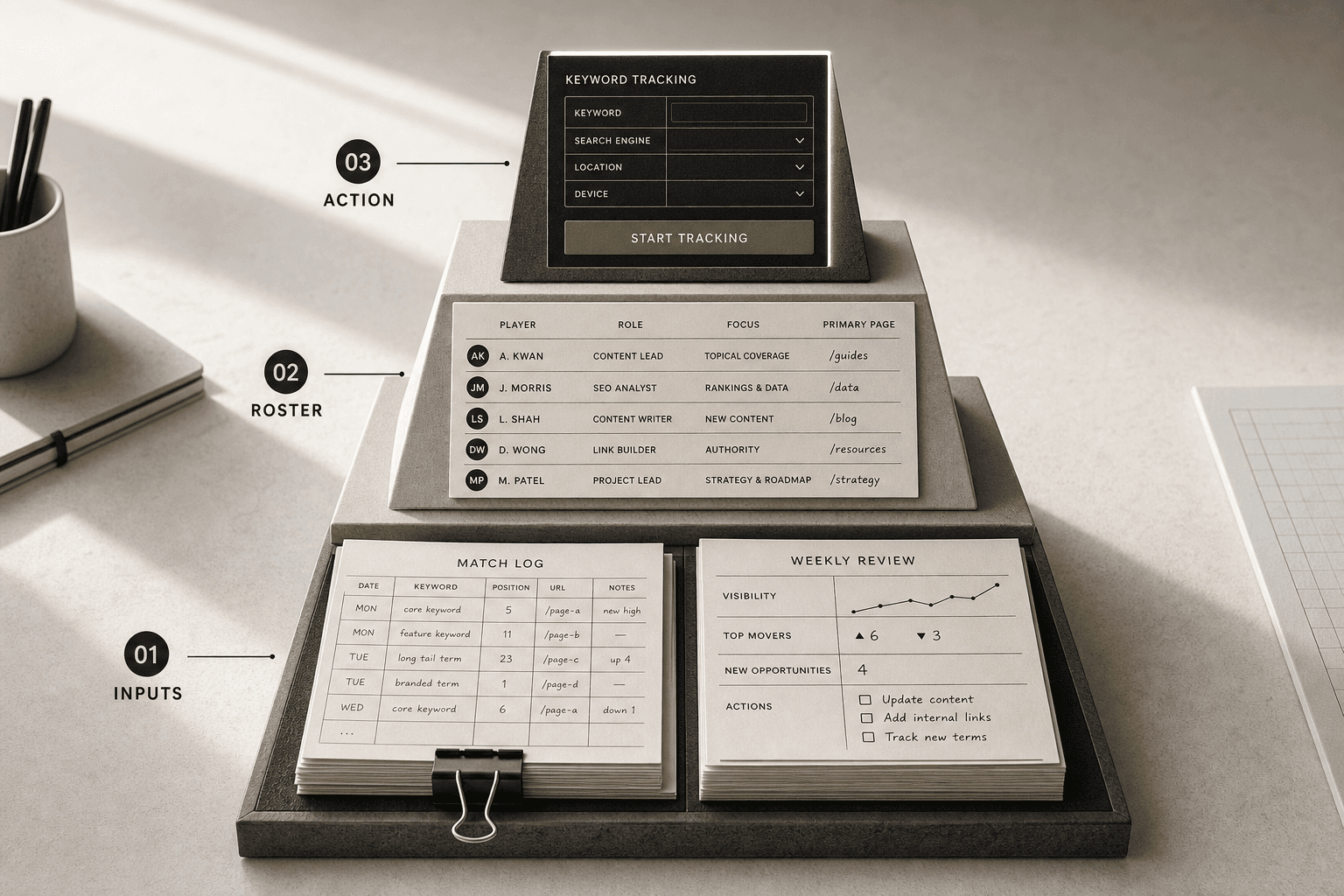
You should now have a priority list grouped by page, funnel stage, and market. Verify that each group includes search intent, estimated search volume, and one owner for follow up. If you need a model for technical page grouping, review Faster Connections with Parametric Design for a clear example of page specific positioning.
Step 2 Set Up Rank Tracking Automation
Configure locations devices and competitors
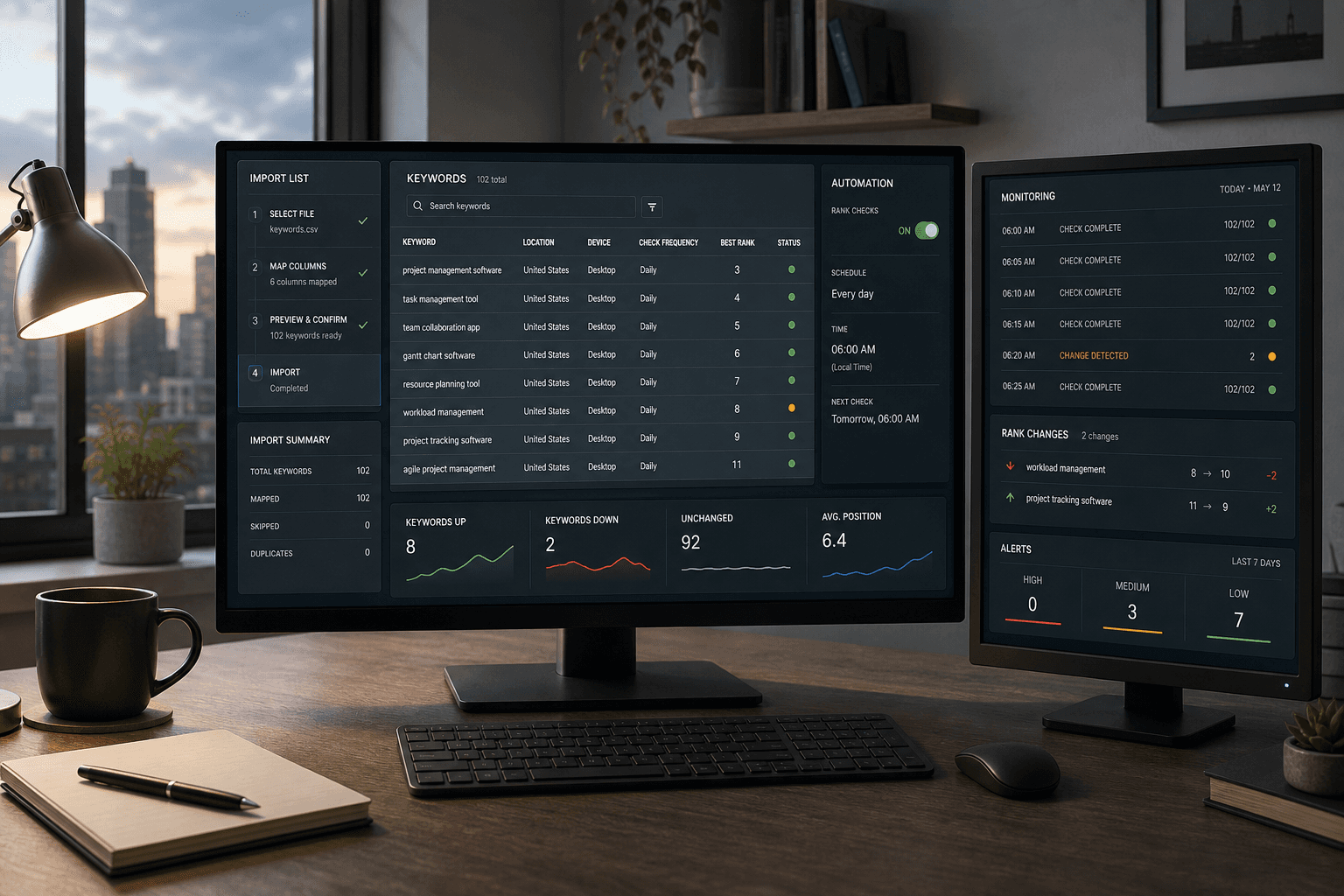
Upload your keyword list into your chosen tool. Assign one target URL to each keyword. Then enable daily keyword tracking for the full list.
Next, set the rules that shape each result. Choose the country, city, device, and search engine for every keyword group. For example, track “emergency plumber” on mobile in Chicago, not desktop in the whole US. Your rankings should match the audience you serve, not a generic national view.
Add a small competitor set before you save. Start with two or three direct rivals, not every site in your category. Some tools for SEO also let you segment by local pack and organic results, which helps when search layouts shift. Semrush’s automation page shows how AI-assisted workflows can speed setup.
You should now see each keyword tied to one market view. Verify that every row shows the right location, device, and landing page before proceeding.
Create alerts for sharp gains and drops
Set one alert for major upward movement. Set another for meaningful drops. Do not trigger alerts for every position change.
Use thresholds your team can act on. For example, alert when a keyword moves by five positions or drops off page one. That keeps the signal clean. It also answers a common question: can you automate keyword tracking? Yes, and you should automate the checks while limiting interruptions.
Route alerts to one place your team already watches. Email works well for most teams. Slack can work too, if one channel owns follow-up. At this point, you should receive one daily report and one alert only when meaningful changes happen.
You should now have a calm alert system. Verify that test alerts land in the right inbox or channel.
Schedule reports your team will actually read
Schedule one short report to send each morning. Include current rank, change, URL, and competitor movement. Skip vanity charts and extra tabs.
Keep the report readable in under two minutes. For example, group keywords by page owner or market. If you support Bing, include that view where relevant. According to 17 Best Keyword Research Tools for SMEs in 2026, Bing can still represent 8% of UK searches.
How often should you check keyword rankings? Check the report daily, but review only the exceptions in detail. That gives you trend visibility without turning SEO into constant refreshes.
You should now have a report cadence your team will use. Verification checkpoint: test one keyword manually and confirm the tool, URL, and reporting destination all match.
Conclusion
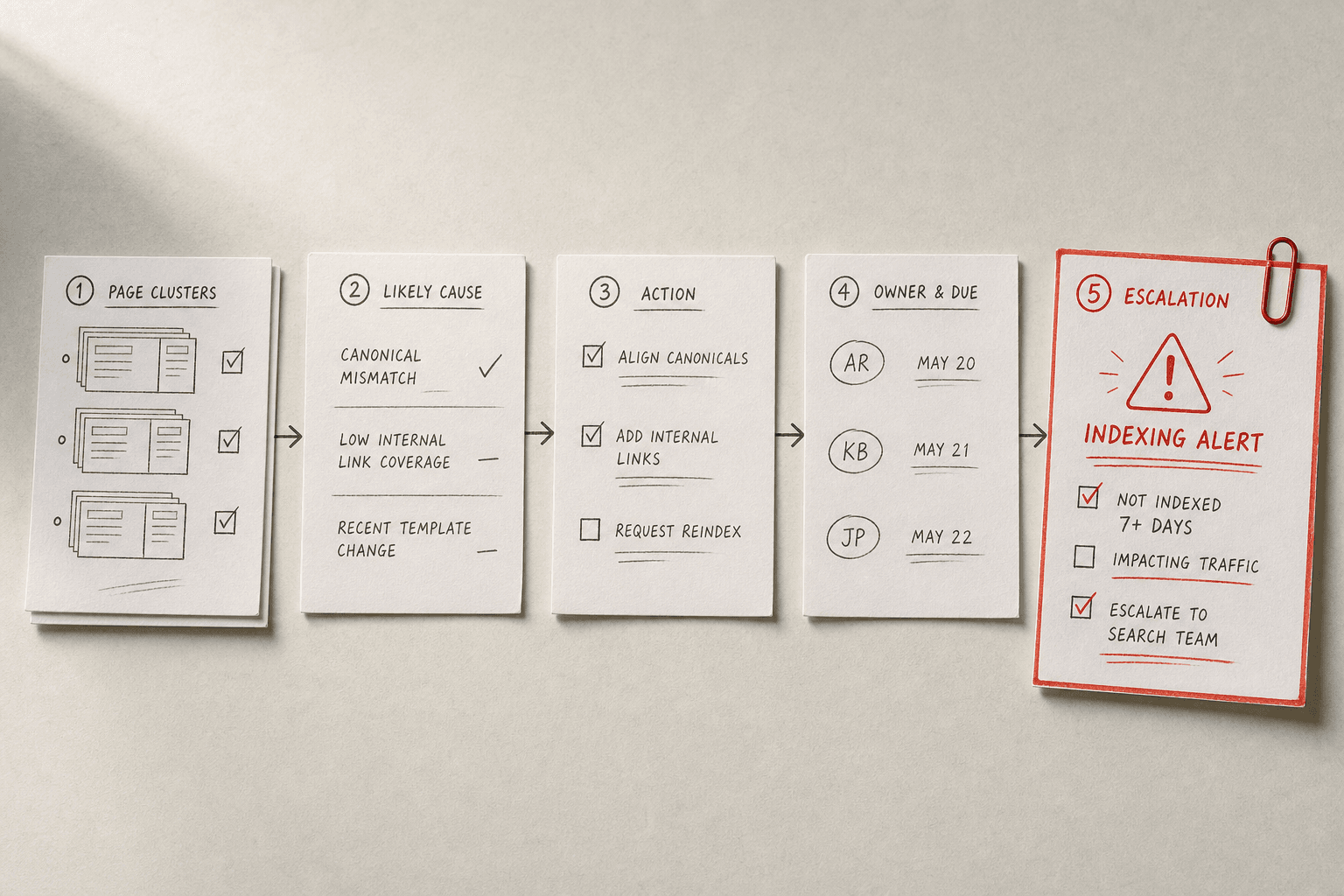
Your next move is simple. Review groups of pages, not isolated keywords. If several terms tied to one page or topic slide at once, treat that as a content signal. Refresh the page after a sustained drop. If a term swings hard for one day, wait and watch it for two days before you react. If pages fall out because of indexing issues, push that straight to the top of the queue. That kind of rule set keeps your keyword monitoring workflow tight. It also cuts panic edits and wasted time.
At this point, your report should no longer be a passive document. It should be a short action list. Each item should name the problem, the fix, the owner, and the deadline. That is how daily keyword tracking becomes useful to your team. You are not tracking movement for the sake of tracking. You are creating a repeatable system that turns ranking changes into decisions.
Use this as your final checkpoint before you close the loop each day:
- Group ranking movement by page cluster.
- Match each shift to one likely cause.
- Assign one clear fix or next check.
- Add an owner and due date.
- Escalate urgent indexing problems right away.
If one flagged change does not lead to a next step, your workflow still has noise in it. Tighten the rules until every alert points to an action. That is how you keep daily keyword tracking lean, useful, and easy to run. You should be able to open your dashboard, scan for patterns, and leave with a focused list of work. No bloated report. No guessing. Just the next right moves.
Keep refining the system as your site grows, but keep the habit small enough to run every day without friction.
Want a cleaner way to organize and share that workflow? Try It Free to export projects, share them with your team, and design simple connections.