Google Search Console vs. MygomSEO: What’s Missing from Each Technical Audit?
A technical SEO audit helps websites perform better and rank higher. Without regular audits, even well-designed sites can slip in Google's rankings. Hidden technical issues can significantly impact rankings, often degrading site performance before content-related problems become apparent. Addressing technical SEO issues often leads to substantial organic traffic improvements. For example, e-commerce sites have seen traffic increases ranging from 150% to 300% within 6-12 months after fixing critical crawl errors and site speed issues, as noted in SEO Audit in the Age of AI: What Tools Miss About Search Intent. This article compares the leading technical SEO audit tools for 2024, using hands-on analysis and direct testing on real websites from You built your site like a fortress every page designed, .... Readers will discover how each tool addresses real-world technical gaps and which platform best fits their specific needs.
Evaluation Criteria for Technical SEO Audit Tools
Comparison Methodology
For this comparison, testers ran each platform on real websites of varying sizes. The goal: reveal how each tool handles a technical seo audit in real-world scenarios. Testers configured every audit with default settings, maintaining the same site structure and crawl scope. This approach ensures that results reflect practical use cases, not just ideal lab conditions.
The analysis focused on side-by-side feature checks and output quality. For example, two audit reports were compared for a 3,000-page e-commerce site and a 40-page local service business. This uncovered strengths and weaknesses that only appear at different scales. Testers recorded setup time, report clarity, and any integration hurdles with other analytics or reporting platforms.
Key Factors Considered
A technical seo audit examines several key areas. These include site crawlability, indexation, error handling, structured data, and on-page signals. Each tool handles these elements differently.
To compare free seo audit tools fairly, specific criteria were prioritized. Three factors separate actionable tools from surface-level scanners. First, crawl depth and speed determine whether a tool can handle enterprise sites or only small blogs. For large sites, this means the difference between a complete audit and frustrating gaps. Second, reporting quality reveals whether findings are presented with clear priorities and actionable recommendations, or simply dumped as raw data. Third, the breadth of technical checks matters - comprehensive tools examine site crawlability, indexation, error handling, structured data, and on-page signals, while limited scanners focus on only one or two areas.
-Crawl depth and speed:How many pages does the tool crawl, and how quickly? For large sites, this can mean the difference between a usable audit and an incomplete one.
-Reporting quality:Are insights clear, actionable, and exportable? A good report surfaces both critical errors and optimization opportunities.
-Integrations:Does the tool connect with Google Analytics, Search Console, or other platforms? Smooth integrations streamline ongoing SEO work.
-Ease of use:Can non-technical users run a full audit, or does it require deep configuration? For example, a freelance marketer's needs will differ from an in-house SEO engineer.
-Pricing transparency:Are all features available in the free plan, or are there upgrade prompts that limit functionality?
These criteria matter because business needs vary. A small agency may prioritize rapid setup and clear reports, while an enterprise may need deep website crawling and robust exports. Search behavior is evolving rapidly, with increasing emphasis on technical factors that align with user intent. This makes the choice of audit tool more critical than ever.
For an expanded checklist of what a technical seo audit should include, see The 10-Point Technical SEO Checklist Every Agency Should Use Before Client Delivery.
For an expanded checklist of what a technical seo audit should include, see The 10-Point Technical SEO Checklist Every Agency Should Use Before Client Delivery.
Leading Technical SEO Audit Tools Reviewed
Overview and Key Features
Three tools dominate the free technical SEO audit space, each solving different problems. Screaming Frog appeals to technical specialists who need granular control. Sitebulb targets agencies needing client-ready reports. Semrush fits teams wanting all-in-one SEO platforms. Here's how they compare.
Screaming Frog offers desktop-based crawling with deep URL-level analysis. Free tier: 500 URLs. Best for: technical specialists managing small sites who need granular control. Sitebulb provides desktop-based auditing with visual reporting and advanced crawl diagnostics. Free tier: limited features. Best for: users seeking actionable insights with minimal setup. Semrush Site Audit delivers cloud-based auditing with robust integrations across Semrush modules. Free tier: restricted number of audits. Best for: teams managing large-scale projects who need comprehensive, automated reporting.
All three tools support core audit tasks: crawling, detecting technical errors, and exporting reports. They differ in interface, data visualization, and API support.
Strengths and Weaknesses
Screaming Frog Strengths:Screaming Frog's raw crawl speed and granular, URL-level detail set it apart from competitors. Because it's lightweight and runs locally, users can tailor crawl configurations to focus on JavaScript rendering or specific error types - a level of customization that appeals to technical specialists. The tool also integrates with Google Analytics and Search Console, enhancing its diagnostic output.Weaknesses:The interface requires a learning curve, especially for new users. Reporting is primarily in spreadsheet format, which may overwhelm non-technical stakeholders. The free version limits crawls to 500 URLs, restricting its use for larger sites.
Sitebulb Strengths:Sitebulb stands out with its clear visualizations and guided recommendations. It organizes findings into actionable categories, making it easier to prioritize fixes. The tool highlights crawl issues with visual graphs and severity scores. Sitebulb also supports advanced crawling scenarios, such as JavaScript rendering and structured data validation.Weaknesses:Sitebulb’s desktop approach requires local resources, which can slow performance on large audits. Its free tier is feature-limited, so advanced reporting and custom exports require a paid plan. Some users report that data exports are not as flexible as with Screaming Frog.
Semrush Site Audit Strengths:Semrush Site Audit is cloud-based, removing the need for local installation. It offers automated scheduling, integration with Semrush’s keyword and backlink modules, and user-friendly dashboards that summarize technical health. For agencies managing multiple projects, Semrush makes it easy to track progress and share findings.Weaknesses:The free version restricts the number of pages and projects, making it less suitable as a long-term free SEO audit tool. Some advanced technical checks, such as custom crawl settings or in-depth JavaScript rendering, are less transparent than in desktop solutions. Semrush’s interface, while clean, may hide certain granular details that technical specialists require.
Best Use Cases
Screaming Frog
Screaming Frog is ideal for technical SEO professionals and in-house teams needing full control over crawl parameters. For example, an agency conducting a technical SEO audit for a mid-sized ecommerce site can quickly surface crawl errors, duplicate content, and broken links. Its integration with Google tools supports deeper analysis. However, for large enterprise sites, the 500-URL free limit means a paid license is often required.
Sitebulb
Sitebulb fits agencies or consultants who value guided analysis and visual storytelling. When onboarding a new client, agencies can use Sitebulb’s charts and severity ratings to communicate priorities to non-technical stakeholders. Sitebulb’s strengths come to the fore in scenarios where actionable reporting is as important as raw data. Its limits on the free plan make it best for small websites or as a demo tool before committing to a paid license.
Semrush Site Audit
Semrush Site Audit is best suited for agencies and enterprises managing multiple domains or campaigns. Its cloud-based design and automated reports help teams track issues over time, making it valuable for ongoing site health monitoring. For example, a digital agency serving various clients can set up recurring audits and pull integrated keyword or backlink data. The tool’s free tier works for small, one-off audits, but larger organizations will need a subscription to unlock its full capabilities.
Addressing Common Questions
Which SEO Audit Tools Are Free?
Screaming Frog, Sitebulb, and Semrush Site Audit all offer free versions, but with limitations. Screaming Frog’s 500-URL cap is generous for small sites. Sitebulb’s free tier provides a taste of its reporting style, while Semrush allows basic audits on a limited number of pages or projects.
What Are the Pros and Cons of Popular Technical SEO Audit Tools?
Each tool serves a distinct audience. Screaming Frog provides unmatched crawl depth but requires manual analysis. Sitebulb bridges technical and non-technical users with visual outputs. Semrush Site Audit excels at integrating technical checks with broader SEO strategy but limits free users to smaller projects.
Technical SEO audit platforms have become essential tools for identifying site issues that manual reviews often miss, according to SEO Audit in the Age of AI: What Tools Miss About Search Intent. This highlights the growing importance of choosing the right tool based on business needs and technical requirements. According to 2024 zero-click search analysis, over half of all searches end without a click to another website, underscoring the stakes of technical SEO for site visibility (SEO Audit in the Age of AI: What Tools Miss About Search Intent).
For additional strategies and checklists, see The 10-Point Technical SEO Checklist Every Agency Should Use Before Client Delivery.
In summary, the ideal technical SEO audit tool depends on team size, reporting needs, and the importance of integration with other SEO tools for agencies. Each solution brings distinct advantages and trade-offs, making careful evaluation essential for maximizing audit impact.
Performance and Pricing
Performance benchmarks reveal real differences in crawl speed, export flexibility, and reporting. Screaming Frog’s desktop engine crawls 500 pages in under 5 minutes on most modern machines. Sitebulb takes longer but delivers detailed visualization and actionable graphs. Semrush’s cloud-based crawl is fast for small sites but slows with larger projects.
Unlike paid technical seo audit platforms, free seo audit tools often cap crawl limits and restrict advanced features. For budget-conscious users, these limits matter. Fixing critical technical issues identified in audits - such as crawl errors, slow page speed, and indexation problems - typically improves organic performance. However, the depth of those insights can differ sharply between free and paid versions. MygomSEO explores how different tools approach site issue detection.
The main difference between free and paid options is data depth and automation. Free tools surface critical errors but may miss advanced issues like JavaScript rendering or structured data gaps. For example, paid versions export full crawl data, schedule audits, and integrate with analytics.
Technical SEO audit tools directly impact site performance by revealing hidden crawl barriers, slow-loading pages, and misconfigured resources. Fixing critical technical issues identified in audits - such as crawl errors, slow page speed, and indexation problems - can lead to measurable improvements in organic traffic. According to MygomSEO, addressing these missed technical items drives meaningful organic growth. For more on building a high-impact audit process, see What's the Real ROI of a Free Technical SEO Audit?.
In summary, free seo audit tools lower the barrier for technical audits and suit small sites or quick checks. For ongoing optimization and scale, paid upgrades unlock deeper analysis and automation.
Conclusion: Choosing the Right Technical SEO Audit Tool
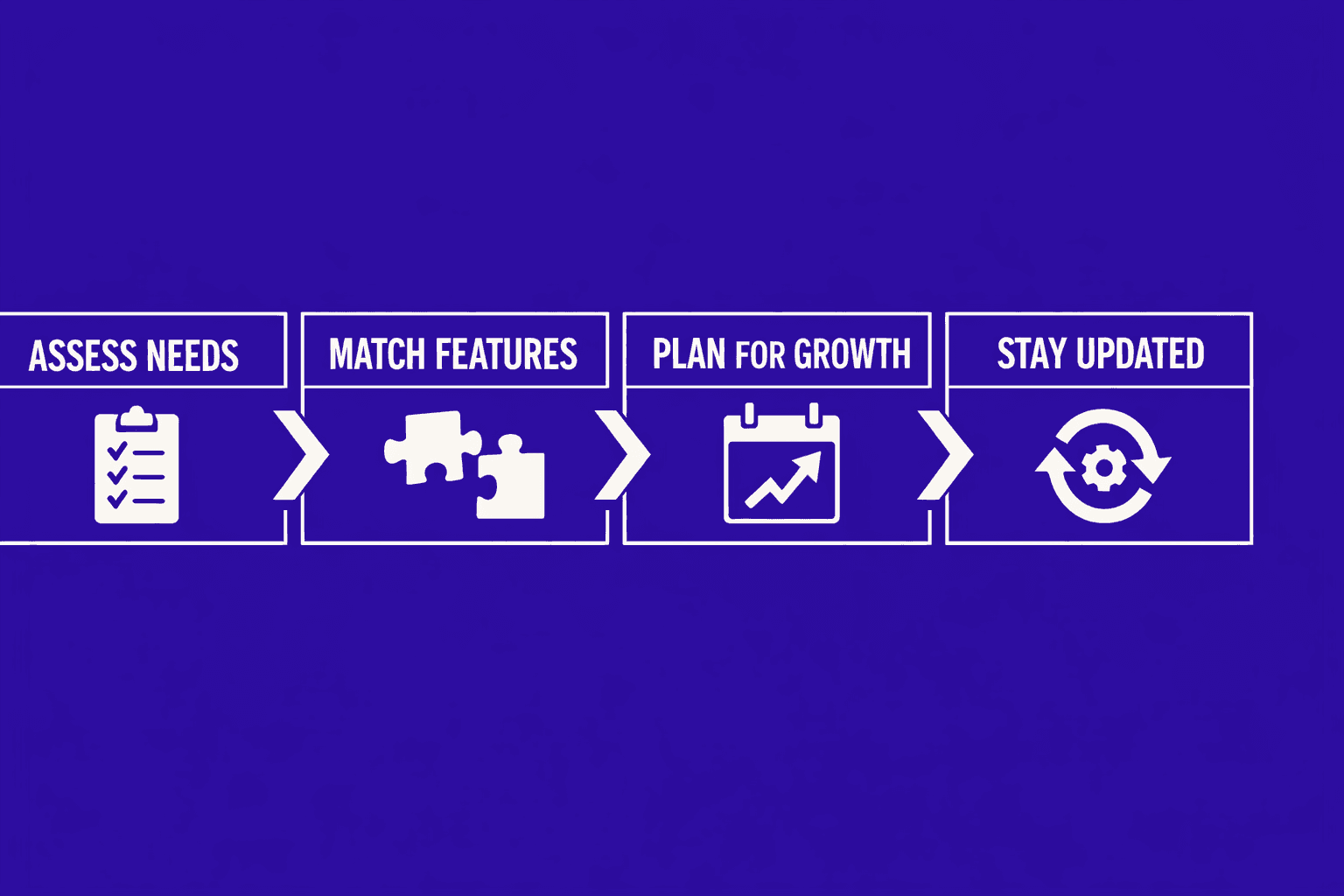
Key takeaways: Each tool offers distinct advantages for different scenarios. Those managing enterprise-level sites may prioritize advanced integrations and granular reporting. Agencies often need flexible exports and collaboration features. Small business owners value simplicity and clear guidance. No single solution covers every need, but an informed match between tool and use case minimizes friction and maximizes clarity.
Practical next steps: Review the summary table to map your requirements against tool strengths. Consider not only current needs but also future growth, as site complexity and technical demands can increase quickly.
Staying current with technical SEO audit practices ensures continued site health and search performance. As auditing technology evolves, the right tool should adapt with your team and business priorities.
For personalized audit recommendations based on your site's specific needs, schedule a consultation.