Backlink Tracking in 2026: How to Monitor, Analyze, and Act on Your Link Profile
Backlink tracking tells you which links push your rankings up and which ones drag them down. If you check too late, you miss the swing and lose time fixing it. According to Best Backlink Monitoring Tools: The Ultimate Guide for 2026 (Comparison, Features & How to Choose) - BrimCove, one SEO case study reported a 312% gain after stronger link work. That is why backlink tracking matters. It gives you a clear view of new links, lost links, broken links, and quality shifts before they turn into bigger SEO problems. In this guide, you’ll learn what to monitor, how often to review it, and what action to take next. You’ll finish with a simple workflow you can run by hand or automate for faster wins.
Step 1 Prerequisites for Backlink Monitoring
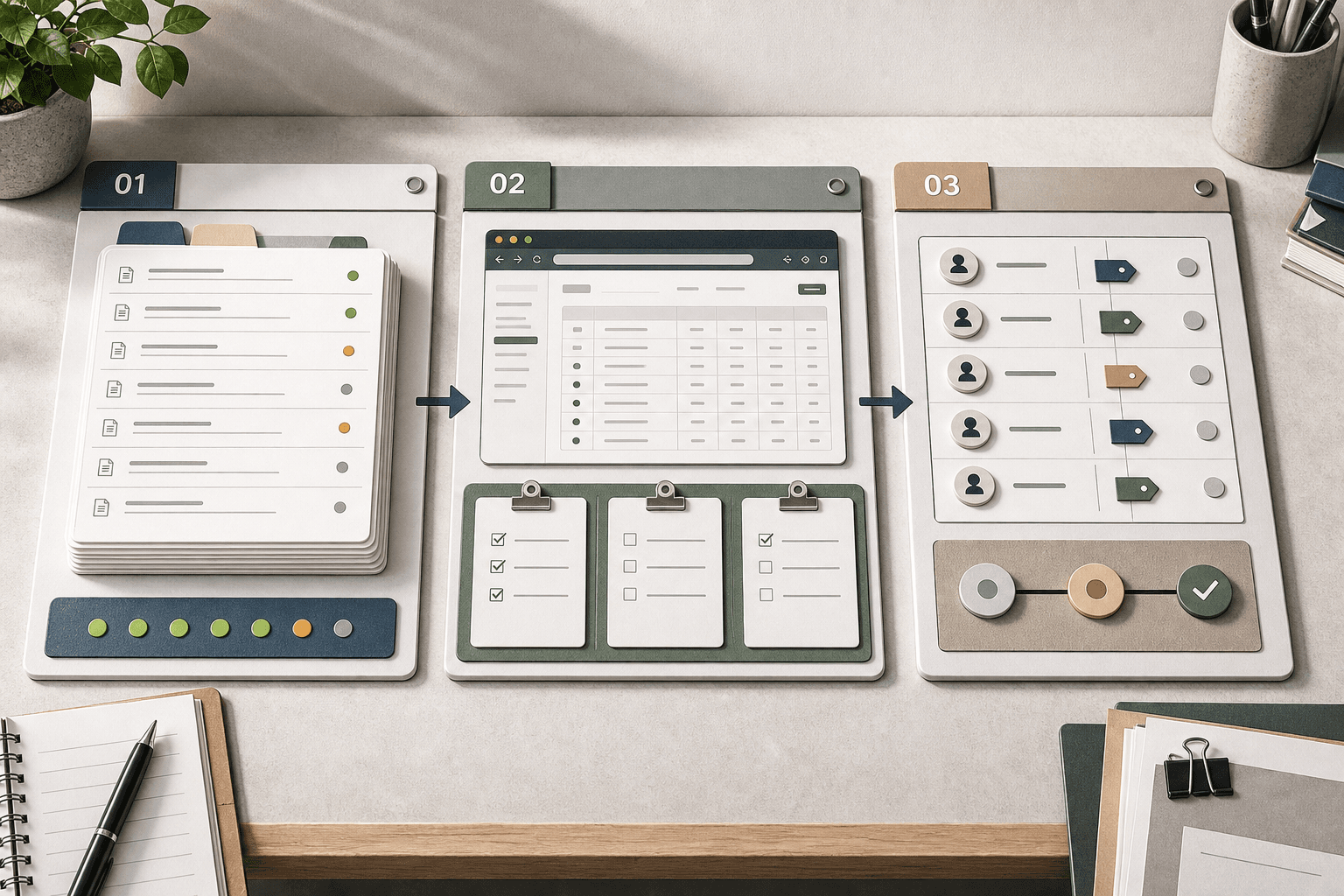
1. Choose your tracking method and tools
Use Google Search Console as your baseline source for search engines. Then pick one backlink monitoring tool, such as Ahrefs, Semrush, or Majestic, for deeper link data and alerts. Add a shared Google Sheet, Notion table, or Looker Studio dashboard as your source of truth. For example, keep one tab for live links, one for lost links, and one for weekly actions.
For a visual walkthrough of this process, check out this tutorial from Osborne Digital Marketing:
You should now have one core setup for backlink tracking. Verify that you can open Search Console, view referring domains, and export current backlinks.
2. List the pages and domains you care about
Create a short list of priority pages first. Include your top landing pages, product pages, and any content that drives demos or leads. Then list priority referring domains, such as partners, press mentions, and directories. This step will help you catch link changes that matter, not just random noise.
Data indicates image assets can attract strong link activity, including the referenced 1024x file example in Anderson Collaborative’s guide for backlink analysis (Anderson Collaborative).
You should now see a focused watchlist. Verify that every priority URL has an owner and a matching report source.
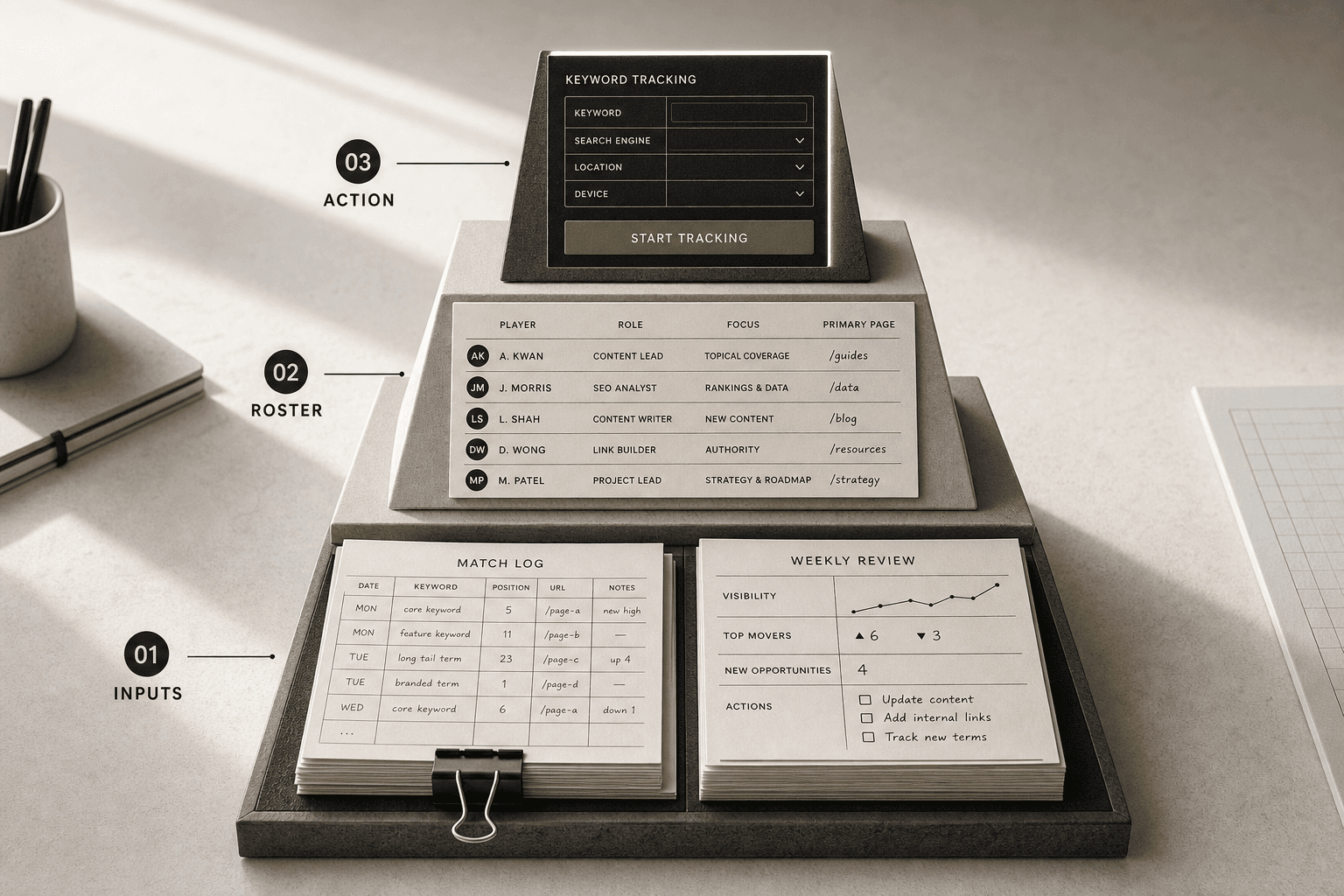
3. Set review frequency and ownership
Assign one person to weekly checks and one person to monthly review. Check new, lost, and broken links each week. Review domain trends, referral traffic, and outreach actions each month. Manual checks can work at first, but Mygomseo-style automation will help you spot changes faster and with fewer gaps.
You should now have a repeatable system. Verify that your sheet or dashboard shows review dates, named owners, and the next action for each issue.
Step 2 Set Up Your Backlink Tracking Baseline

1. Export your current backlink profile
Export all live backlinks from your main tool first. Then export referral data from Google Search Console if available. Save both files in one folder with today’s date.
Next, clean the export before you review it.
- Remove obvious duplicates by source URL and target URL.
- Filter out test links, staging domains, and spam entries.
- Group links by target page, not just by linking site.
- Sort pages by total links and referring domains.
For example, five links to one blog post matter less if your demo page has none. You should now see a tighter list that reflects real links. Verify that each target page appears only once in your grouped view before proceeding.
2. Tag links by quality and page importance
Tag your best links next. This is where manual tracking backlinks becomes practical. You are not auditing every link equally. You are deciding what would hurt most if lost.
Create simple tags in your sheet:
- High-value source: press, partner, directory, campaign, or customer story.
- High-value page: pricing, product, demo, feature, or top blog post.
- Medium-value source: niche blogs, roundups, community mentions.
- Low-value source: low-traffic pages, scraped pages, weak directories.
Add one more column for link type or campaign source. For example, tag a podcast mention as “digital pr” and a local citation as “directory.” This helps you connect link building work to actual pages.
You should now see which links deserve the fastest response. Verify that your press, partner, directory, and campaign links are clearly labeled before moving on.
3. Create your baseline benchmarks
Now build a simple scorecard. List your total live backlinks, total referring domains, broken backlinks, top linked pages, and one authority metric. Use whatever metric your tool shows most clearly.
If you track backlinks manually, this sheet becomes your control panel. According to Best Backlink Monitoring Tools: The Ultimate Guide for 2026 (Comparison, Features & How to Choose) - BrimCove, some all-in-one platforms start at $129, so a manual baseline can help you build a reliable process first.
At this point, your baseline should show what matters most. You should see link counts, domain counts, broken links, and your chosen authority score. Verify those numbers today, because future backlink tracking depends on this snapshot.
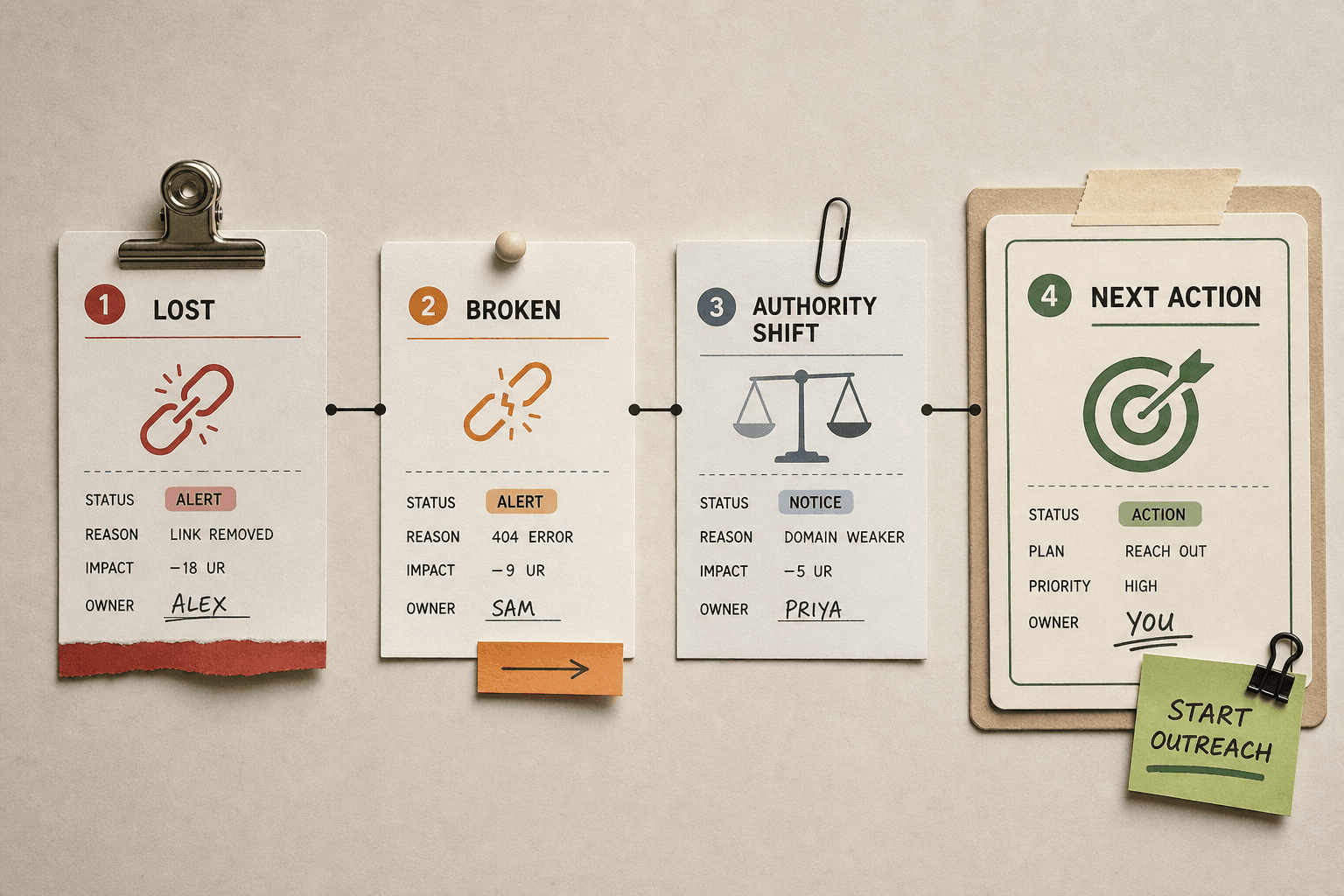
Step 3 Monitor New Lost Broken Links and Authority Changes
Track new links and decide which to amplify
Check new links every week. Increase that pace during a heavy campaign or digital PR push. Sort new links by source, target page, anchor text, and referral value. Then label each one as high value, neutral, or low value.
For example, a new mention from an industry blog deserves more attention than a random directory link. Share strong wins with your team. Thank the publisher, reshare the post, and look for a second link opportunity. If the new link points to a page that converts, consider building a supporting internal link to strengthen it for search engines.
You should now see which new links deserve promotion, outreach, or no action. Verify that every new link has a label, an owner, and a next step before you proceed.
Spot lost links and recover the best ones
Check lost links every week as well. Focus first on links from trusted sites, partner pages, and campaign coverage. Compare the lost link against your baseline and confirm whether the page was removed, redirected, or changed. That tells you whether the problem sits on your side or theirs.
For example, a partner resource page may have dropped your link after a site redesign. Send a short email with the old URL, the missing placement, and the correct destination. If your page moved, add the proper redirect fast. Good backlink monitoring helps you reclaim value before rankings drift.
You should now have a shortlist of links worth recovering first. Verify that each lost link includes a recovery action, a contact owner, and a live status.
Find broken backlinks before they waste equity
Check broken backlinks once a month. Run a crawl in your backlink tool and match linking URLs to pages returning 404 or 410 errors. Then group issues by target page so you can fix the biggest leaks first. Broken links answer the question, “How do you find lost or broken backlinks?” You check your tool for dead target URLs and confirm them on your site.
For example, an old blog post may still attract links even after you changed the slug. Add a redirect if the replacement page matches intent. Update the destination if the wrong page loads. Warning: Do not redirect every dead page to your homepage. That weakens relevance and confuses users.
You should now see broken targets to fix and dead URLs to redirect. Verify that each broken backlink has a repair path, owner, and due date.
Review domain authority changes without obsessing
Check authority changes once a month unless you are in active outreach. Use the metric as a trend line, not a scoreboard. Research from Best Backlink Monitoring Tools: The Ultimate Guide for 2026 (Comparison, Features & How to Choose) - BrimCove shows entry plans can start at $99, so automated alerts often cost less than hours of manual checks. Watch for sharp swings across key referring domains, then inspect why they changed.
For example, a publisher may lose authority after pruning content or changing ownership. That does not mean you should panic. It means you should watch the domain, review link context, and decide whether future outreach still fits. At this point, your action list should show links to celebrate, links to reclaim, broken targets to fix, and domains to watch. Verify that every change has a next step, owner, and status so nothing sits in a report doing nothing.
Finish Strong With the Right Workflow
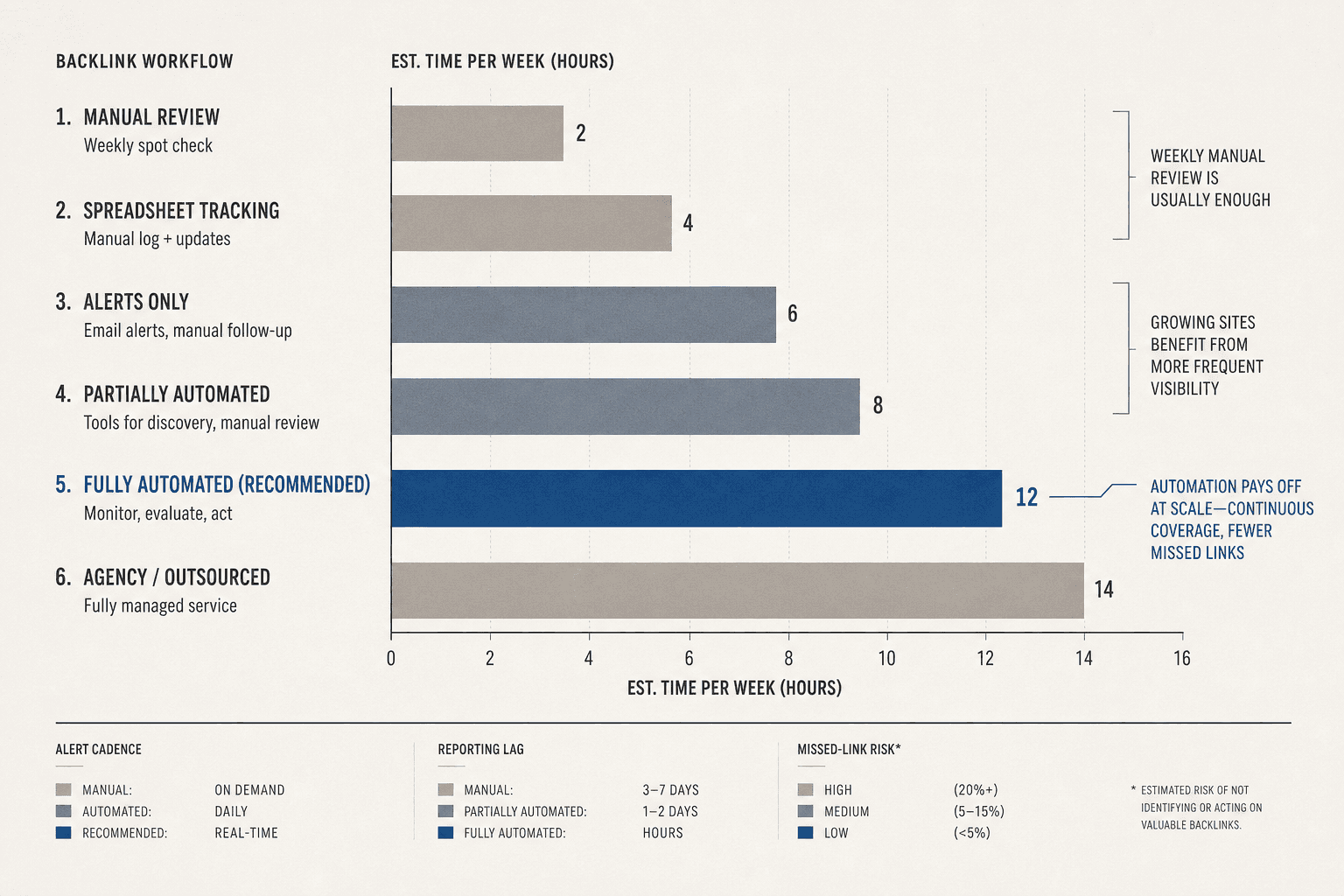
Your next move is simple. Pick the process you can maintain for the next 30 days. Run manual checks if your backlink profile is small and stable. Switch to automated alerts and recurring reports when you need faster visibility into new links, lost links, broken links, and authority shifts. The goal is not more dashboards. The goal is fewer missed issues and faster action.
At this point, your team should know what fits best: a weekly checklist or an always-on workflow. That decision matters because consistency beats good intentions every time. A clean manual routine can help you track backlinks without chaos. An automated setup can help you cut spreadsheet work, reduce reporting lag, and keep link building efforts tied to real outcomes.
Before you close this out, verify three things. Confirm your alerts fire when links appear, disappear, or break. Confirm your reports are readable enough that someone can act on them in minutes. Confirm your next month of reviews is already scheduled, with an owner and a clear cadence. If any one of those is missing, your process still has a gap.
That is the real win from backlink monitoring. You stop guessing. You spot problems earlier. You protect the links you worked hard to build. And you give your team a repeatable guide for 2026 that scales with your site, instead of collapsing the second traffic or campaigns increase.
Keep it lean. Keep it visible. Keep tracking backlinks in a way your team will actually follow.
Want a simpler way to keep that workflow running? Try It Free to explore tools that help you export, share, and manage simple project connections.