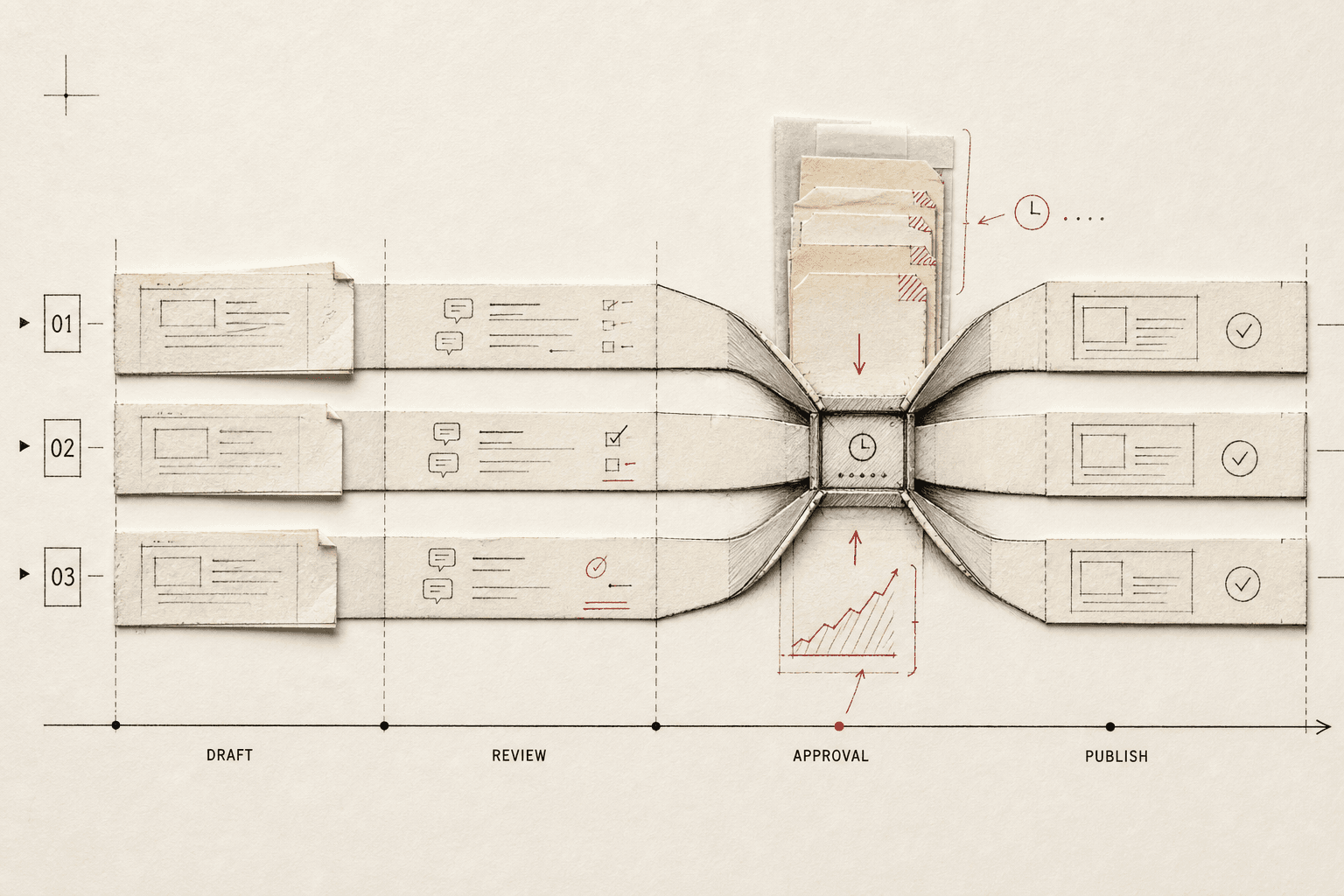
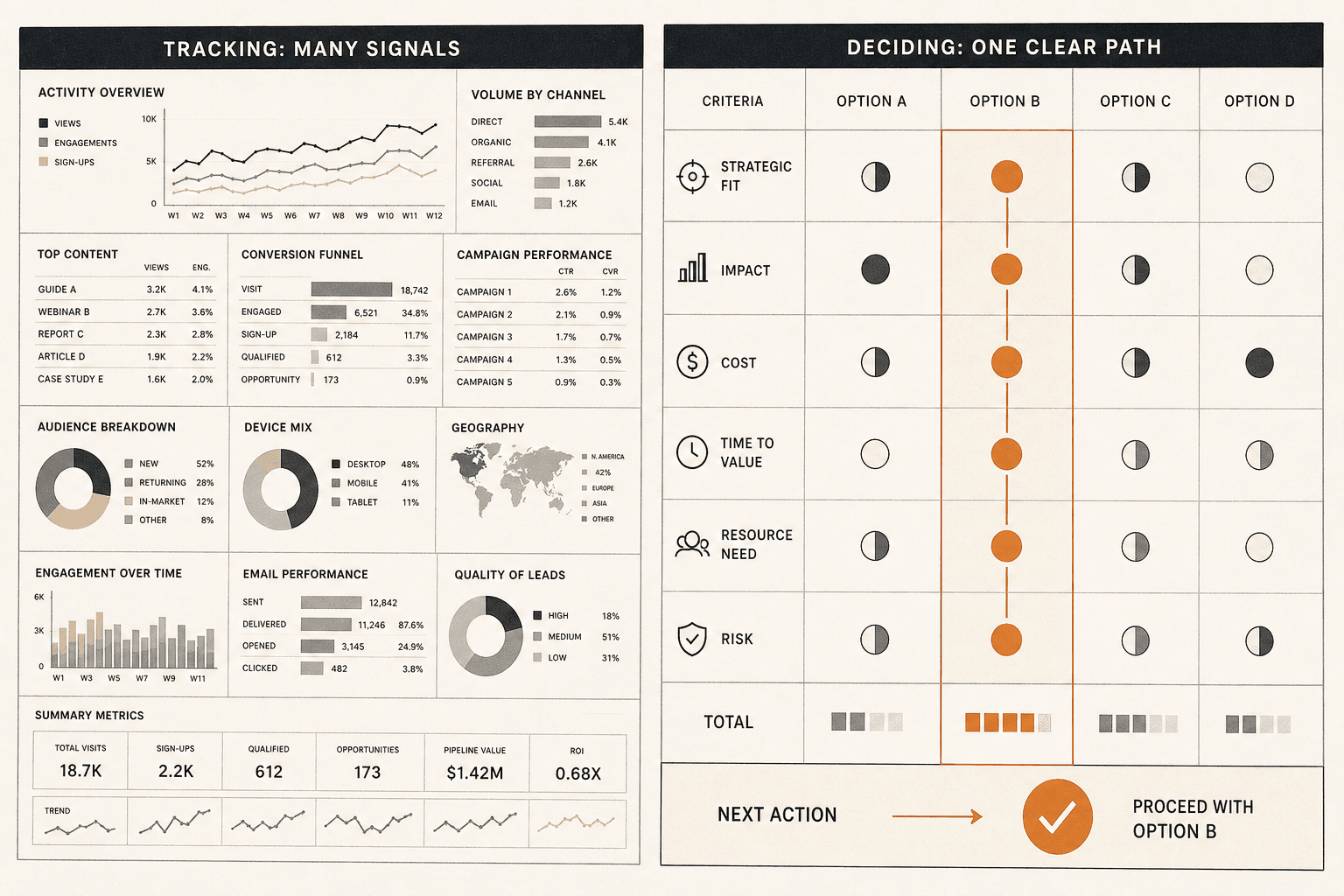
How to Set Up Always - On SEO Monitoring Without Creating Alert Fatigue

SEO monitoring answers a simple question: what changed, and does your team need to act now? It means checking rankings, indexing, and technical health before traffic takes the hit. Most teams report on SEO after the fact. Very few run 24/7 checks with alerts that stay useful instead of noisy. According to The Ultimate Guide to AI Technical SEO Audits for Improved Performance, 10% of pages can carry technical issues that quietly hurt performance. That is the problem. In this guide, you will build a simple seo monitoring system, then improve it with prioritization, testing, and deployment best practices. The goal is fast decisions, clear alerts, and none of the enterprise bloat.
What Youll Build and What Youll Learn
What Youll Build
In this part, you will build a simple seo monitoring workflow. It will track rankings, crawl health, indexation, uptime, and page-level changes in one repeatable system. Think of it like a control panel, not a pile of disconnected tools. For example, if a key page loses its title tag and rankings slip, you will see both signals together.
What Youll Learn
By the end of this section, you will know what to monitor for SEO and why each check matters. You will use website health checks for crawl errors, uptime issues, and indexation gaps. You will also learn how to set up seo alerts so the right person gets the right warning at the right time. That matters because not every issue needs the same speed or owner.
Why This Monitoring Setup Works for Small Teams
This setup works because you start small and stay focused. Your first version only covers the signals that can hurt traffic or revenue fast. Then you add rank tracking alerts, tighter rules, and more technical seo monitoring as your process matures. For example, a homepage outage needs action now, but a minor meta description change can wait.
That simple order keeps noise low. It also helps your team map every alert to business impact. If you need broader context on channel strategy, see What is Digital Marketing?. Swydo notes annual billing can save up to 17%, which is a useful reminder to keep tooling lean while your workflow proves value.
Prerequisites for Your SEO Monitoring Stack

Skills and Knowledge You Need
In this part, you will learn what your team needs before setup starts. You do not need deep technical SEO experience. You do need a working grasp of rankings, indexing, crawl errors, and basic analytics.
Think of it like running a smoke alarm system. You do not need to build the sensor. You need to know what smoke means and who should respond. For example, if impressions drop after pages fall out of the index, you should spot the pattern fast.
You should also understand the basics of SERP monitoring and issue prioritization. That helps you separate a small ranking wobble from a revenue risk. Small teams can automate seo monitoring if they keep the logic simple and the ownership clear.
Tools Accounts and Access
Next, gather the accounts your workflow depends on. You need Google Search Console, Google Analytics 4, your rank tracker, your site crawler, and one team notification channel such as Slack or email. Those five inputs cover visibility, traffic, page health, and alert delivery.
For a visual walkthrough of tool selection, check out this tutorial from Nathan Gotch:
For example, Google Search Console can flag indexing changes, while your crawler catches broken canonicals or blocked pages. Your rank tracker handles rank tracking alerts. Your notification channel makes sure updates reach the right person fast. If you need a broader channel strategy, review What is Digital Marketing?.
Recommended Setup and Versions
Start with the current version of each tool and one shared documentation page. Keep naming rules consistent across properties, folders, and alert labels. This makes technical seo monitoring easier to maintain.
Most important, define ownership early. Every alert needs a destination, a response time, and a person responsible for triage. According to Swydo, 16% of search results now include AI Overviews, which makes fast review even more important. If your team wants outside execution support, work with A Google Partner agency.
Part 1 Build Your SEO Monitoring Foundation

Choose the Metrics That Actually Matter
By the end of this section, you will know which metrics deserve a spot on day one. Start with five checks: branded and non branded rankings, top landing page traffic, index coverage, crawl status, and uptime. That gives you search visibility, page performance, and website health checks in one simple view.
Group those metrics by business impact, not by tool. Put revenue pages first. Then lead pages. Then core templates like product, service, or location pages. Last, track sitewide technical signals that support everything else.
For example, a small ranking drop on a blog post may not matter today. A drop on a pricing page does. That is why technical seo monitoring should support business pages, not distract from them. If your team also works across paid and organic channels, this is the same kind of prioritization you would expect from A Google Partner agency.
Document why each metric exists before you automate anything. Write one sentence for each signal. For example: “Track uptime because revenue pages cannot convert if the site is down.” This step sounds basic, but it keeps future seo alerts tied to a real reason.
Set Baselines for Rankings Traffic and Indexation
By the end of this section, you will know how to spot unusual movement fast. Raw numbers often create noise. Baselines create context. They tell you what normal looks like before you react.
Use the last few weeks of rankings, traffic, and indexation data to mark a normal range. For example, your branded terms may hold steady while non branded queries move more. Your top landing pages may dip on weekends. Index coverage may shift slightly after a site update.
This is why you should not check every metric with the same urgency. Review core performance daily, but judge it against a baseline. Then run weekly trend reviews for bigger decisions. Research from Best SEO Monitoring Tools You Need for Your Agency in 2026 - Swydo shows AI Overviews caused a 61% drop in organic clicks for affected content, which makes unusual movement even more important to catch.
Create Your First Dashboard and Daily Checks
By the end of this section, you will have a simple dashboard structure. Keep it lean. One panel for rankings. One for top landing pages. One for index coverage and crawl status. One for uptime and rank tracking alerts.
Your daily check should take minutes, not an hour. Ask four questions: Did key pages lose visibility? Did traffic drop outside the normal range? Did indexing or crawl status change? Did the site stay live? That is enough for your first pass.
At this point, your dashboard should help you notice patterns without overreacting. If you need broader channel context, it helps to align this view with your team’s reporting basics, much like the foundations covered in What is Digital Marketing?. Notice how this first version stays narrow on purpose. Simple systems get used. Bloated systems get ignored.
Part 2 Add SEO Alerts and Prioritized Escalation
Turn Baselines Into SEO Alerts
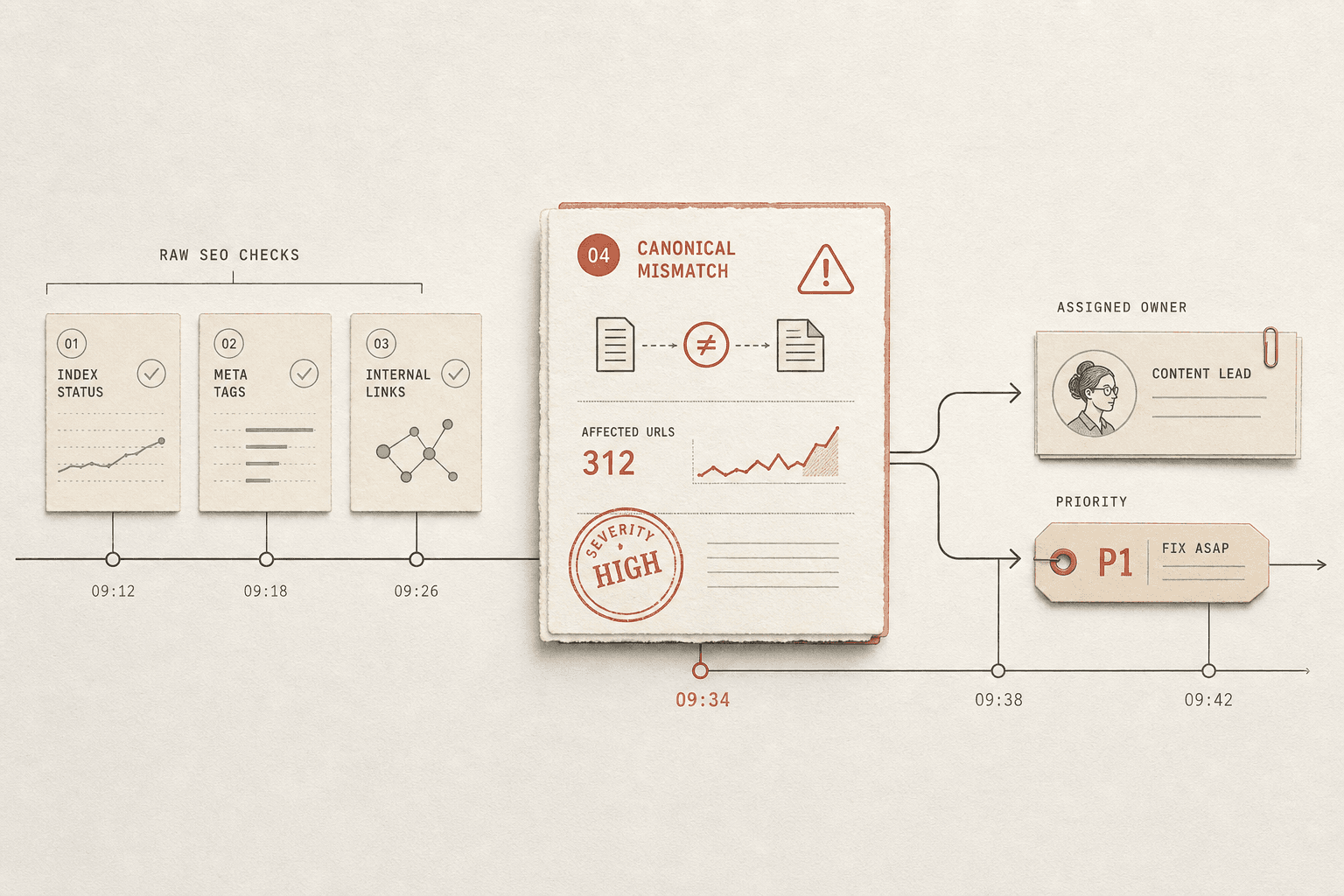
In this section, you will learn what SEO alerts are and when to trigger them. Think of a baseline like your site’s normal heartbeat. An alert should fire only when that rhythm breaks in a meaningful way.
For example, a few ranking shifts on Tuesday morning are normal. A sharp drop across a revenue page group is not. The same rule applies to crawl errors, index coverage, and sudden page removals from search results.
Start with thresholds tied to business risk. You might alert when a product page cluster drops several positions, when crawl errors jump well above the usual range, or when key URLs begin to deindex in a pattern. This keeps seo monitoring useful instead of reactive.
If you run technical seo monitoring, focus on signals with clear consequences. Pages losing indexation, canonicals changing without approval, or robots rules blocking core templates deserve attention first. For a practical setup example, see How to Set Up SEO Monitoring and Alerts | Step-by-Step Guide.
Add Rank Tracking Alerts Without Alert Fatigue
In this section, you will learn how to avoid noise. The fastest way to create alert fatigue is to track every keyword equally. That approach buries real issues under harmless movement.
Use rank tracking alerts for keyword groups tied to money, leads, or brand protection. For example, monitor your top service terms, your highest-converting product pages, and your branded terms during a campaign. Leave long-tail research terms in reports, not urgent notifications.
You should also group alerts by page type and intent. A category page drop matters more than a blog post slipping one spot. That is issue prioritization in practice.
Research from Best SEO Monitoring Tools You Need for Your Agency in 2026 - Swydo shows automation can improve speed by 4x. Speed helps, but only if alerts stay selective. If every keyword sends a message, your team will ignore the channel.
Create Severity Rules and Response Playbooks
In this section, you will learn how to prioritize SEO issues. Use four levels: critical, high, medium, and low. Base each level on business impact, page type, and how long the issue lasts.
For example, deindexing on checkout or lead pages is critical. A ranking dip on a supporting blog post may be medium. A short crawl spike that clears itself might be low.
Attach a playbook to each alert. Tell the team what to verify, where to look, and when to escalate. Include checks in Search Console, your crawler, analytics, deployments, and CMS changes. If your team needs broader channel context, What is Digital Marketing? gives useful background.
A strong playbook removes guesswork. Your team sees the alert, follows the steps, and makes a fast call. That is how you avoid alert fatigue while keeping issue prioritization sharp.
Conclusion
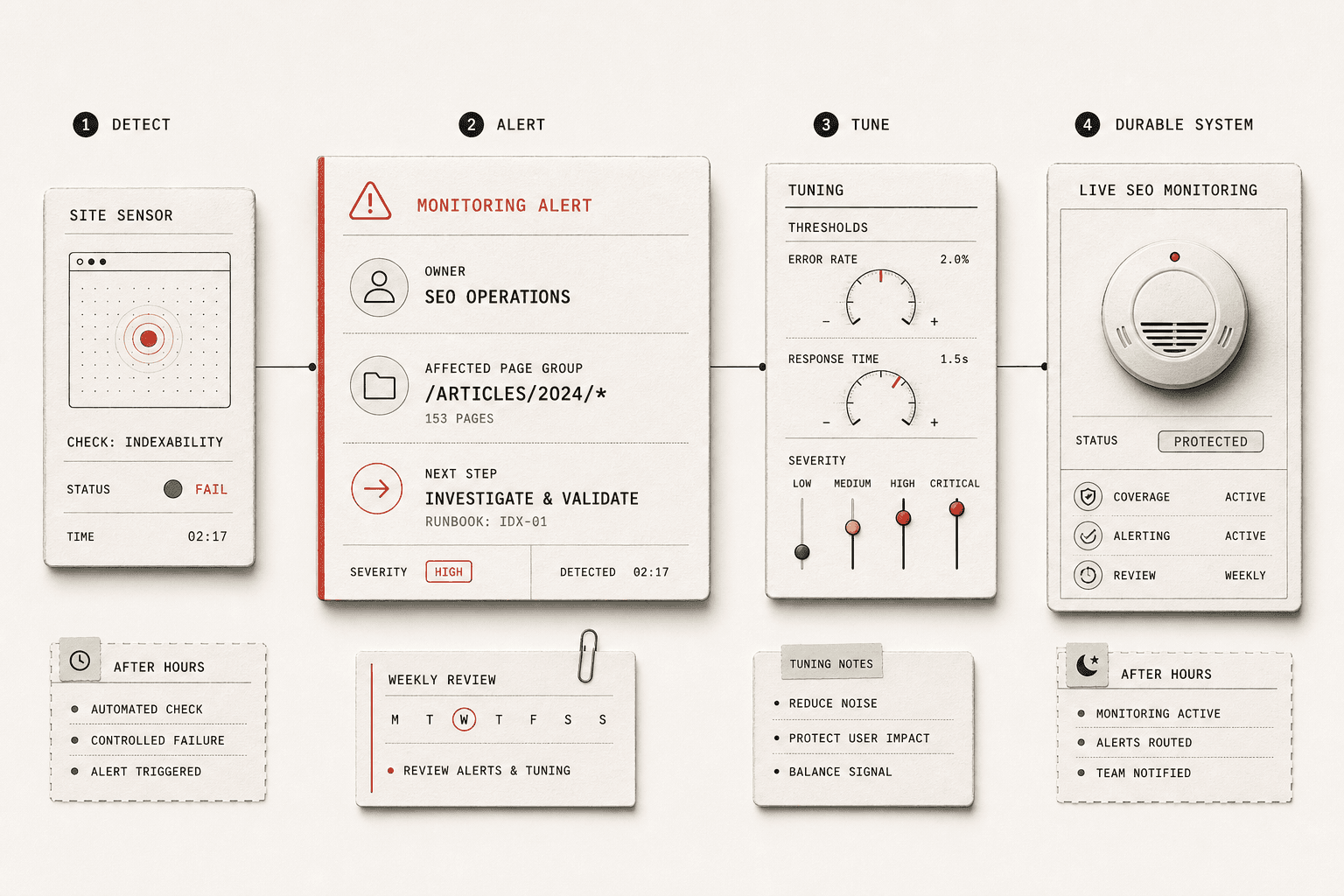
The last step is where the system proves itself. Testing is not optional. You need to force a few controlled failures, simulate ranking movement, and confirm that alerts reach the right channel with enough context to drive action. If an alert shows up without a clear owner, affected page group, or next step, it is not ready. The goal is not to fire more notifications. The goal is to make every alert useful.
You should also expect a tuning period. In the first short trial, log what triggered, what got ignored, and what the system missed. That gives you the truth. Some checks will be too sensitive. Others will be too loose. Tighten thresholds, adjust severity rules, and remove noisy triggers until the signal improves. This is how seo monitoring becomes dependable instead of distracting. It learns from real conditions on your site, not from guesswork.
Deployment matters just as much as setup. Keep ownership clear from day one. Review alerts every week. Retire checks that no longer match your site structure or business goals. Document what happens after hours so nobody has to invent a process during a live issue. Think of your monitoring stack like a smoke alarm system. It only works when the sensors are current, the alerts are loud enough, and everyone knows what to do when one goes off.
If you follow that process, you will end with something practical and durable: a live seo monitoring system that runs all day, stays actionable, and improves as your site grows. It will not replace judgment. It will sharpen it. Your team will spend less time chasing noise and more time fixing the problems that can hurt visibility, revenue, and momentum.
Keep it simple. Keep it owned. Keep improving it as the business changes.
Want to learn more? Learn More to explore how we can help.