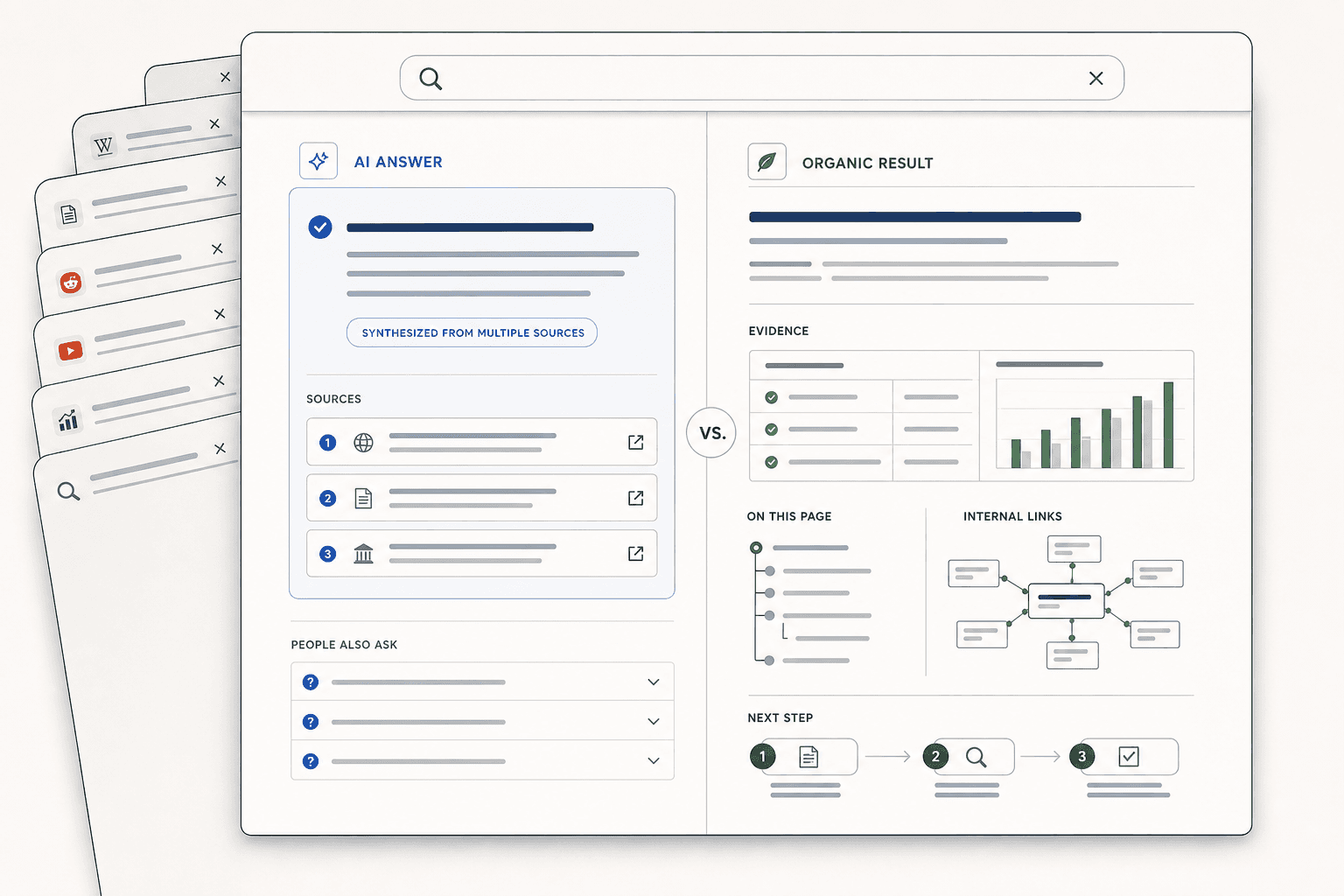
How to Track Your Google AI Overview Rankings (Step-by-Step Guide)
Ai overview checker is no longer optional. If you cannot see your AI Overview presence, you cannot protect it. Manual searches break fast. Results shift by location, device, and phrasing, so small teams miss changes until traffic slips. According to Rank In Google AI Overview For Service Businesses (2026), 0% is still the default if you do not track and improve for these results. That is the problem. This guide gives you a step by step system to check if you appear, watch the right signals, read visibility changes, and respond without guesswork. By the end, you will have a clean tracking workflow that Mygomseo can automate, so you stop searching blindly and start monitoring what actually moves.
Step 1 Gather the prerequisites for AI Overview tracking
What you need before you start
Gather three things before you track anything.
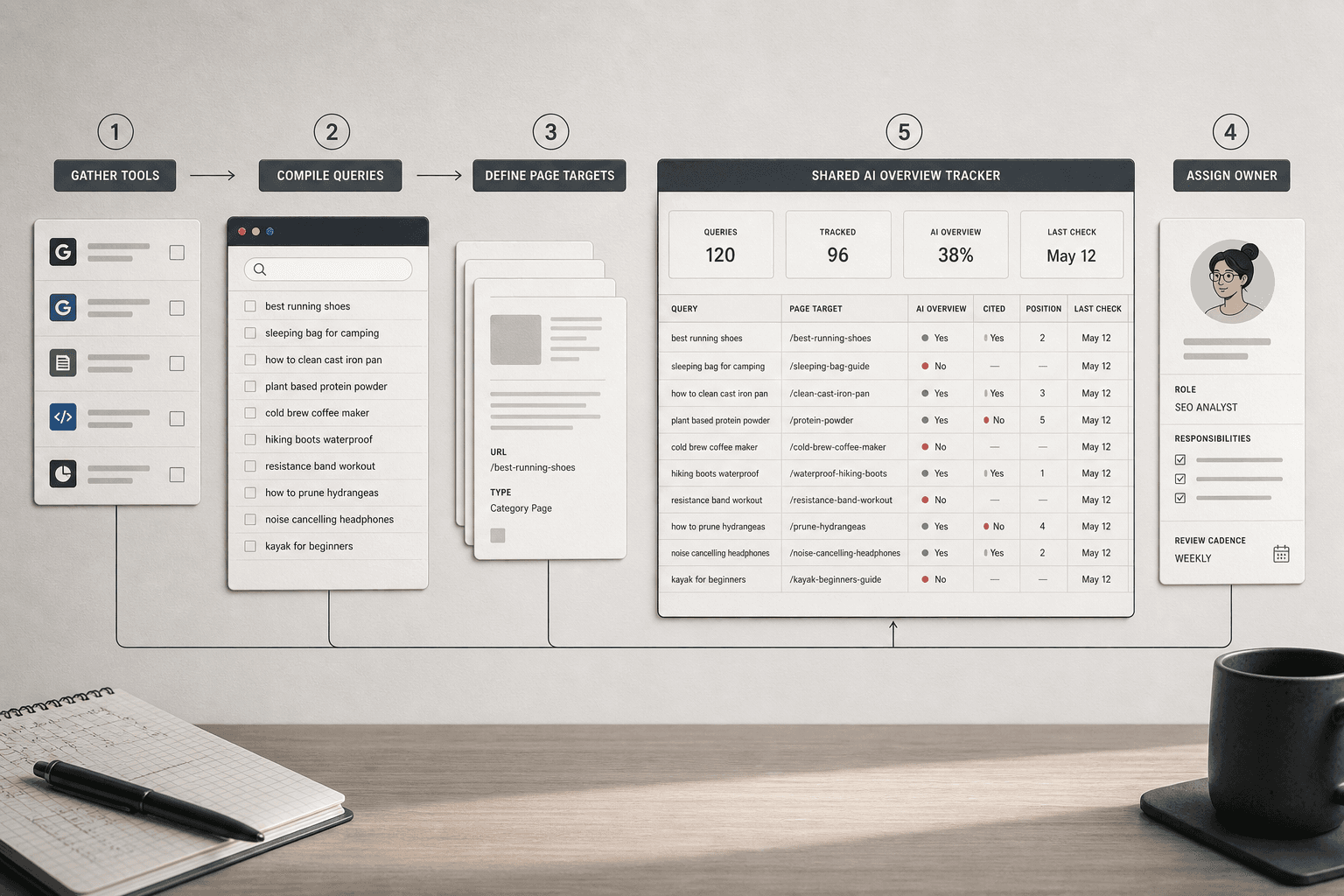
- Create one sheet with these columns: query, topic, intent, branded or non branded, target page, location, device, AI Overview present, your site cited, and review date.
- Define your tracking scope. Pick the country, city, and device types you care about.
- Assign one owner to review results each week. If nobody owns the review, the data will drift fast.
You can do this manually at first. But manual checks get noisy as query counts grow. A google ai overview tracker helps you keep the process repeatable.
You should now have one working file your team can update. Verify that every column is clear before you proceed.
Choose the queries that matter
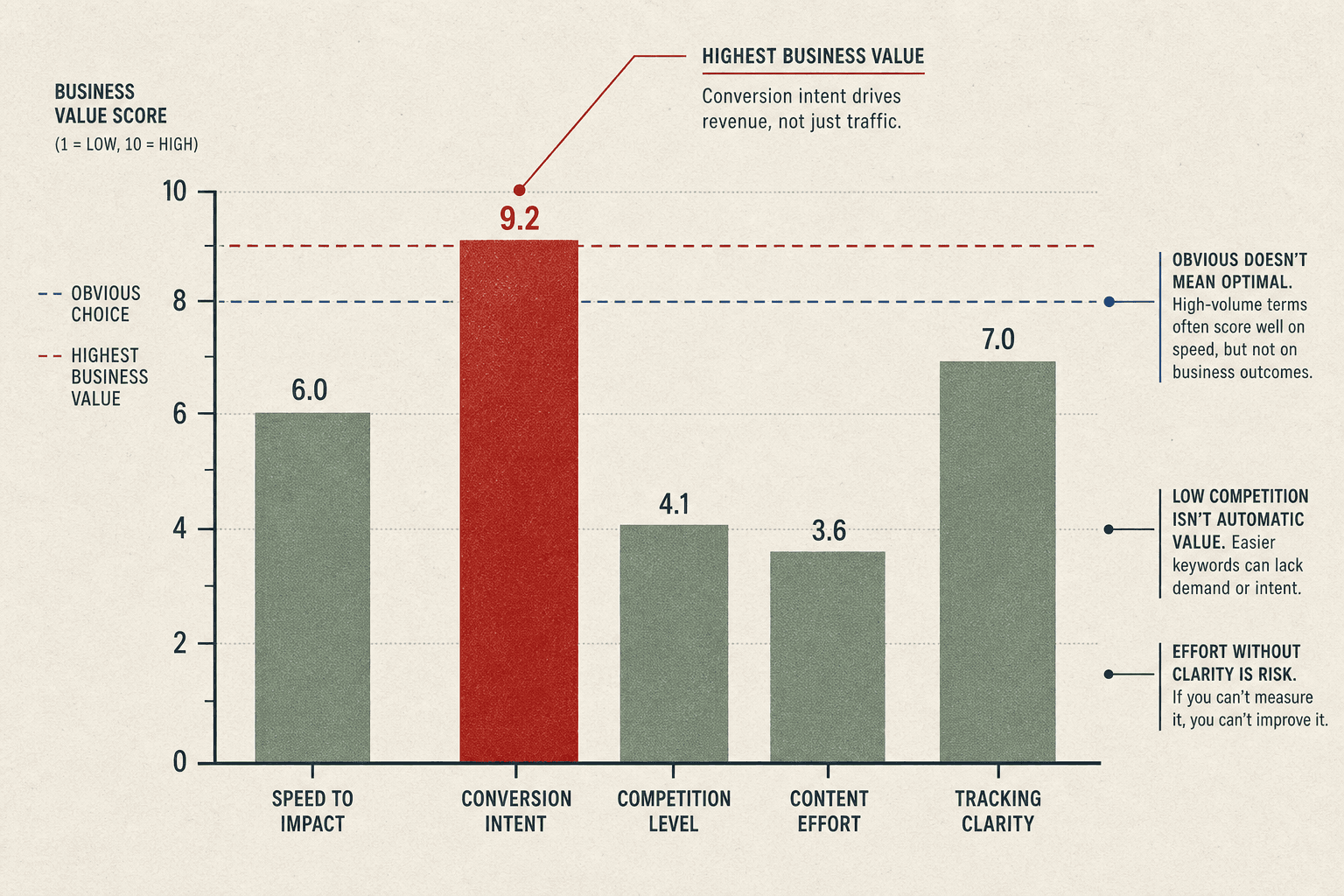
Build a core list of 20 to 50 searches. Start with terms that drive revenue, not vanity traffic.
- Pull queries from Search Console, sales calls, and customer questions.
- Group them by topic and intent: informational, comparison, and transactional.
- Tag each query as branded or non branded.
- Match each query to one landing page or article.
For example, a plumber might track “how to fix low water pressure,” “best emergency plumber near me,” and the company name. That mix shows where ai overviews appear across the full journey.
If you ask, “How do I know which queries to track for AI Overviews?” use this rule: track searches where buyers ask for advice, options, or next steps. Those are often the searches where Google tests AI features and summary answers. According to How to Rank in AI Overviews: What Actually Works (Based on Data, Not Speculation), AI Overviews often appear on informational queries.
You should now see a focused list tied to business goals. Verify that each query has a page target.
Set a baseline your team can measure
Run the first check and log what appears today.
- Record whether an AI Overview shows.
- Record whether your brand appears in it.
- Record the cited page, search location, and device.
- Set a weekly review cadence.
Can you track AI Overview rankings manually? Yes, for a small list. But an ai overview checker or Mygomseo agent will save time and reduce missed checks as your list expands.
At this point, your sheet should show 20 to 50 priority searches grouped by topic, intent, and landing page. Verify that one owner, one cadence, and one baseline are in place.
Step 2 Set up your ai overview checker workflow
Check if you appear in AI Overviews
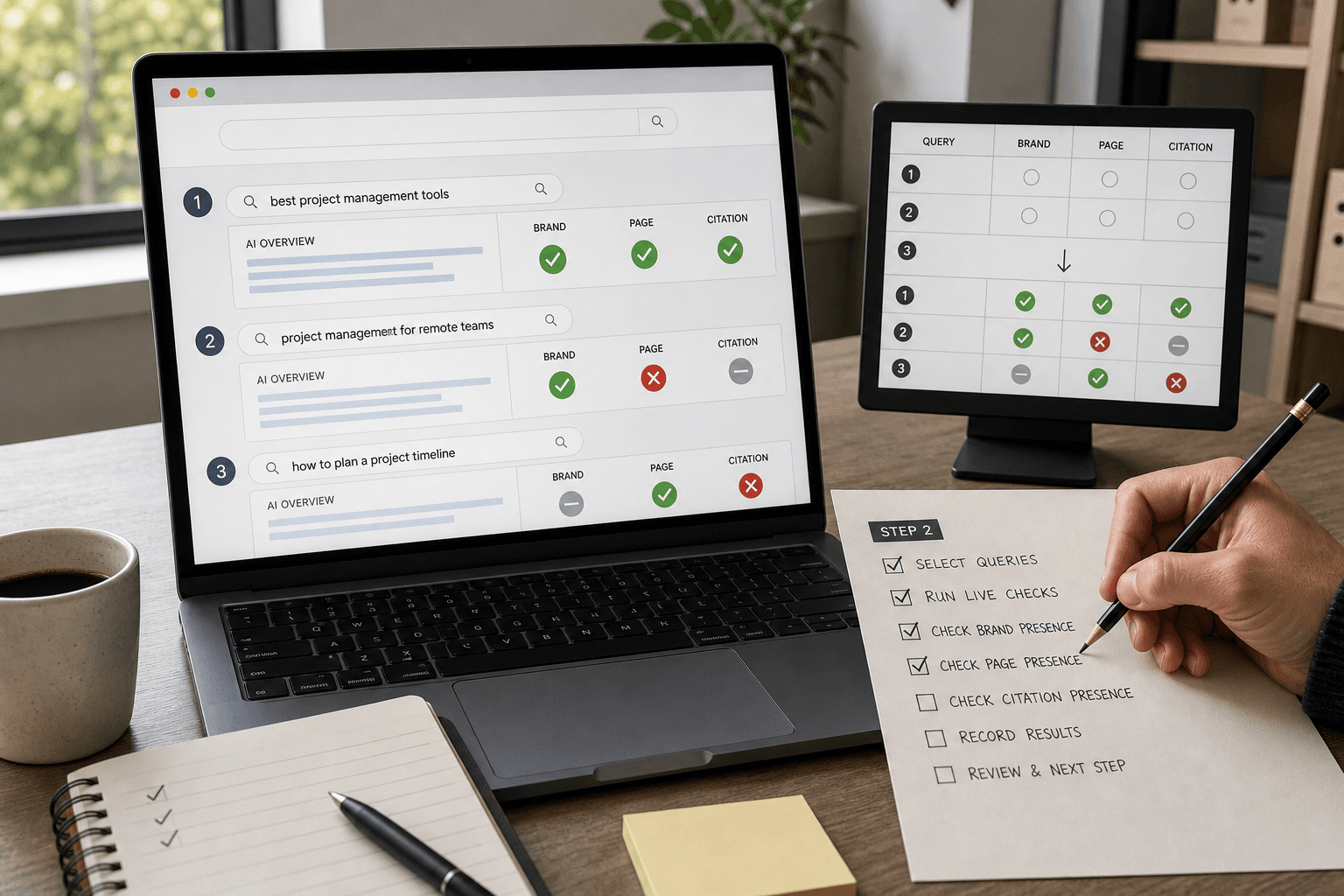
Search your priority queries one by one. Use the same browser, location, device type, and login state each time. That control matters because AI Overviews can shift by context, query wording, and search history.
- Open an incognito window.
- Enter one target query exactly as written in your sheet.
- Record whether an AI Overview appears.
- Note whether your brand is named in the summary.
- Check whether your page appears as a cited source.
- Save a screenshot of the result.
For example, search “best payroll software for startups.” You might see an AI Overview, three cited domains, and no mention of your brand. That is still useful. You now know the query triggers AI features, but you do not yet rank in them.
You should now see a clear yes or no result for each query. Verify that each row shows both AI Overview presence and your coverage status before proceeding.
Capture query level visibility data
Log each result at the query level. An ai overview rank checker is not measuring a classic blue-link position. It measures whether AI Overviews appear, whether your brand or URL is cited, and how visible that citation is within the response.
Add these fields to your sheet:
- Query
- AI Overview shown: Yes or No
- Brand mentioned: Yes or No
- URL cited: Yes or No
- Cited page URL
- Competitor domains shown
- Screenshot or export link
- Date checked
This is how you know if your site appears in AI Overviews. Look for your brand name in the answer and your page in the cited links. If neither appears, mark that query as uncovered.
For example, your brand may not be named, but your guide could still be linked as a source. That means you have citation visibility, not brand visibility. How to rank in Google’s AI Overviews: A step-by-step guide explains how source links shape visibility inside AI-generated answers.
You should now have a first-pass snapshot. At this point, your sheet should show where you appear, where competitors appear, and where no AI Overview triggers.
Automate repeat checks with Mygomseo
Turn this manual pass into a repeatable workflow. Configure Mygomseo to track ai overviews across the same query set each week. That removes guesswork and gives your team one place to review changes.
- Upload your approved query list.
- Assign the target page for each query.
- Set your location and device rules.
- Schedule recurring checks.
- Export results to your reporting sheet or dashboard.
Your ai overview checker workflow should now produce refreshable visibility data. Verify that every tracked query returns a repeatable yes or no coverage signal before moving on.
Step 3 Monitor Google AI Overview visibility signals
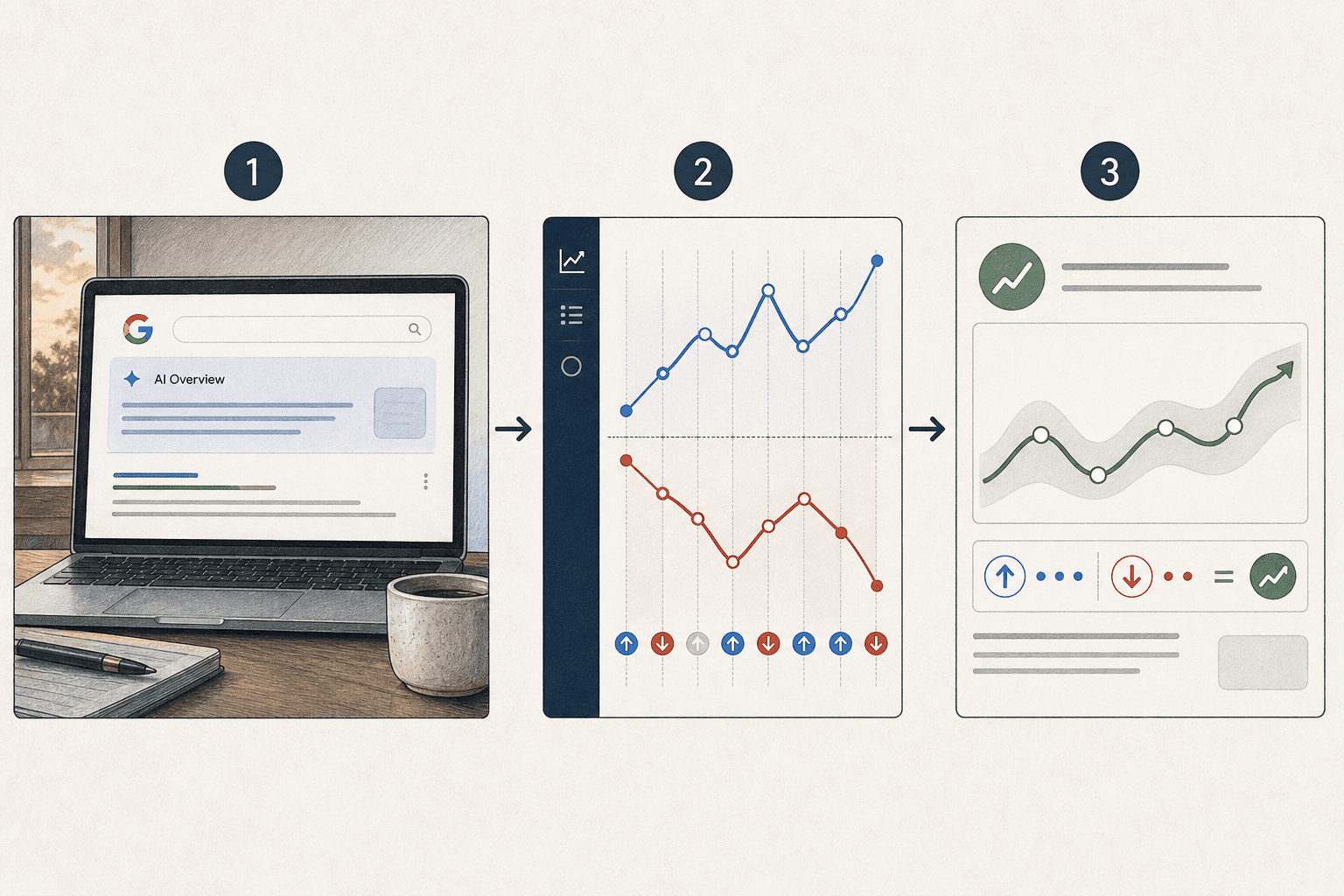
Signals that matter most
Monitor more than impressions and clicks. Those numbers matter, but they lag. For google ai overview visibility, watch the search result itself first.
Track these signals each week:
- Measure AI Overview trigger rate across your priority queries.
- Count your brand mention rate inside AI Overviews.
- Record cited page frequency for each landing page.
- Group query coverage by topic cluster.
- Compare volatility by device and location.
- Match visibility shifts with traffic and impression trends.
For example, one page may keep traffic flat while losing citations. That is an early warning. Another page may gain mentions on mobile first, then spread to desktop a week later.
Data from How to rank in Google’s AI Overviews: A step-by-step guide shows 201340%, but the useful takeaway is simpler. AI Overviews can shift fast, so you need signal tracking that shows direction, not one-off wins.
You should now see which metrics explain presence inside ai overviews, not just organic ranking changes. Verify that each tracked query has a weekly status for trigger, mention, citation, and page mapped.
How to read changes without panic
Read trends in blocks, not single checks. One lost mention on Tuesday does not mean you dropped. A two-week decline across one topic cluster deserves attention.
Use this review order:
- Check whether the AI Overview still appears.
- Compare your mention rate week over week.
- Review which pages were cited most often.
- Separate branded queries from non-branded queries.
- Split results by device and core locations.
For example, if Dallas mobile queries drop but Chicago desktop stays steady, you may be seeing normal volatility. If the same page loses citation share across both, that is a stronger signal.
Overlap this view with Search Console impressions and clicks. If visibility drops but impressions stay steady, wait for another cycle. If visibility drops and impressions soften together, investigate the affected cluster first.
You should now know which changes are noise and which changes deserve action. Verify that your weekly chart shows a pattern line, not isolated notes.
Build a weekly review rhythm
Check high-priority queries once a week. Check your top revenue topics twice a week if they move often. Do not refresh every day unless you are testing a major update.
Build a simple review rhythm:
- Export fresh results from your google ai overview tracker.
- Compare this week against the prior two weeks.
- Flag clusters with falling trigger or mention rates.
- Note any pages gaining citation frequency.
- Assign one follow-up action per flagged cluster.
At this point, your team should know what changed, where it changed, and whether it matters. Verify that you can point to one weekly pattern line for key queries and explain which shifts need action now.
Turn data into decisions, then keep it moving
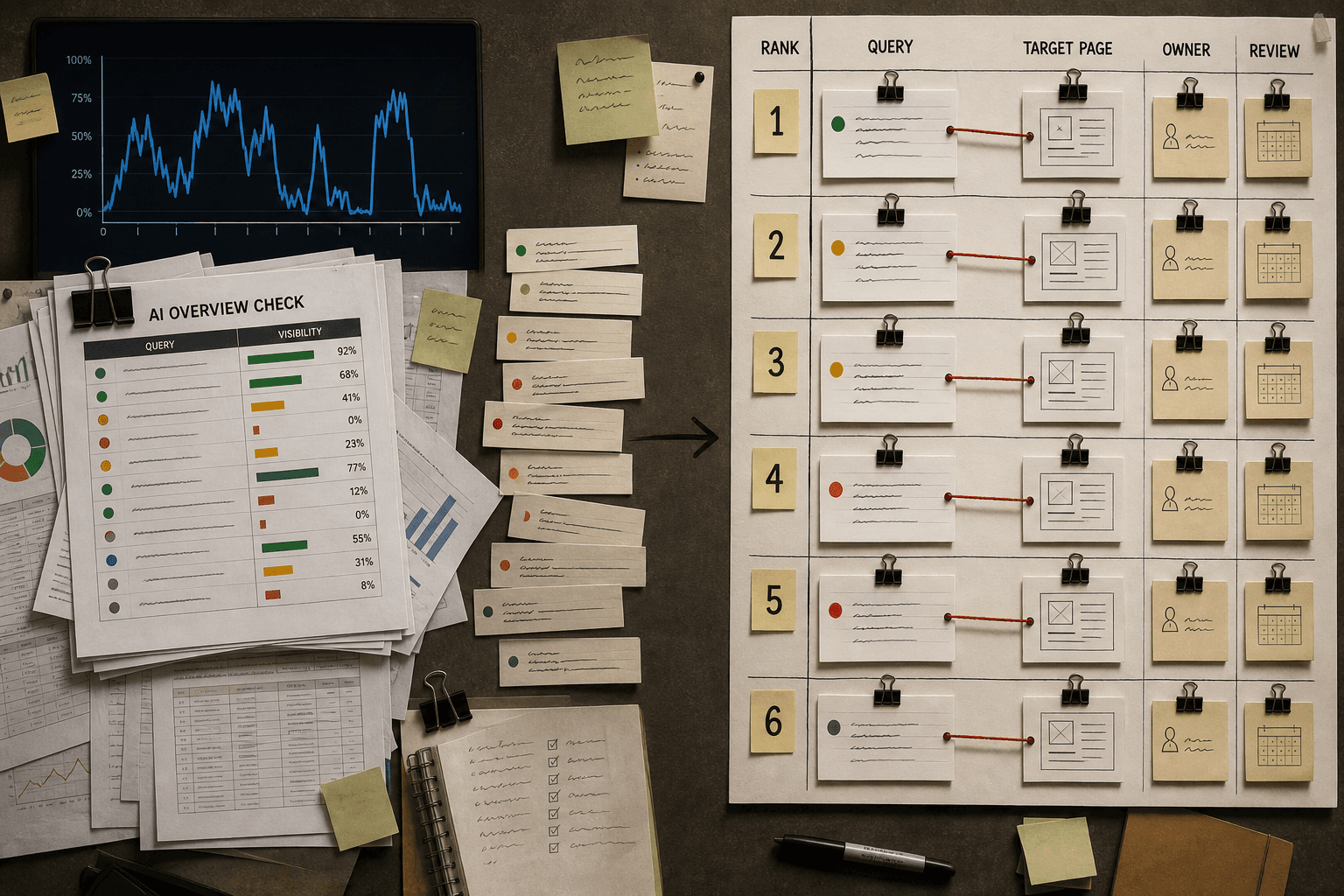
Your goal here is not more reporting. Your goal is a ranked action list. Start with the highest-value queries that trigger AI Overviews but exclude your brand. Map each one to the page that should earn visibility. Then check where your site is cited inconsistently. Those pages usually need clearer topical coverage, stronger supporting sections, better internal links, and cleaner brand context. If a query keeps surfacing adjacent questions you do not answer, refresh the page or publish a supporting asset that closes the gap. If your visibility falls fast across a cluster, assign an owner and review the change before the next reporting cycle.
This is the point where an ai overview checker becomes useful instead of interesting. You are using visibility data to decide what to update, what to expand, and what to watch. You should leave this step with three things: your top fixes by impact, a clear review schedule, and owners attached to each task. That is how you move from guesswork to process. It is also how you track AI Overviews without wasting hours on manual checks.
Verify your progress before you close the loop. You should now see your top three fixes, the exact queries tied to them, the pages that need work, and the person responsible for each change. You should also have a simple review cadence for recurring checks, plus a plan to let Mygomseo automate the repetitive monitoring. That gives your team a cleaner way to spot shifts in google ai overview visibility, protect pages that already rank in AI features, and respond faster when coverage changes.
If you keep this system tight, your AI Overviews workflow stops being reactive. It becomes part of your normal publishing rhythm. That is the win. You are not chasing every fluctuation. You are building a repeatable loop that helps you track AI Overviews, improve the right pages, and make your ai overview checker data worth something.
Want a simpler way to keep that loop running? Try It Free to explore how Mygomseo can help automate the checks your team should not do by hand.