Technical SEO Alerts: Which Issues Need Same - Day Action—and Which Can Wait
Your site audit tool should cut noise, not create it. If every warning feels urgent, your team stops thinking and starts reacting. That is how dashboards turn useful data into wasted time. Without proper context and prioritization, alert fatigue sets in quickly. Teams begin ignoring warnings altogether, missing critical issues buried among false positives. A well-designed framework helps you separate signal from noise, so your alerts drive action instead of confusion.
This guide shows you how to fix that. You will build a simple alert prioritization framework from scratch using clear rules. You will learn how to separate real issues from background noise, assign urgency, and create a workflow for technical SEO monitoring that your team can actually follow. The goal is simple: fewer false alarms, faster decisions, and no more constant fire drills.
Part 1 What Youll Build and the Site Audit Tool Setup
What youll build
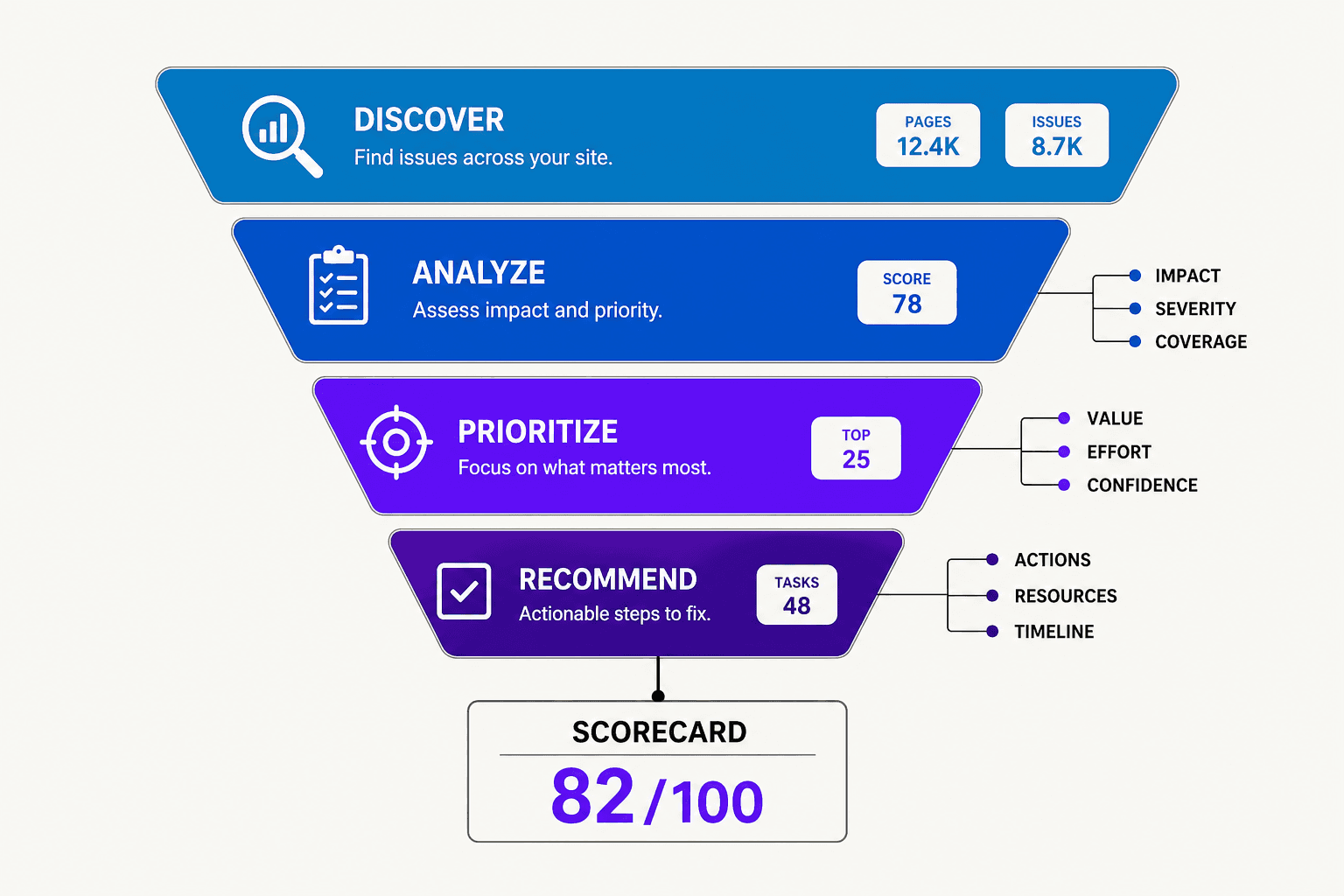
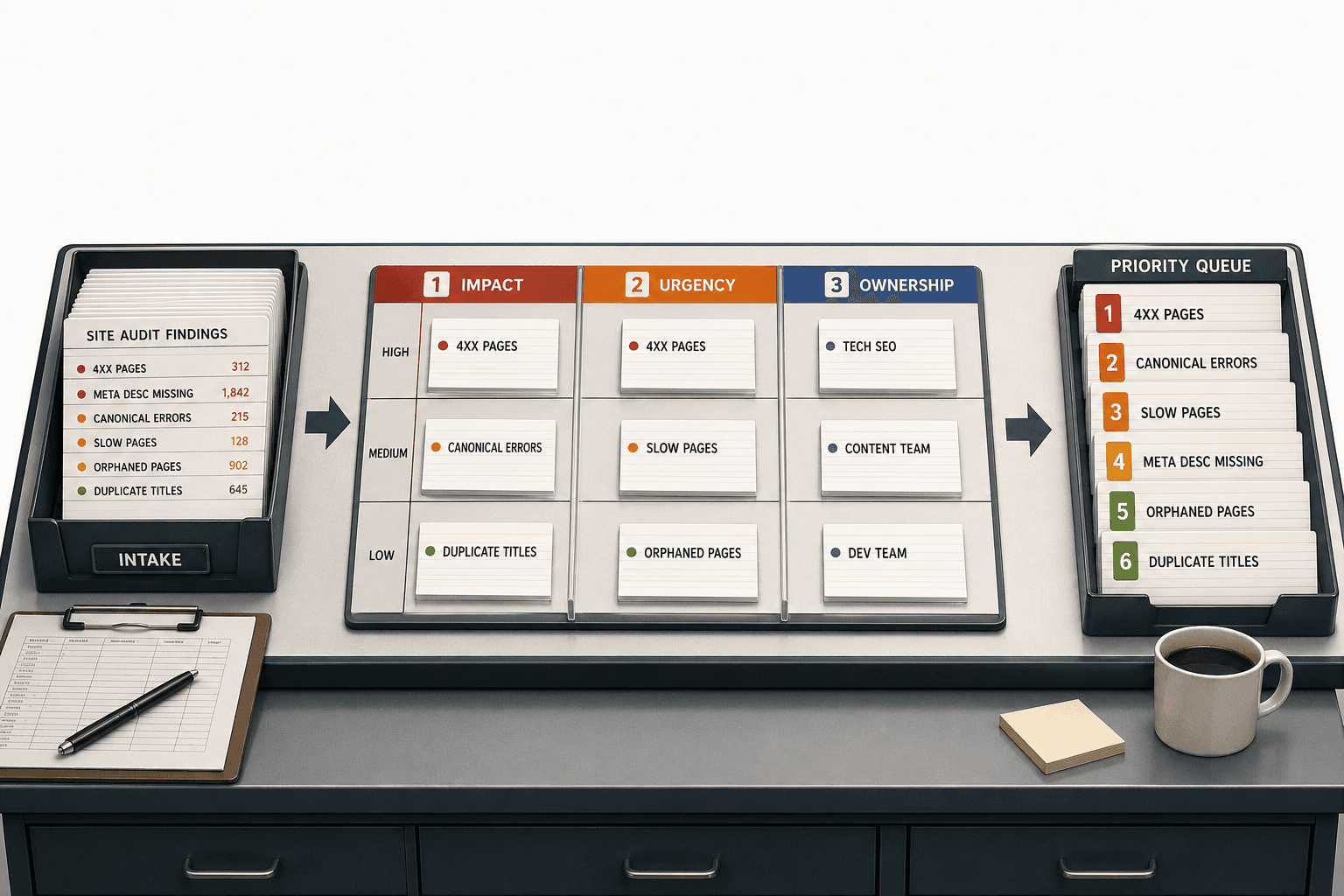
You will build a prioritization framework for alerts from your site audit tool. It will sort each issue into three questions: How much can this hurt performance? How fast do you need to act? Who owns the fix? For example, a noindex tag on key product pages is high impact, urgent, and owned by SEO plus engineering.
A site audit tool is used to scan your website for crawl, index, speed, and structure problems. It powers site health checks by finding issues before rankings or traffic slip. The simplest working version starts with a full inventory of every alert type the platform can generate.
For a beginner-friendly overview of site audit fundamentals before building your alert framework, check out this tutorial from Josiah Roche - Google Ads + SEO Training:
What youll learn
By the end of this section, you’ll know how SEO alerts work and why they often create confusion. Most tools detect a condition, compare it to a rule, and then trigger a warning. You’ll learn how to separate signal from noise and write clear response rules your team can follow.
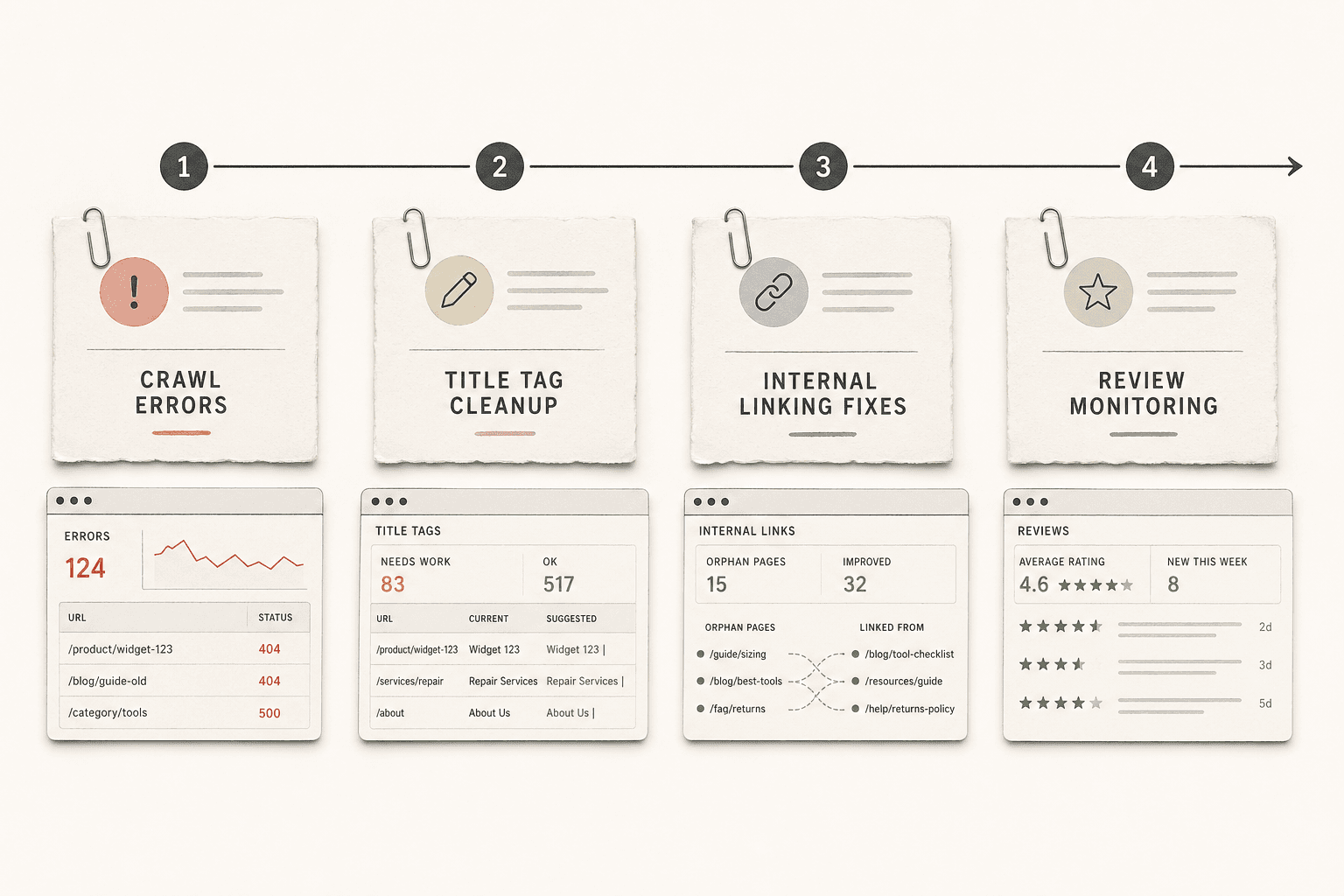
You’ll also learn what a tool should monitor. Start with crawl errors, broken links, indexability changes, canonicals, redirects, page speed, internal linking, and structured data. These are the core inputs for useful technical seo monitoring.
Prerequisites and tools
Before you start, gather the basics you’ll need:
- Basic SEO knowledge
- Spreadsheet access
- Your site audit tool account
- Google Search Console
- Analytics access
- A shared team channel
Why most seo alerts fail
Most seo alerts fail because they lack context. A warning without impact, deadline, or owner is just noise. For example, ten minor missing alt tags should not outrank a robots.txt block on revenue pages. Start by listing every alert type, then classify each one before you automate responses.
Part 2 Build Your Alert Triage Matrix for Technical SEO Monitoring

1. List every alert category
Start by naming every alert your site audit tool sends. Keep the labels simple and consistent. Use categories like crawl errors, indexation issues, broken links, canonical conflicts, redirect problems, Core Web Vitals, content duplication, and site performance issues.
Think of this like sorting mail before you open it. A billing notice, legal letter, and flyer do not deserve the same response. Your SEO alerts work the same way.
For example, a temporary redirect warning and a blocked product category page should never sit in the same bucket. One may wait. The other may cut discovery and sales fast.
2. Group alerts by issue type
Next, group alerts by the kind of problem they create. This helps you spot patterns instead of chasing single warnings. It also makes your SEO alerts easier to assign.
Use broad groups such as access, indexation, authority flow, page experience, and duplication. Crawl errors and robots blocks fit under access. Broken links and bad redirects fit under authority flow. Slow templates and layout shifts fit under page experience. These align with the most common technical problems that impact site health and need priority attention.
3. Create four priority levels
Now build the matrix. Use four priority levels: critical, high, normal, and monitor only. To assign these levels, track five key factors: severity, affected pages, revenue risk, traffic risk, and confidence level. This gives you a fast scoring model your team can trust.
Use four priority levels: critical, high, normal, and monitor only. Critical means the issue hits important pages and likely hurts revenue. High means the issue is serious but limited. Normal means fix it in the next workflow cycle. Monitor only means watch it during 24/7 monitoring, but do not interrupt planned work.
For example, if canonicals point key product pages to the wrong URL, mark that critical. If three blog posts have broken outbound links, mark that normal. If a warning looks noisy or uncertain, lower the score until you confirm it.
4. Add business impact rules
This is where most teams either get sharp or stay messy. You should tie every priority rule to business outcomes. Ask two questions first: does this hurt pages that drive pipeline, and does it block traffic growth?
A good rule is simple. If the issue affects revenue pages, rank it higher. If it affects high-impression pages, rank it higher. If confidence is low, reduce urgency until verified.
That is how you prioritize SEO issues. The issues that matter most first are the ones that block crawling, stop indexation, break key internal paths, or damage important page experience. Once your matrix does that well, your technical SEO monitoring becomes a control system, not a fire alarm.
Part 3 Add SEO Alerts Rules and 24/7 Monitoring Logic
1. Set thresholds that trigger alerts
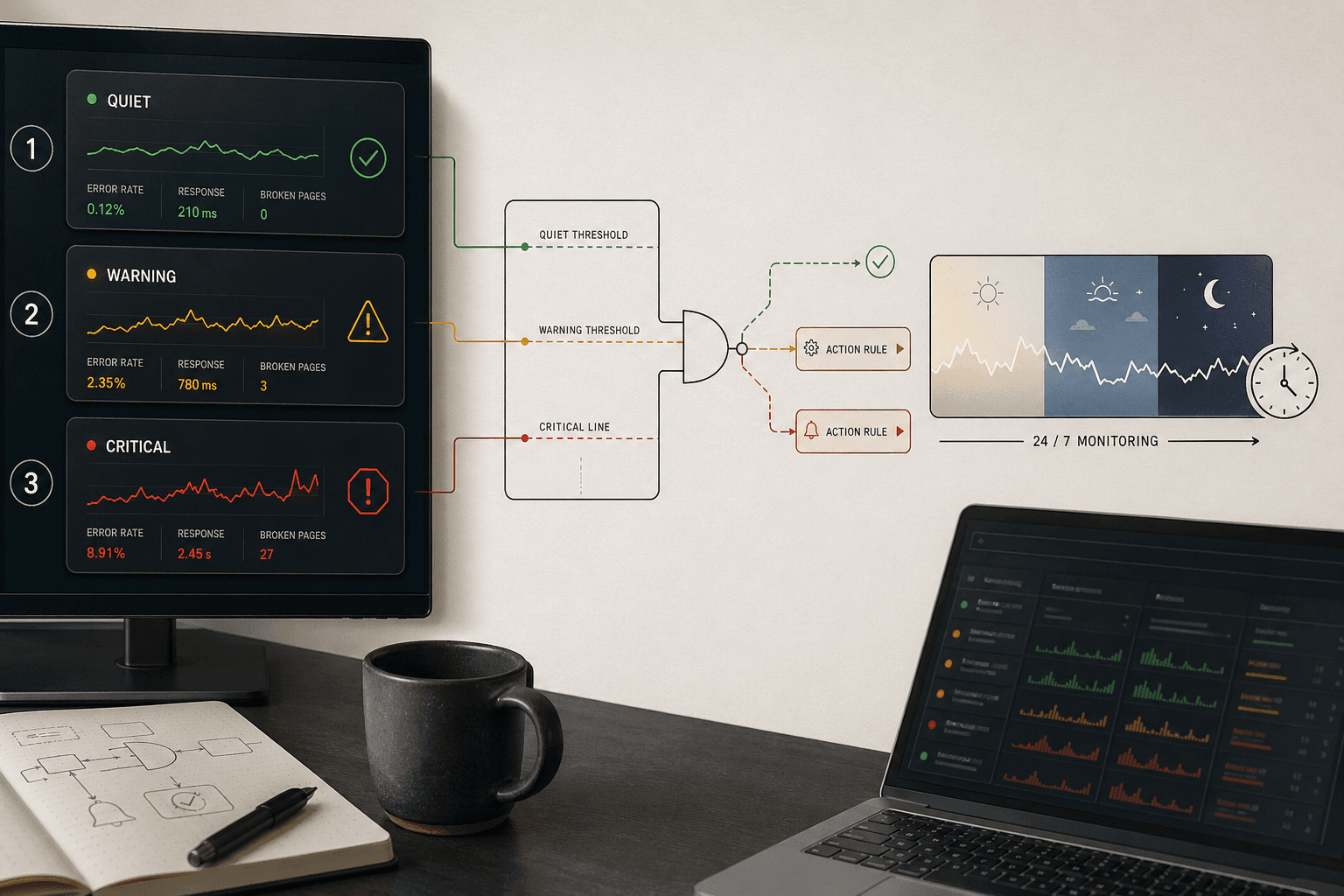
Start with thresholds that match impact, not annoyance. For example, one broken page may not matter. Fifty broken product pages probably do. The reason this works is simple: limits force your team to react to patterns, not random noise.
Set rules by issue type. Trigger indexation alerts when excluded pages spike above your normal range. Trigger crawl alerts when 5xx errors hit a set share of key templates. For technical SEO monitoring, thresholds should reflect business risk, page volume, and page type.
2. Define routing and ownership
Every alert needs one owner, one backup, and one deadline. If nobody owns the alert, everybody ignores it. Think of routing like a fire alarm panel. Each signal must point to the right person fast.
For example, robots.txt blocks should route to your SEO lead first. A developer should act as backup. Response deadlines should stay short for critical issues and longer for low-risk warnings. This keeps seo alerts tied to accountability, not guesswork.
3. Build escalation paths
Some issues need 24/7 monitoring because waiting until morning costs traffic. That is what 24/7 monitoring in SEO means. You watch for high-risk failures at all hours, then alert the right person the moment they appear.
Use this for deindexation, major robots blocks, widespread 5xx errors, and broken templates across important pages. For example, if category pages suddenly lose title tags, your team should know right away. Research from 30 Technical SEO Issues and How to Fix them in 2026 - Wellows shows 2050%, which is a reminder that technical issues can scale fast when nobody catches them early.
4. Reduce false positives
Alert fatigue happens when every ping feels urgent. You reduce SEO alert fatigue by adding cooldown periods, duplicate suppression, and review rules for repeat low-impact issues. A good site audit tool should group matching warnings instead of sending ten versions of the same problem.
For example, if the same redirect warning appears every crawl, review it weekly instead of instantly. Add cooldown windows so one outage does not trigger five messages. Notice how this protects attention. Your team stays sharp for the alerts that actually need fast action.
Part 4 Test the Site Audit Tool Workflow Before Rollout
Run test scenarios
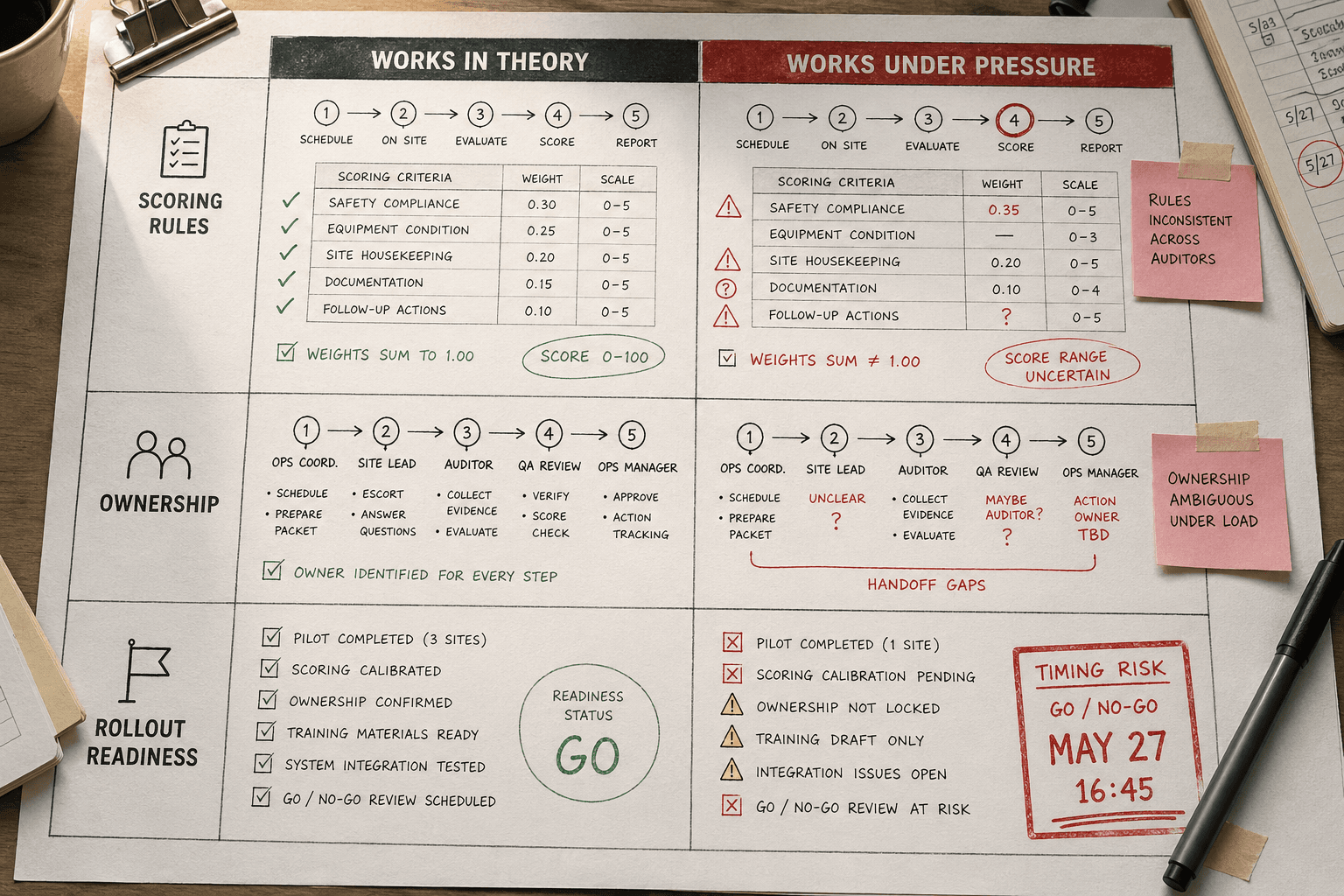
Start with controlled tests inside your site audit tool. Create a small set of sample issues and watch what happens. For example, publish a noindex tag on a key template in staging. Then test a sudden spike in broken pages. After that, add a low-risk metadata issue. Each case should trigger a different response.
This is the simplest way to answer, "How do you test a site audit tool?" You test it with known problems, known owners, and expected outcomes. If the alert flow feels messy during a drill, it will feel worse in production. Technical SEO issues can scale fast, which makes pre-rollout testing worth the effort. For a comprehensive list of common issues to test against, see 30 Technical SEO Issues and How to Fix them in 2026 - Wellows.
Validate severity scoring
Next, check whether severity scores match real business risk. A noindex template mistake should rank near the top. A few missing meta descriptions should not. If both land in the same bucket, your scoring model needs work.
Review each test result with the people who will use it. Ask one simple question: did this issue get the right urgency level? Good technical SEO monitoring depends on clear scoring logic, not gut feelings.
Check routing and response times
Now confirm that the right people receive the right SEO alerts. Your developer should get template failures fast. Your content lead should not get paged for a title tag cleanup task. Track response times too. Fast routing matters only when it reaches the correct owner.
You should review 24/7 monitoring rules on a set schedule. For most teams, a monthly review works well. Also review after major releases, migrations, or alert failures.
Document edge cases
Write down every false positive, missed critical issue, and confusing exception. For example, a faceted navigation page may look broken but be expected. A temporary crawl block may trigger noise during maintenance. These edge cases sharpen your rules before rollout.
At this point, your workflow should feel boring. That is the goal. Boring systems scale.
Deploy the site audit tool with confidence

Your next move is simple. Roll this out in phases. Start with a small set of high-risk alerts and prove the process works in the real world. Once your team trusts the rules, add more alert types, sharper thresholds, and deeper technical SEO monitoring. This phased approach keeps adoption clean and avoids the usual mess where every alert suddenly feels urgent again.
You should also protect the system from decay. Put a weekly review on the calendar. Use it to tune thresholds, remove noisy triggers, retire low-value warnings, and spot gaps in your technical SEO monitoring. Think of this like routine maintenance. The framework stays useful only if you keep refining it as your site, team, and goals change.
From here, you can make the workflow even stronger. Connect alerts to your project management tool so issues become assigned tasks fast. Feed priority data into dashboards so leaders can see patterns without digging through logs. Add automated reporting so your team can track response time, issue volume, and recurring problem areas with less manual work.
The win is not more alerts. The win is better judgment, faster action, and fewer fire drills when something breaks.
Want to learn more? Learn More to explore how this can work for your team.