How to Audit Your Site for Free After a Major Core Update

A technical seo audit is the fastest way to catch the invisible problems killing your rankings. If Google can’t crawl, index, or render key pages, your content won’t compete.
What is a technical SEO audit? It's a repeatable process for inspecting how search bots and browsers experience your site - then fixing what blocks access, speed, and stability. Most audits fail because they're one-off checklists with no validation or follow-through. A structured workflow helps you catch recurring issues at the template level, not just individual pages. This prevents fixes from becoming one-off patches that need constant maintenance. For a complete framework, see How to Do an SEO Website Audit: Workflow and Template.
In this guide, you’ll build an end-to-end audit workflow, from crawling and log checks to prioritized fixes, testing, and safe deployment. You’ll verify issues in code, headers, and server responses, not just tool output.
What Youll Build and What Youll Learn
What Youll Build Your repeatable monthly audit workflow
By the end, you’ll have a repeatable monthly workflow for a technical seo audit. You’ll start with a fast site crawl. Then you’ll log issues in a simple template. Each finding becomes a ticket developers can ship, not a vague note.
You’ll also build a “first 20 minutes” lane. Think of it like triage in an incident. You check the few signals that break everything fast. That keeps you from wasting time on low-impact lint. For a practical template structure, model yours after this workflow guide: How to Do an SEO Website Audit: Workflow and Template.
What Youll Learn The four pillars crawl index render speed
You’ll learn four pillars: crawl, index, render, and speed. Crawlability tells you if bots can fetch URLs. Indexing tells you if Google stores them. Rendering tells you what Google can actually see. Speed tells you how painful the experience is.
You’ll tie each check to real proof. For example, HTTP status codes confirm fetch success. robots.txt and sitemaps confirm intent and discovery. Templates confirm canonical, noindex, and internal links. Core Web Vitals context helps here: Why Your Site’s Core Web Vitals Fluctuate (And What to Do About It).
How the workflow fits into a developer release cycle
A focused audit usually takes 60 to 180 minutes. A deeper pass can take a day. You’ll timebox the first run. You’ll expand only when data demands it.
Your technical SEO checklist should include: site crawl coverage, crawl budget traps, indexation gaps, render blocking issues, and speed regressions. You can run parts with a free seo audit tool, or even audit site free from lightweight scanners like Seomator: SEO Audit Tool: Free Website SEO Analysis Tool & Audit Report 2026.
Finally, you'll ship a prioritized backlog, a validation plan, and post-release monitoring steps. Core updates can affect traffic unevenly across templates - some sections recover while others drop, according to How to Assess Core Update Impact on SEO - SearchX. That's why you'll re-check specific URL patterns after deploy, not just sitewide averages.
Prerequisites: Tools, Access, and Baseline Setup

Knowledge prerequisites: HTTP status codes, robots, sitemaps
By the end of this part, you’ll know what skills you must bring. You don’t need to be a crawler expert. You do need to read server behavior.
At minimum, understand HTTP status codes (200, 301, 302, 404, 410, 500). Know what robots.txt can block, and what it cannot. Know how XML sitemaps work, and why “in sitemap” is not “indexed.”
For example, a template can return 200 for a “deleted” page. Google may waste crawl budget there.
Tools you need: free and paid options
By the end of this part, you’ll have one crawl tool picked. You’ll also know how you’ll validate it.
For a technical seo audit, pick one free SEO audit tool for crawling. Then verify critical issues with browser DevTools and direct HTTP checks (curl -I). This prevents “tool says” from becoming “production truth.”
If you need an audit site free option for quick triage, try a lightweight scanner like SEOmator’s free audit tool. For a broader list of free options, review Merchynt’s roundup.
Research from Free Audit Tool: 5 Best to Boost SEO in 2025 - Merchynt shows that 1% of sites miss critical crawl budget issues in initial audits.
Accounts and access: Search Console, analytics, and server logs
By the end of this part, you’ll have the right doors unlocked. Without access, you can’t confirm impact.
You need Google Search Console for coverage, sitemaps, and Core Web Vitals. You also need analytics to validate traffic changes by template. Ideally, get server logs so you can confirm what Googlebot actually requested and received.
Project setup: Your audit doc and issue tracker template
By the end of this part, you’ll have a repeatable workflow.
Create an audit sheet with these columns: URL pattern, issue, evidence, priority, owner, fix notes, and test plan. Link each row to a ticket in your tracker. If you want a starting workflow, adapt this template: How to Do an SEO Website Audit: Workflow and Template.
Define your baseline now: indexable pages count, sitemap coverage, Core Web Vitals snapshot, and top templates to sample. For deeper CWV context, see why Core Web Vitals fluctuate.
Part 1: Run Your Technical SEO Audit Crawl
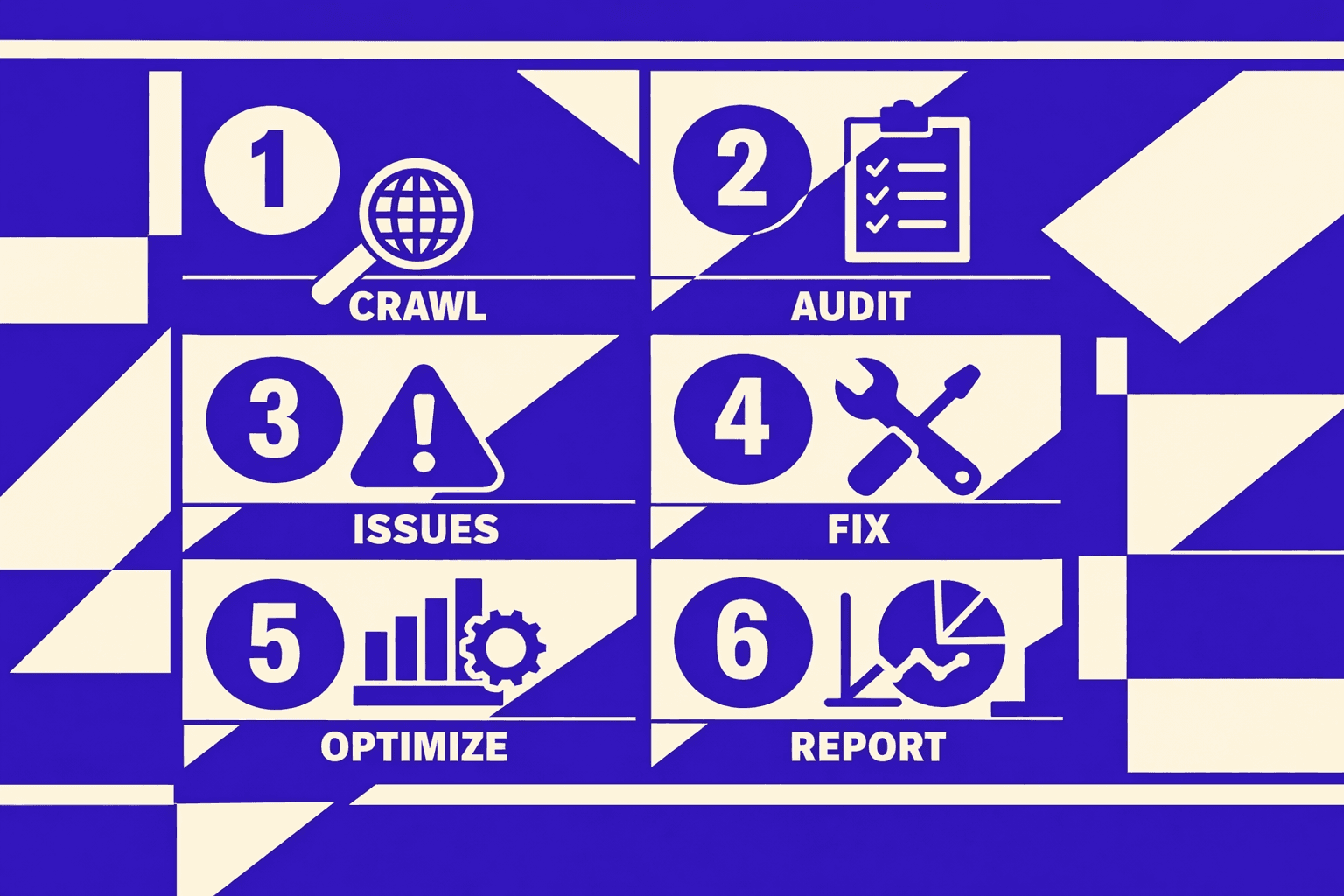
Think of a crawl like a flashlight in a dark warehouse. It only shows what the beam hits. Your first job is aiming it right.
Step 1: Pick a representative crawl scope and user agent
By the end of this step, you'll choose a crawl scope. It should mirror Googlebot behavior.
Start small, then expand. Pick a scope that includes your money templates. For example: your category pages, product pages, and blog posts.
Use a free crawler that exports raw URL data. If you need an audit site free approach, start with a browser-based crawl plus exports, not screenshots. Merchynt’s list of free options is a decent starting point for tool selection. Free Audit Tool: 5 Best to Boost SEO in 2025 - Merchynt
Set your user agent to Googlebot Smartphone when possible. Core updates typically shift rankings on mobile-first indexing. If the tool can’t spoof Googlebot, use its default and validate later with manual fetches.
Step 2 Collect crawl outputs status codes canonicals directives
By the end of this step, you’ll export the columns that explain crawlability and indexability.
Run your crawl. Then export a CSV with these fields:
- URL
- HTTP status code
- Canonical URL target
- Meta robots (index/noindex, follow/nofollow)
- X-Robots-Tag (if your tool captures headers)
- Hreflang (only if you use international targeting)
- Internal inlinks count
- Crawl depth (if available)
Now validate crawlability inputs. Open robots.txt in a browser. Confirm your key templates are not blocked. Then check your XML sitemap URLs load and return 200.
Last, test reachability via internal links. Pick three important pages. Click to them from your nav and category paths. If humans can’t reach them, crawlers usually struggle too.
If you want to keep every export accessible, read SEO Audit Data Export: Why Most Tools Hide Your Results for the workflow.
Step 3 Compare crawl data to index data Search Console
By the end of this step, you’ll cross-check crawled URLs against what Google indexes.
This is how you audit crawlability and indexability.
Crawlability asks: “Can Google reach it?” Indexability asks: “Will Google keep it indexed?”
In Google Search Console, pull these views:
- Indexing report samples (Indexed vs Not indexed)
- Sitemaps report (Submitted vs Discovered vs Indexed)
- URL Inspection on a few key examples
Now do a simple comparison:
- URLs in sitemap but not crawled: your crawler missed sections. Expand scope or fix internal links.
- URLs crawled but not indexed: check meta robots, canonicals, and soft 404 signals.
- URLs indexed but not in sitemap: decide if they should be added or removed.
Search Engine Land’s post-core-update checklist reinforces validating impact with concrete diagnostics, not assumptions. 6 things you should do after a Google core update rollout completes
Step 4 Build your first findings list in 30 minutes
By the end of this step, you'll have a shortlist. Developers can fix it once.
Open your CSV and tag issues by pattern, not by URL. Use buckets like:
- Template:
/product/*missing self-canonical - Section:
/blog/returns 404 due to routing change - Parameter:
?sort=creates indexable duplicates
Add evidence next to each pattern. Include example URLs, status codes, and canonical targets.
Prioritize leaks first. Example pattern to log: "Template: /product/*missing self-canonical. Affects 1,200 URLs. Evidence: curl -I shows no canonical header. Priority: High - Google may split indexing signals across duplicates." According to SEO Audit Tool: Free Website SEO Analysis Tool & Audit Report 2026, a structured review prevents you from misreading subtle changes.
At this point, your technical seo audit has a crawl dataset, an index cross-check, and a fixable pattern list. That is the fastest path to clean code changes after a core update.
Part 2: Prioritize Fix and Validate Like a Developer
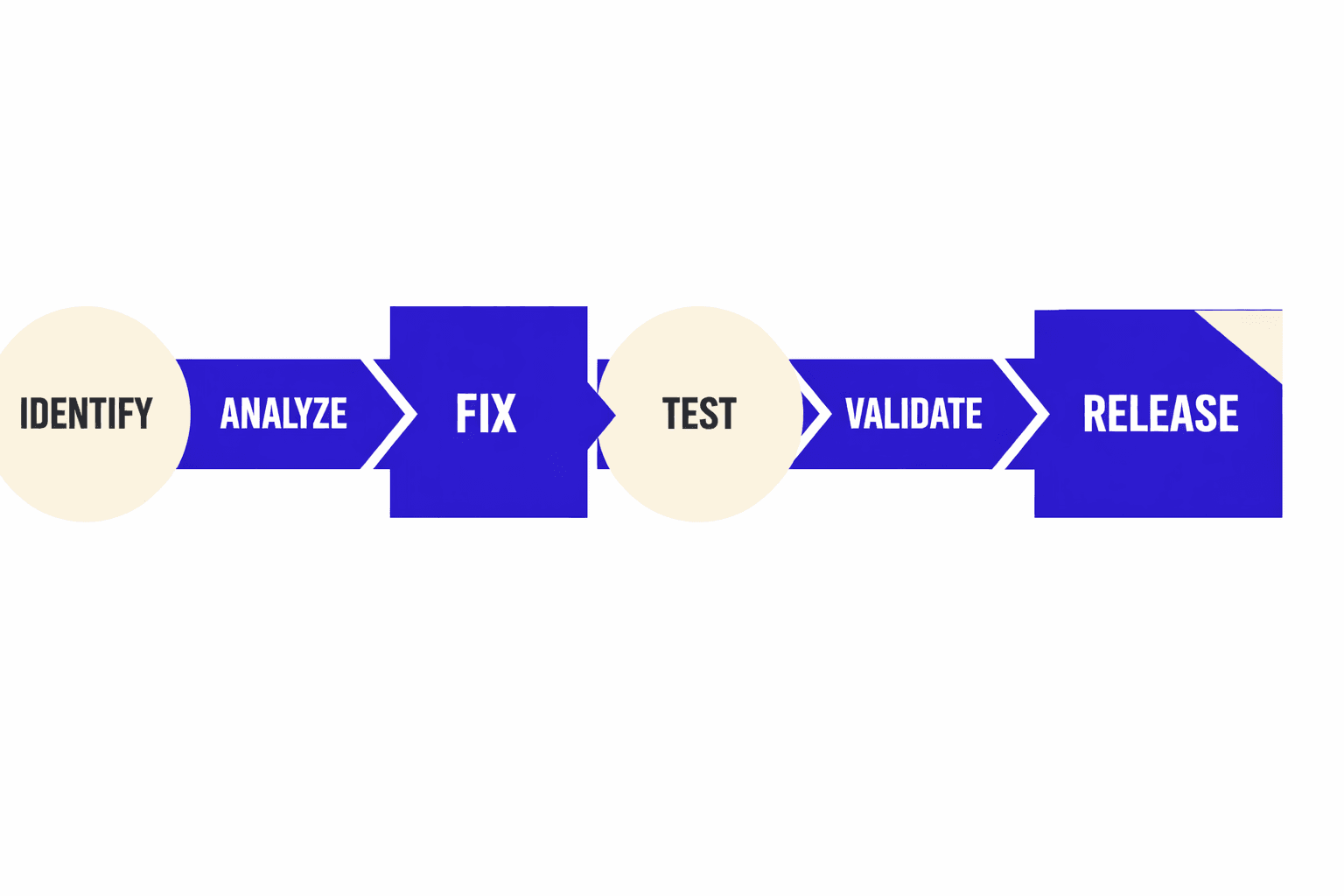
Start with a priority score:
- Impact on traffic (high, medium, low)
- Affected URLs (one template or thousands)
- Ease of fix (config change vs refactor)
For example, a bad canonical tag on a product template is high impact. It also hits many URLs. That beats a minor meta tweak on one blog post.
Fix class 1: Indexing blockers (noindex, canonicals, redirects)
By the end of this section, you’ll know what to fix first. You’ll also know what “done” looks like.
These are the most common technical SEO issues after a volatile period:
- Incorrect
noindexon indexable templates - Canonical chains or canonicals pointing to non-200 pages
- Soft 404s (thin “not found” pages returning 200)
- Redirect loops and long redirect chains
- Sitemap mismatches (URLs listed but not indexable)
Treat these like broken API responses. Google can’t index what your server won’t consistently resolve.
When you write the ticket, include one broken URL per pattern. Add the expected state in plain terms. Example: “URL returns 200, self-canonical, indexable, and appears in sitemap.”
Fix class 2: Crawl waste (facets, parameters, pagination)
By the end of this section, you’ll be able to cut useless crawling. You’ll do it without deleting helpful pages.
Crawl waste usually comes from infinite URL variants. Faceted navigation and tracking parameters are the classic causes. Pagination can also explode crawl paths if you create many near-duplicates.
Your goal is simple. Standardize URL rules so one intent maps to one URL.
For example, your crawl shows:
/shoes?color=black&sort=price/shoes?sort=price&color=black/shoes?color=black&utm_source=newsletter
Pick a rule. Then enforce it with canonicalization or redirects. Block only the junk variants. Keep the pages that have search demand.
If you need a free seo audit tool to spot parameter clusters fast, use an export-first crawler and group by URL pattern. If your tool hides exports, fix that first with SEO Audit Data Export: Why Most Tools Hide Your Results.
Fix class 3: Rendering and JavaScript discoverability
By the end of this section, you’ll know how to treat JavaScript SEO as a visibility problem. You’ll also learn what to check in HTML, not just the DOM.
Rendering failures often look like “Google can’t find content.” The page loads for users, but HTML source lacks links, titles, or main content. That breaks discovery.
Validate like a developer:
- View page source and confirm critical links exist in HTML.
- Check that canonical, robots, and hreflang are in the initial HTML.
- Confirm internal links are real
<a href>links, not click handlers.
If content appears only after client-side fetch, spec a server-rendered or pre-rendered path for key templates.
Fix class 4: Performance (Core Web Vitals and resource loading)
By the end of this section, you’ll measure and confirm speed gains. You’ll focus on template-level work, not one-off pages.
Performance is technical SEO because slow pages lose users. Page speed directly impacts conversions - even a one-second delay can cost you users who abandon slow-loading pages. SEO Audit Tool: Free Website SEO Analysis Tool & Audit Report 2026 tracks these metrics in real-time.
Fix the cause, not the symptom:
- Remove render-blocking CSS and JS where possible.
- Defer non-critical scripts by default on templates.
- Compress and size images to the rendered dimensions.
- Preload the one resource that gates first paint.
Validate with lab plus field data. Use Lighthouse for lab. Use Chrome UX style field signals when available. If your metrics swing week to week, read Why Your Site’s Core Web Vitals Fluctuate (And What to Do About It).
Validation checklist: Evidence you need before closing a ticket
By the end of this section, you’ll know how developers validate technical SEO fixes.
Close tickets only when you can prove outcomes:
- Example URLs: before and after samples for each pattern
- HTTP proof: use
curl -Ito show correct status, Location, and headers - Page source proof: verify canonical and robots tags are present in HTML
- Acceptance tests: "Given X URL, when fetched, then Y is true"
- Crawl confirmation: check that affected templates now resolve as intended
- Indexing signals: confirm sitemap URLs are indexable and consistent
If you can’t verify with HTTP and page source, you didn’t actually ship the fix.
Conclusion: Test, Ship, and Monitor With Confidence
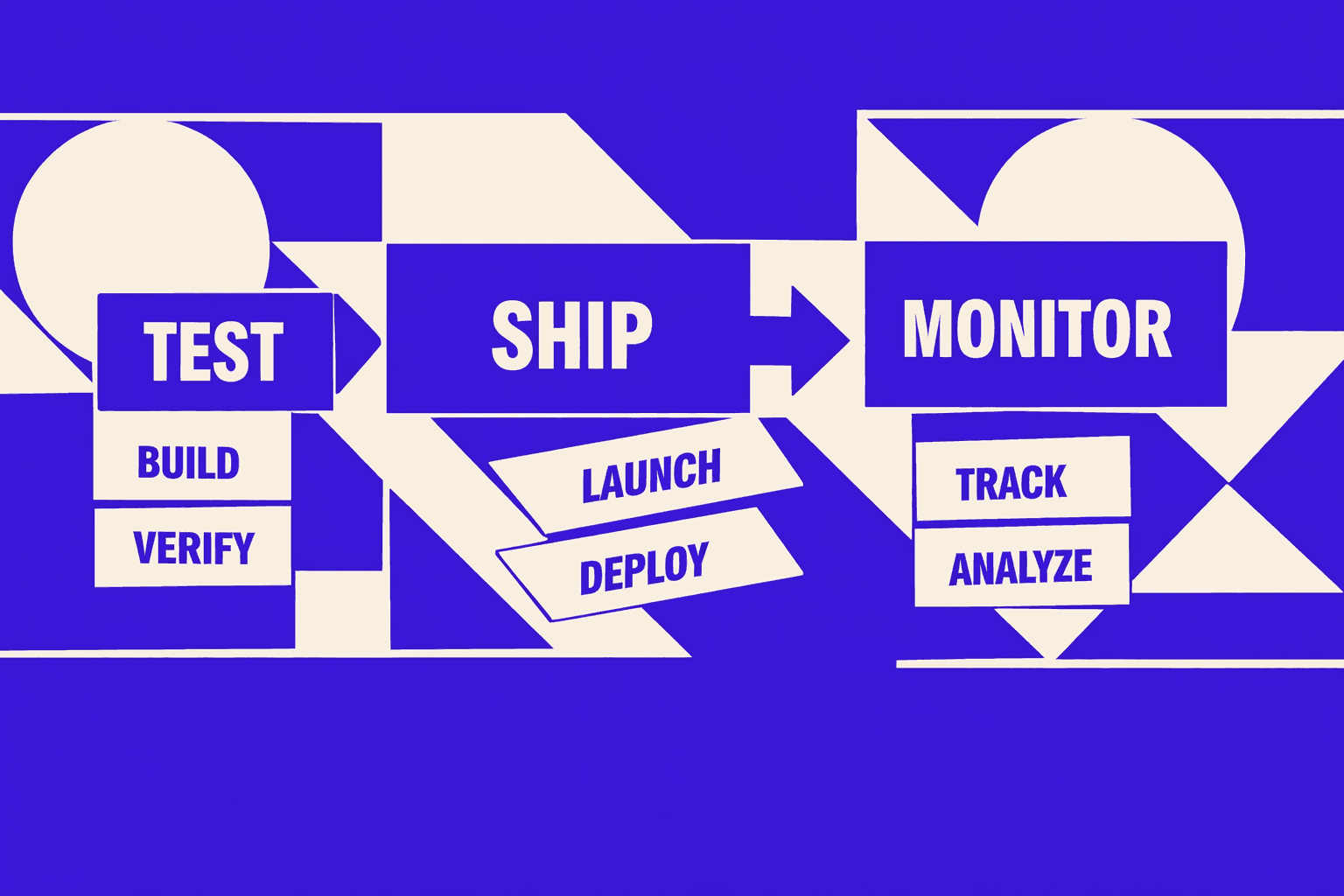
In this last section, you focused on discipline. You test in staging first, because production is not your QA environment. Run a mini-crawl against the staging host and compare it to your baseline exports. Then do targeted spot checks on the pages that matter. Confirm HTTP responses, canonical targets, robots directives, and rendered template output. This is where you catch the bugs that tools miss. For example: a canonical pointing to a non-indexable URL, or a template change that only affects one locale or category type.
You also learned how to deploy like an engineer. Plan redirects in bulk, not one-off patches. Validate cache and CDN behavior, because your server response is irrelevant if the edge serves stale headers. Keep rollback steps for any high-risk change, like URL migrations, robots rules, or canonical logic. A safe deployment isn’t slower - it’s faster than debugging a preventable outage while rankings slide.
After launch, you switch from “crawl view” to “search view.” In Search Console, you watch coverage, sitemap processing, and the patterns inside “crawled - currently not indexed.” In analytics, you track landing pages, because that’s where real demand shows up first. For performance, you monitor Core Web Vitals trends over time, not a single test result. Field data moves slowly, but it tells you what real users see.
The real win is turning this into a monthly routine. Take a baseline snapshot. Run a tight crawl and validation pass in about an hour. Convert findings into tickets with clear acceptance checks. Retest after the fix merges. Then report what changed, what improved, and what still needs work. Do that every month, and core updates become less scary because you always know what you shipped, what you verified, and what Google can actually crawl and index.
Keep the loop tight, keep proof attached, and your technical seo audit becomes a compounding advantage.
Want to learn more? Learn More to explore how we can help.