How to Fix Your SEO Audit Report: A Step-by-Step Action Plan
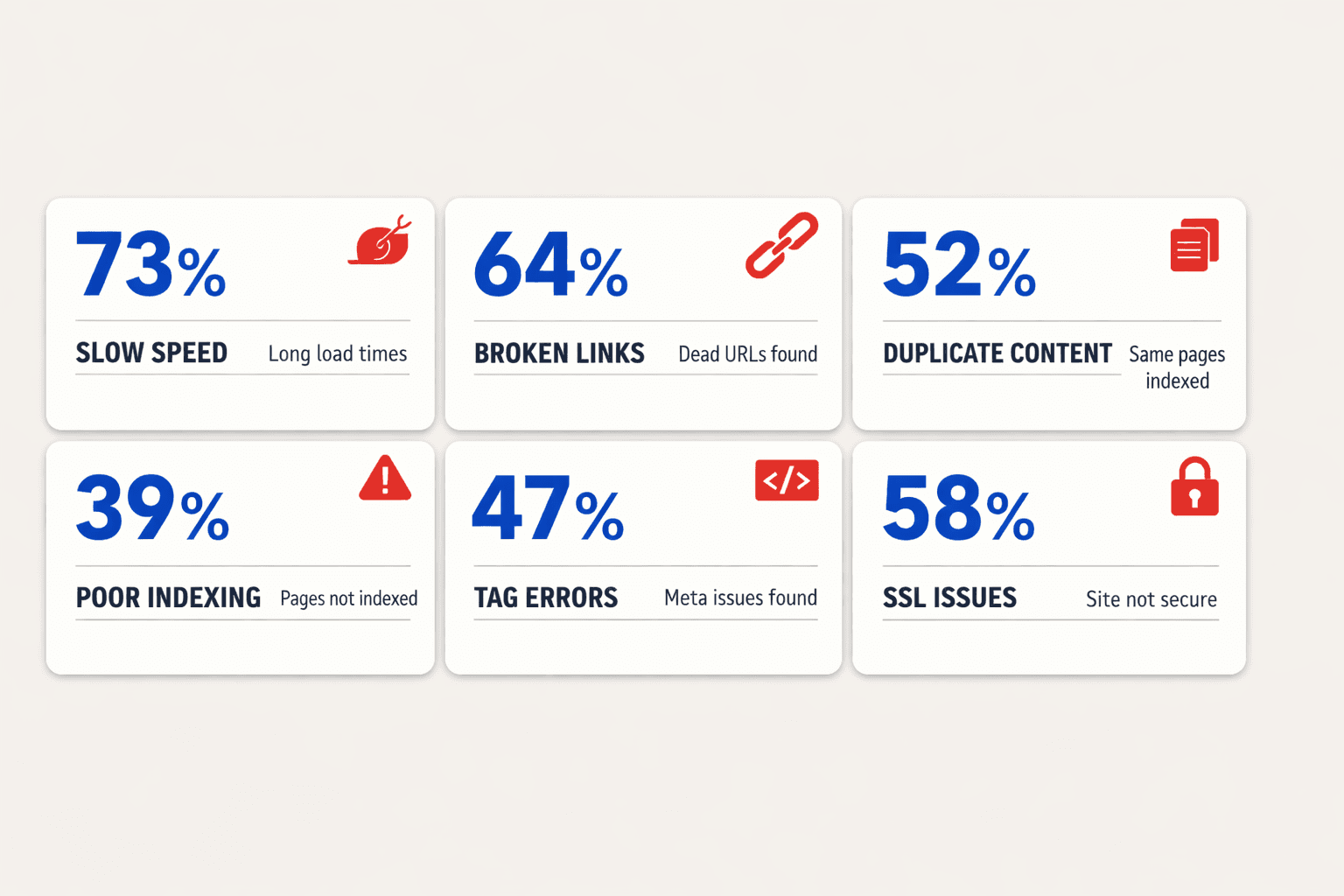
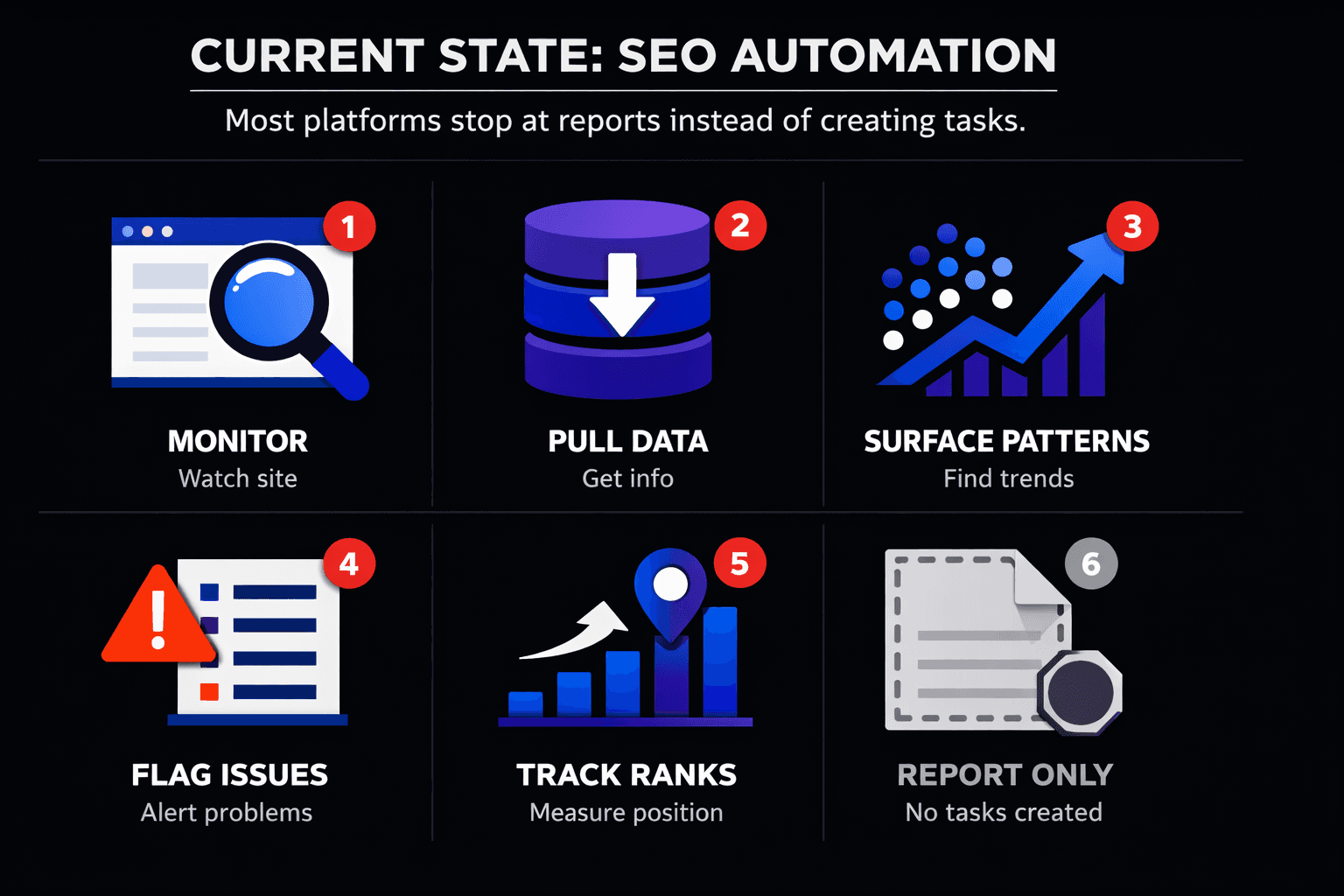
Need to fix seo audit report issues fast? Start with order, not effort. Most reports dump scores, warnings, and technical SEO tasks into one long list. That buries what matters and slows action. According to SEO Audit Checklist: A Step-by-Step Guide to Boost Rankings, 12% highlights how small issues can still shape performance. This matters because audit findings do not drive growth until you turn them into fixes. In this guide, you will see what to fix first, how to verify each change, and what results to expect. You'll also see how Mygomseo goes beyond a typical SEO audit tool by finding issues, prioritizing them, and executing fixes autonomously so you keep moving.
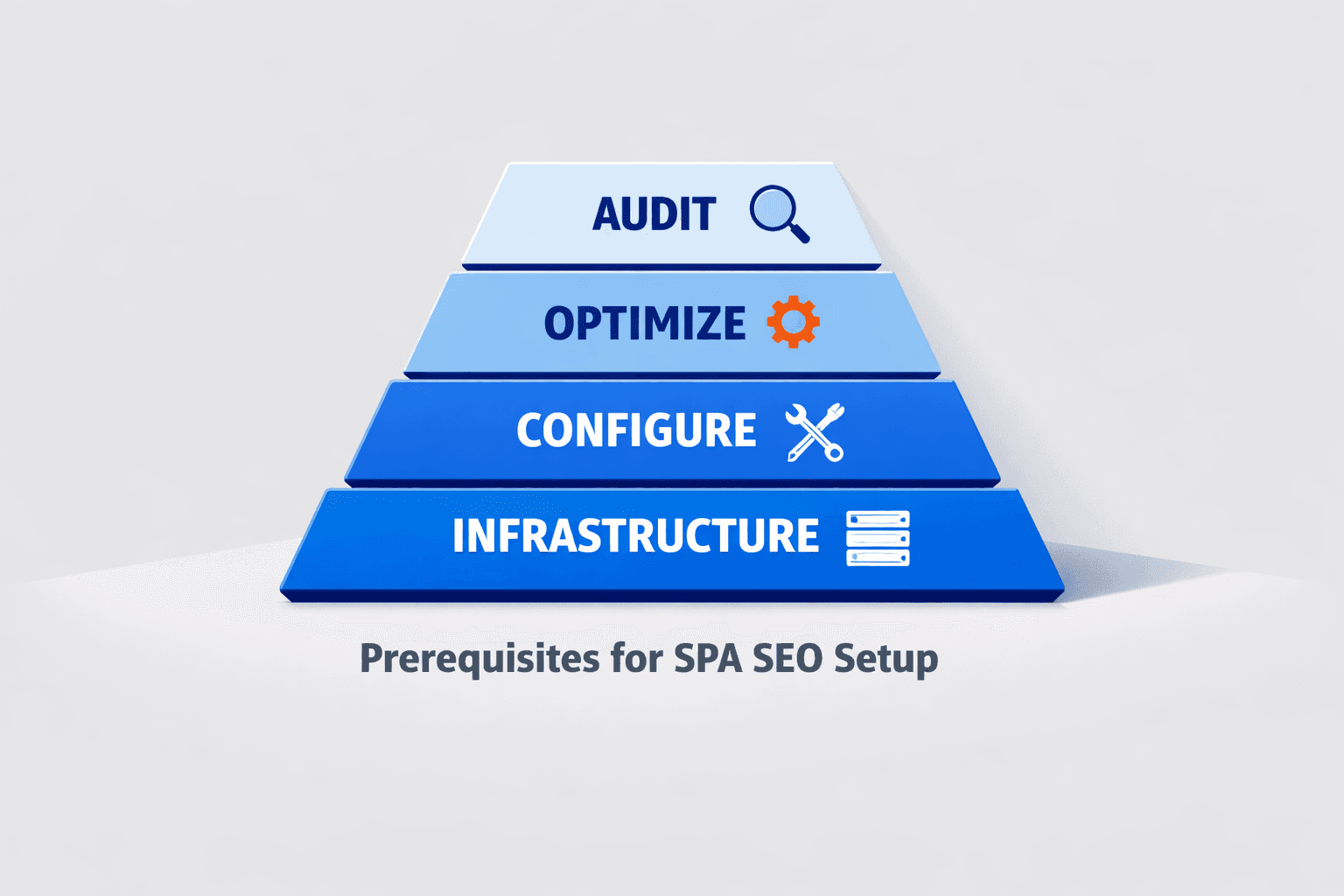
Step 1 Prerequisites Before You Fix SEO Audit Report Issues
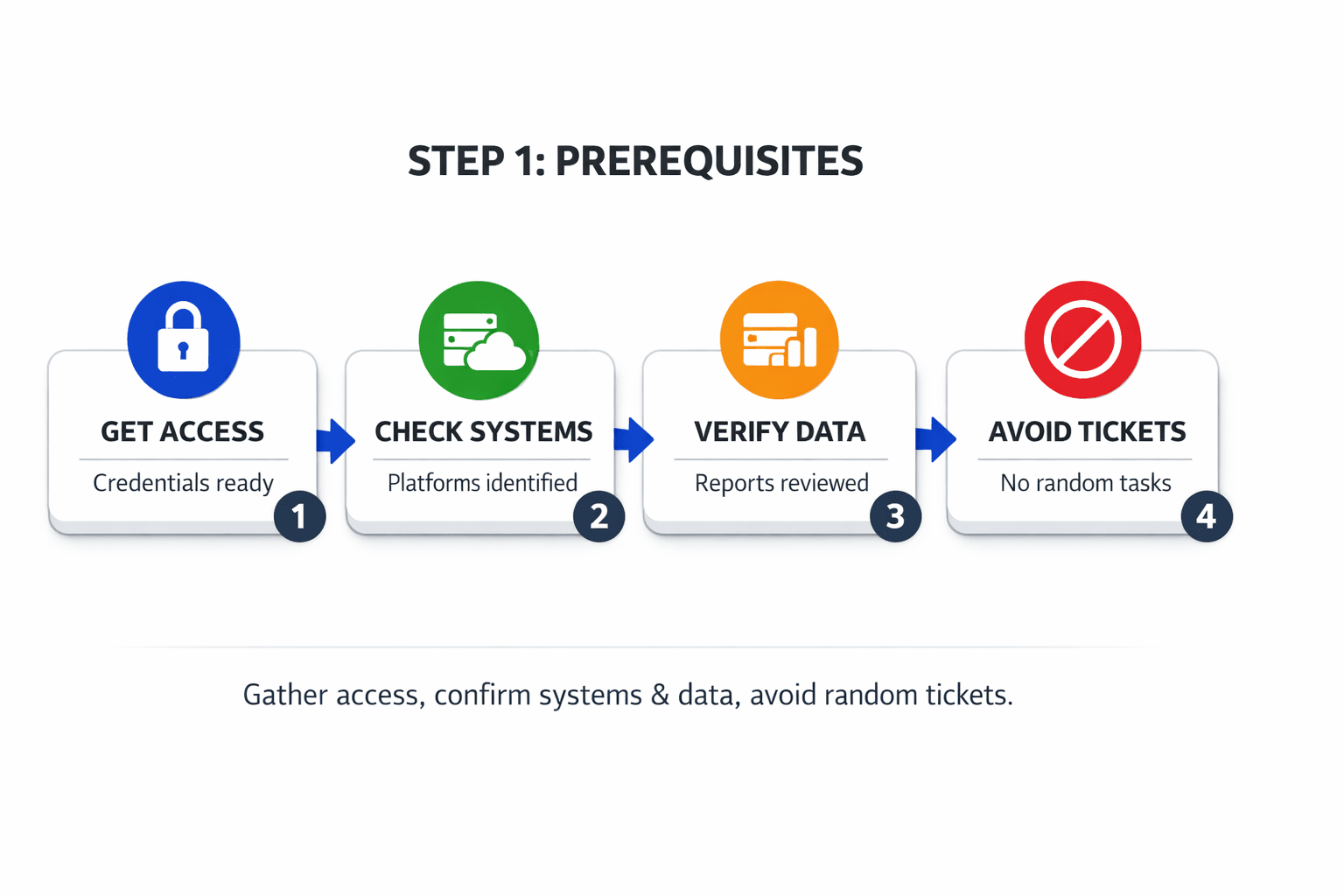
Get access to the right tools and accounts
Open every account you'll need before making changes: your CMS, Google Search Console, analytics platform, and SEO audit tool. If you use Shopify, Webflow, WordPress, or HubSpot, confirm edit access now. For sites managed by an agency or developer, request permissions before you start your first fix.
For example, a broken canonical tag may appear in your audit. You cannot fix it without CMS access. A spike in excluded pages may show in search console. You cannot confirm it without property access. Your audit checklist should also include admin access for redirects, sitemap settings, and robots.txt if those live outside the CMS. For help choosing checks that matter, see SEO Audit Tool Feature Creep: Which Checks Actually Matter?.
You should now have every login needed to change pages and verify results. Verify that each tool opens the right site property before proceeding.
For a visual walkthrough of this process, check out this tutorial from MR VYAS:
Pull one clean source of truth
Export all findings into one sheet or dashboard. Use one row per issue type, page group, or template. Add columns for source, priority, owner, status, and date checked. This keeps your team from fixing the same issue twice.
Think of this like packing for a trip. One checklist beats five sticky notes. According to SEO Audit Checklist: A Step-by-Step Guide to Boost Rankings, 29% of pages can suffer from content issues, so duplicates in your workflow waste time fast.
You should now have one working source of truth. Verify that duplicate findings are merged before proceeding.
Set a baseline before you touch anything
Record your starting numbers before changes go live. Capture indexed pages, clicks, impressions, top rankings, and site health score. Also note template-level issues, such as missing canonicals or sitemap errors. If indexing looks off, review Why Your XML Sitemap Might Be Hiding Your Best Content.
At this point, your team should have a complete audit checklist and a measurable starting line. Verify that every future fix seo audit report task maps back to a baseline metric.
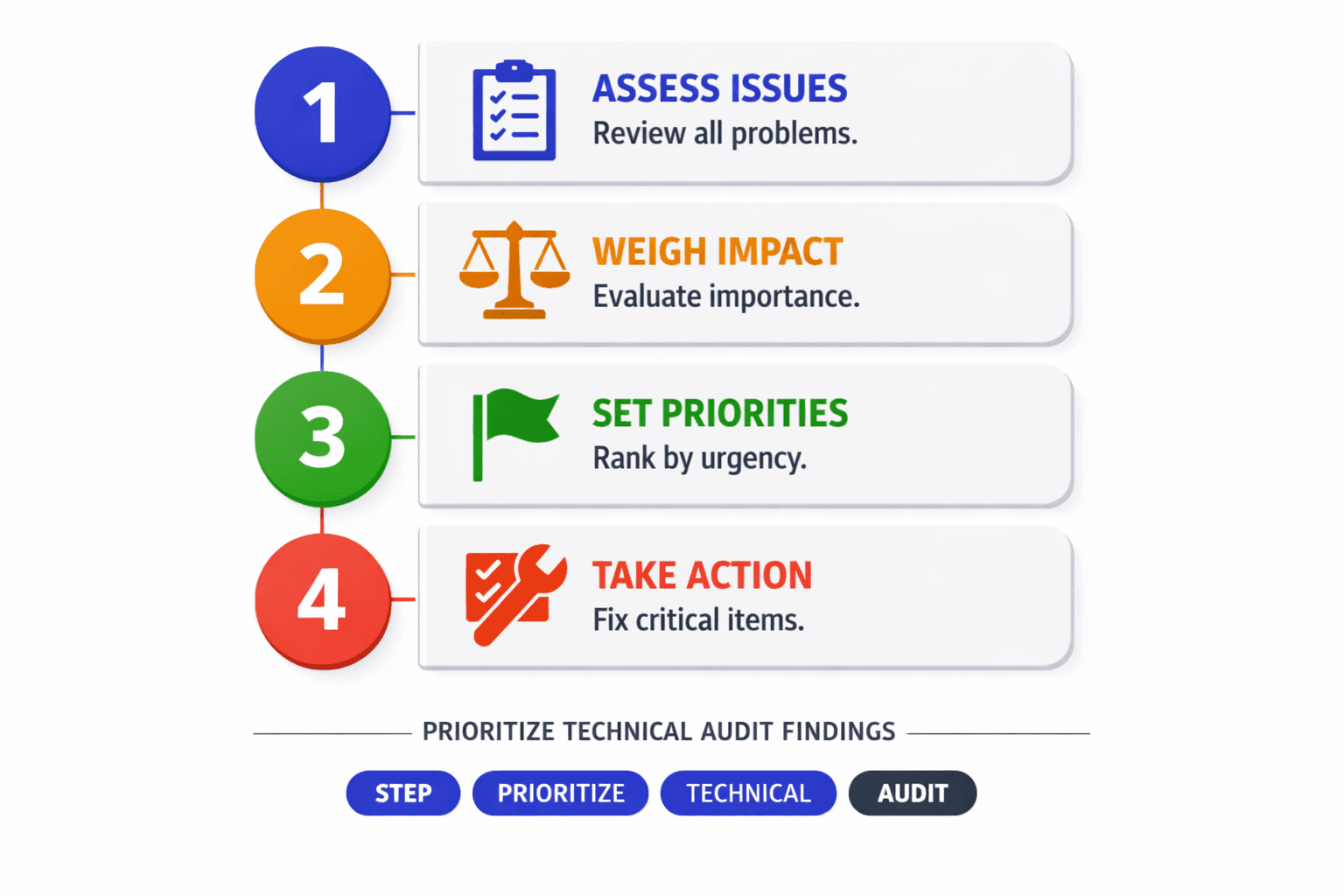
Step 2 Prioritize Your Technical SEO Audit Findings
Separate critical issues from low impact warnings
Start by grouping every issue into clear buckets. Use crawl, indexation, on page, internal linking, performance, and content. This makes large seo audits easier to scan. It also shows where search engines hit blockers first.
Fix blockers before polish items. For example, a blocked product page matters more than a missing H2. A noindex tag on pricing matters more than an oversized image on a blog post. Think of it like plumbing. Fix the burst pipe first, then replace the faucet.
Put crawl and indexation issues at the top. These include blocked robots.txt rules, broken canonicals, noindex mistakes, redirect chains, and bad XML sitemaps. If search engines cannot crawl or index a page, rankings cannot improve. For deeper context, read Why Your Technical SEO Audit Should Start With HTTPS (Not Content).
You should now have two lists: blockers and improvements. Verify that every issue sits in one bucket before proceeding.
Use an impact versus effort matrix
Next, score each issue by impact and effort. Use a simple four-box matrix. Put high-impact, low-effort fixes first. Save low-impact, high-effort fixes for later. This is the fastest way to fix seo audit report findings without wasting sprint time.
For example, updating a wrong canonical on a money page is high impact and low effort. Rewriting 200 old blog posts is high effort and often lower impact. Research from SEO Audit Checklist: A Step-by-Step Guide to Boost Rankings shows rankings can improve 6x when fixes align with the right audit priorities.
The team at Creators Hub demonstrates this concept clearly:
You should now see quick wins rise to the top. Verify that each item has both an impact score and an effort score.
Create a fix order that matches business goals
Now rank issues by page value. Start with product, pricing, demo, and comparison pages. Then move to category pages and key landing pages. Leave low-value tag pages and old posts for later unless they block larger sections.
Assign each fix an owner, deadline, and expected result. For example, give canonicals to engineering, title updates to content, and broken links to SEO. At this point, your audit checklist should show what gets fixed, who fixes it, and what outcome you expect. If canonical issues appear often, review Why Your Canonical Tags Are Backfiring.
You should now have a ranked fix list tied to traffic and revenue. Verify that high-intent pages come before low-value URLs.
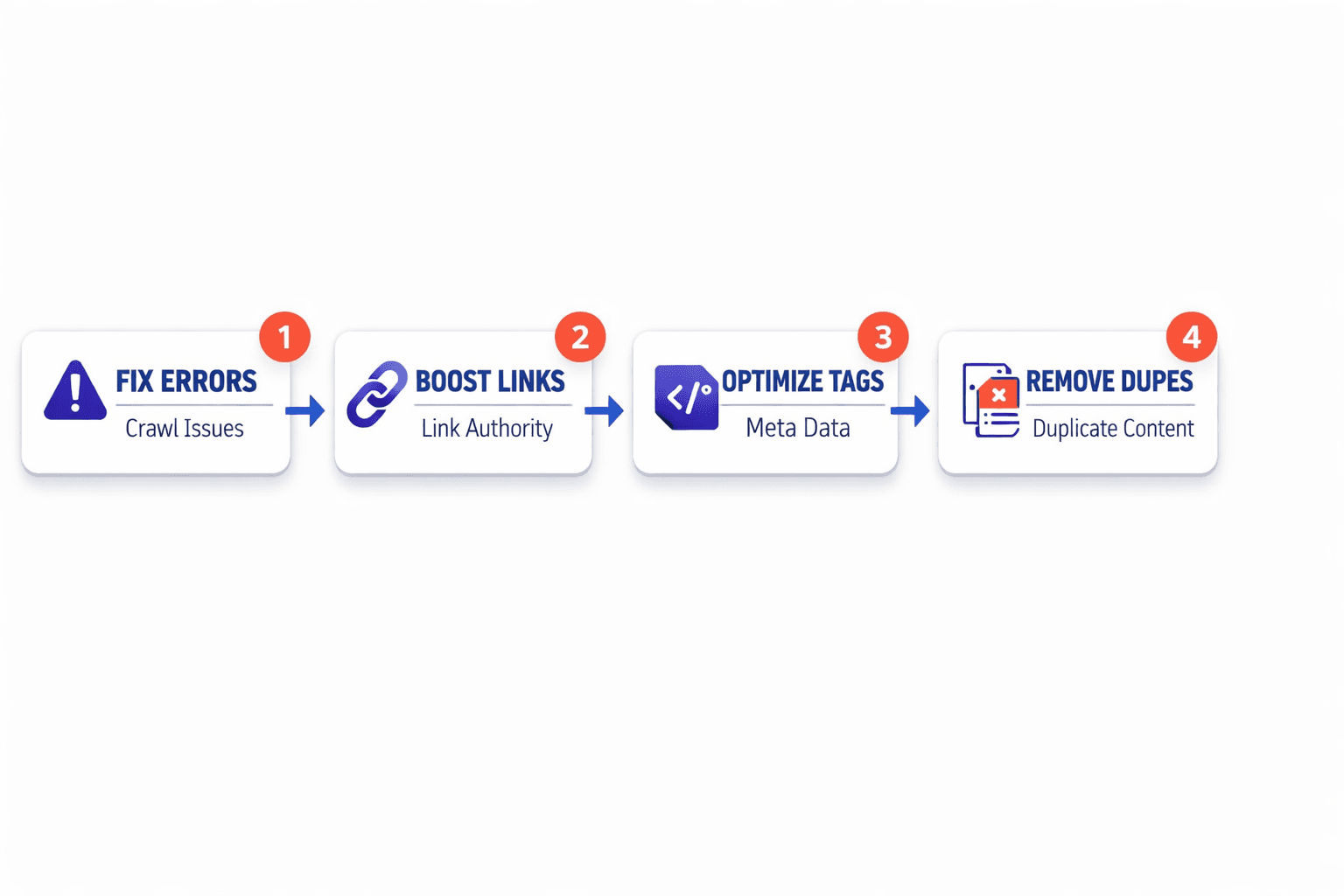
Step 3 Fix the Highest Impact SEO Audit Issues
Resolve crawl and indexation blockers
Start with pages that search engines cannot reach or trust. These issues drag down every other win in your technical seo audit. Think of them like locked doors in a store. If Google cannot enter, nothing inside matters.
- Check noindex tags on revenue pages, blog hubs, and core landing pages.
- Remove accidental noindex directives from pages that should rank.
- Review robots.txt blocks on folders that contain important pages.
- Correct canonical tags that point to the wrong URL.
- Test redirect chains, loops, and dead redirects.
- Repair 4xx and 5xx URLs that appear in your audit.
You can fix many of these issues without a developer. For example, most CMS tools let you edit noindex settings, canonicals, and redirects. Mygomseo can also automate recurring fixes across templates, which helps you move from diagnosis to action faster.
You should now see fewer blocked URLs and fewer indexed mistakes. Verify that Search Console reports fewer excluded pages before proceeding. For more help on canonicals, read Why Your Canonical Tags Are Backfiring (And How to Audit Them Fast).
Fix broken links redirects and internal linking
Next, fix paths between pages. Broken links waste authority and confuse users. Weak internal links hide important pages in plain sight. For example, your pricing page may be live, but buried three clicks deep with no strong links.
- Replace internal links that point to 404 pages.
- Update old links that still hit redirected URLs.
- Point links straight to the final destination.
- Add links from high-authority pages to priority pages.
- Find orphan pages and connect them to relevant hubs.
- Rewrite vague anchor text with clear page context.
This is how you fix crawl and indexing problems from an audit report. You remove dead ends, shorten redirect paths, and make page relationships obvious. According to How to perform an SEO audit (with checklist) • Yoast, broken links, weak metadata, and bad canonicals are core issues to review in seo audits.
At this point, your internal paths should look cleaner. Verify that your crawler shows fewer redirect hops and fewer orphan pages.
Improve page speed metadata and duplicate content
Now fix the issues that weaken rankings after crawl access is restored. Start with title tags and meta descriptions on high-value pages. Then clean up duplicate pages and thin sections that split signals.
- Rewrite missing or duplicated title tags.
- Update meta descriptions for key landing pages.
- Merge duplicate pages that target the same intent.
- Set canonicals where near-duplicates must stay live.
- Compress oversized images on slow templates.
- Remove scripts that delay rendering on key pages.
For example, if three pages target the same feature keyword, combine them into one stronger URL. If one page must stay, redirect the others. Research from 2025 SEO Audit Checklist | Step-by-Step Guide by DRVN Media shows lazy loading can improve image handling significantly, in some cases by 300x for load-related efficiency claims in audits.
You should now see fewer critical errors and a cleaner technical seo score. Verify that your crawl report shows fewer duplicate tags and faster page templates.
Adapt the fix plan for ecommerce SEO pages
Ecommerce seo needs a tighter fix plan. Category pages usually drive discovery. Product pages usually drive conversion. Treat both with care.
- Expand category pages with useful copy and clear headings.
- Control faceted navigation so filters do not create index bloat.
- Canonicalize or noindex duplicate variant URLs when needed.
- Consolidate duplicate product pages across color or size versions.
- Improve thin product content with specs, use cases, and FAQs.
For example, a filtered collection for “blue running shoes size 10” should not become a new indexable page by accident. Ecommerce SEO audit: 18 steps checklist to do it right highlights duplicate variants, category structure, and filter control as key ecommerce seo priorities. If sitemap coverage looks off, read Why Your XML Sitemap Might Be Hiding Your Best Content.
At this point, you should see fewer critical errors and a cleaner technical seo audit score. Verify that category pages remain indexable, filter noise drops, and priority product pages gain stronger internal support.
Step 4 Verify Results and Automate the Next Round of Fixes
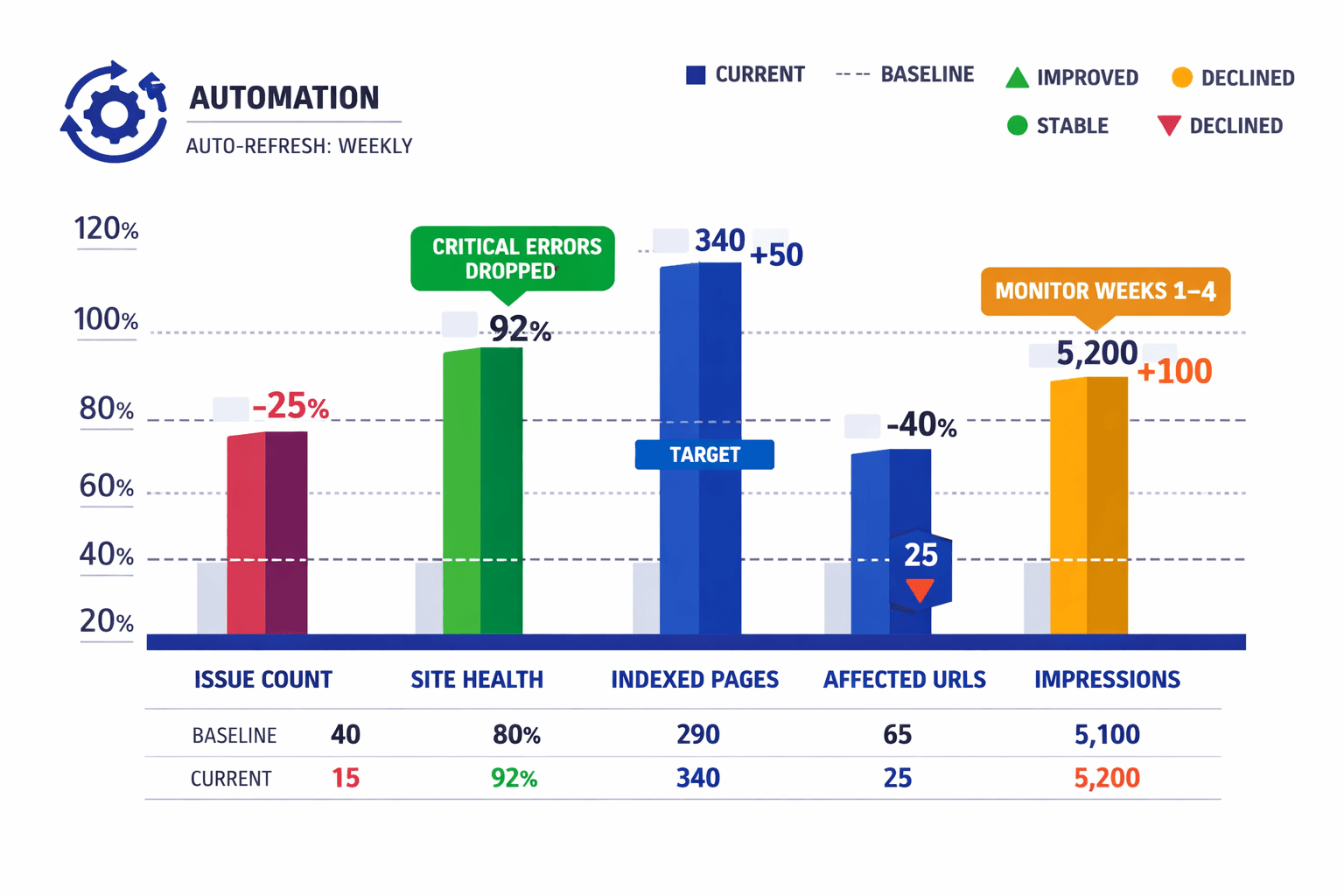
Then validate those changes in Search Console. Check coverage first. Confirm that excluded pages are shrinking where they should. Review crawl activity to see whether Google is reaching the pages you fixed. Track impressions and clicks for the next few weeks, not just the next day. Some updates show fast. Others take more time to be crawled, processed, and reflected in search results. That is normal. What matters is direction, not noise.
Use this step to separate solved problems from delayed outcomes. If a redirect issue disappears from your seo audit tool, that fix likely worked. If impressions stay flat, the change may need more time or a stronger internal linking push. If indexed pages rise but clicks do not, review page quality and intent match next. This is where a technical seo audit becomes useful. You stop guessing. You start measuring. You can now tell which actions improved crawlability, which helped search engines understand your site, and which tasks still sit in the queue.
Watch for recurring issues. If the same title tag errors, broken links, canonicals, or indexation problems keep coming back, the problem is no longer one page. It is a workflow gap. Manual cleanup will not hold. Automate detection. Automate execution. Mygomseo helps you move past the usual seo audit checklist by handling repeat fixes without constant follow up from your team. Instead of finding the same problem in every new technical seo audit, you can set the system to catch it early and fix it at scale.
That shift matters. Your audit report should not become a monthly reminder of work you already did. It should become a control panel for what changed, what still needs attention, and what your process should handle automatically next. At this point, you should know which fixes produced a clear result, which ones need a longer window, and which repetitive tasks belong inside automation. That is how you fix seo audit report issues with less waste and more consistency.
Keep the cycle tight. Audit, fix, verify, automate, then repeat with better data and fewer manual steps each round. Want to learn more? Learn More to explore how Mygomseo can help.